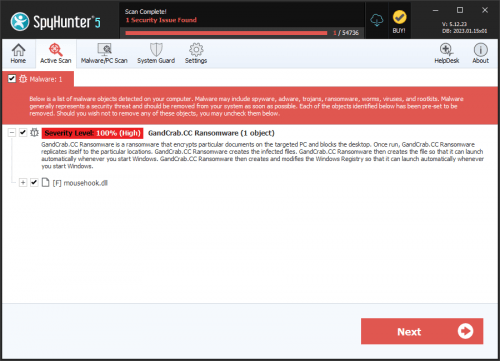
GandCrab Ransomware
Threat Scorecard
EnigmaSoft Threat Scorecard
EnigmaSoft Threat Scorecards are assessment reports for different malware threats which have been collected and analyzed by our research team. EnigmaSoft Threat Scorecards evaluate and rank threats using several metrics including real-world and potential risk factors, trends, frequency, prevalence, and persistence. EnigmaSoft Threat Scorecards are updated regularly based on our research data and metrics and are useful for a wide range of computer users, from end users seeking solutions to remove malware from their systems to security experts analyzing threats.
EnigmaSoft Threat Scorecards display a variety of useful information, including:
Ranking: The ranking of a particular threat in EnigmaSoft’s Threat Database.
Severity Level: The determined severity level of an object, represented numerically, based on our risk modeling process and research, as explained in our Threat Assessment Criteria.
Infected Computers: The number of confirmed and suspected cases of a particular threat detected on infected computers as reported by SpyHunter.
See also Threat Assessment Criteria.
| Ranking: | 5,691 |
| Threat Level: | 100 % (High) |
| Infected Computers: | 79,401 |
| First Seen: | January 29, 2018 |
| Last Seen: | September 14, 2025 |
| OS(es) Affected: | Windows |
GandCrab ransomware is a malware threat that encrypts data on affected computers and demands the payment of ransom in exchange for a decryption tool. That cryptovirus appeared for the first time at the end of January this year, and since then researchers have identified several different versions of GandCrab, among which GDCB, GandCrab v2, GandCrab v3, GandCrab v4, and GandCrab v5. The latest version was identified just about a month ago in September 2018. The features and encryption mechanisms of this ransomware have evolved since its first appearance - while the initial three versions have used RSA and AES encryption algorithms to lock up data on the infected device, version 4 and above employ additional and more sophisticated cipher like Salsa20. Malware researchers believe that this is done mostly for speed reasons as the Salsa20 cipher is much quicker. The pattern for choosing which files to encrypt has evolved as well. The original version has checked for files to encrypt against a specific list of file extensions, whereas the second and all subsequent GandCrab versions have an exclusion list instead, and encrypt all other files that do not appear on that list. The amount of the required ransom has also been raised.
This Week In Malware Episode 21 Part 3: GandCrab, REvil, Sodinokibi Ransomware Threats Remain Extremely Dangerous in Q4 2020
GandCrab is mostly distributed through spam emails, exploit kits, fake updates, and cracked legit software. A characteristic feature of all GandCrab cases is that this ransomware adds specific extensions to the encrypted files. Depending on which version of the malware has infected the computer, these file extensions could be .gdcb, .krab, .crab, .lock, or a combination of random 5 to 10 letters. The initial version of GandCrab had a critical bug in the code that left the decryption key in the memory of the infected computer, so an anti-malware company, working together with Europol and the Romanian Police, quickly developed a decryptor and offered it for free download on NoMoreRansom.org. Yet, almost immediately after that, the malware authors have released an updated version where the flaw has been fixed so that the decryptor does not work anymore for all subsequent versions. At this point, there are no free decryption tools for the currently circulating versions of GandCrab ransomware, so users should apply extreme caution when surfing online, or opening email messages. The best tip against ransomware is, probably, to keep back ups of all your valuable data on external storage devices.
Table of Contents
GandCrab First Three Versions Follow a Basic Routine
As soon as GandCrab infiltrates a system, it starts the file scanning and encryption process, targeting the most valuable data stored on the computer and attempting to cover all types of content like images, photos, videos, databases, archives, Microsoft Office/Open Office documents, music files, and so on. After the malware has finished the encryption process, the user has no access to the encrypted files while the following ransom note is displayed in a text file named GDCB-DECRYPT.txt:
"= GANDCRAB =—
Attention!
All your files documents, photos, databases and other important files are encrypted and have the extension: .GDCB
The only method of recovering files is to purchase a private key. It is on our server and only we can recover your files.
The server with your key is in a closed network TOR. You can get there by the following ways:
1. Download Tor browser – https://www.torproject.org/
2. Install Tor browser
3. Open Tor Browser
4. Open link in tor browser: http://gdcbghvjyqy7jclk.onion/[id]
5. Follow the instructions on this page
On our page you will see instructions on payment and get the opportunity to decrypt 1 file for free.
DANGEROUS!
Do not try to modify files or use your own private key – this will result in the loss of your data forever!"
If the user follows all the required steps, they will land on a web page called GandCrab decryptor where they will read that they will have to pay an amount of 1.54 DASH, equivalent to around $1,200, for a decryption tool. The corresponding DASH address to which the ransom should be sent is provided as well. The malware website also offers the possibility to upload one file for free decryption to convince the user of its reliability, and in addition, the user gets access to a support chat. In order to intimidate the victims, the malware owners also point a specific period within which the ransom should be paid, and threaten to destroy the files after the expiration of that period or to raise the amount of the requested ransom. The payment in DASH is acceptable only for the first and the second versions of the malware.
Malware researchers advise never to obey the rules of the cybercriminals as there are alternative ways to recover your data. GandCrab ransomware can be removed by professional removal tools, while the experts do not recommend to try to clean your PC by yourself unless you are an expert user. Sophisticated ransomware threats of that type have the ability to disguise their operations and files as legitimate processes, which means that you can easily terminate a crucial system file while trying to remove some malicious object, which in turn, may lead to irreparable damage to your computer.
The third version, known as GandCrab v3, appeared at the end of April with more powerful encryption methods and specifically targeting users in former Soviet Union countries, like Ukraine, Kazakhstan, Belarus, and Russia. In addition to the RSA - 2048 encryption algorithm known from the previous versions, GandCrab v3 also renders AES -256 (CBC mode) encryption to lock up personal files and other data. The encrypted files are given the .CRAB extension, while the displayed ransom note looks quite familiar. Unlike versions 1 and 2, however, this one does not accept payment in DASH but asks the victim to pay the ransom amount in Bitcoin instead. This version also has the ability to change the user's wallpaper to a ransom note whereby the desktop switches constantly between wallpaper and ransom note in order to intimidate the victim additionally. Another new feature is a RunOnce autorun registry key:
HKLM\SOFTWARE\Microsoft\Windows\CurrentVersion\RunOnce\whtsxydcvmtC:\Documents and Settings\Administrator\Application Data\Microsoft\yrtbsc.exe
Subsequent GandCrab Versions Come with New Advanced Features
GandCrab v4
In July this year, GandCrab v4 has followed its precursors. It also exploits the AES-256 (CBC Mode) and the RSA - 2048 encryption algorithms, though this version of the ransomware adds the .KRAB extension to the encrypted files. This advanced threat also uses a fast and efficient cryptographic algorithm called Tiny Encryption Algorithm (TEA) to avoid detection from anti-virus programs.
Version 4 introduces a new encryption algorithm as well. GandCrab v4 generates two RSA keys which are used for the encryption of each file - a public and a private key. During the encryption procedure, the malware encrypts each file with specifically generated random Salsa20 key and a random initialization vector (IV), which are then encrypted with the public RSA key generated in the beginning. The private RSA key stays in the registry and is itself encrypted with another Salsa20 key and an IV, which are, in turn, encrypted with a public RSA key embedded into the malware.After the encryption process is complete, a new 8-byte field with the file key and the IV is added to the contents of the affected file, increasing thus its size. This sophisticated method of encryption makes GandCrab v4 very powerful since the files cannot be decrypted without the private key that corresponds to the embedded public key. An additional complication also comes from the fact that the ransomware deletes all shadow volume on the infected computer so that files cannot be recovered through that mechanism. Finally, GandCrab also deletes itself from the machine. This time, the ransom note is contained in two different files which are named KRAB - DECRYPT.txt and CRAB - DECRYPT.txt.
Then, the following GandCrab v4.1 version has another new feature - it can communicate with a network instead of receiving commands from a C&C server. This version of the ransomware also does not require an Internet connection to spread, and there have been speculations that it can use the SMB transport protocol for its distribution, similar to the Petya and WannaCry viruses which also used the SMB exploit. Even if that is not yet the case, experts warn that this capability of GandCrab could be introduced in some of the upcoming versions of the malware, therefore users should make sure they have installed all available patches. What is also new in this version is that the decryption keys are located on the attackers' server and can be accessed only by the cybercriminals themselves. Moveover, a new key is specifically generated for each infected computer so that the decryption keys cannot be reused. A new feature of the following GandCrab v4.2 is a special code that is capable of detecting virtual machines, in which case the malware stops its operations.
For GandCrab v4.1, a vaccine app has been developed which works by creating a special file on the targeted system that tricks the ransomware that the data has already been encrypted. The vaccine app is available online, yet it works for this particular version and the preceding versions only, but not for v4.1.2 and the subsequent versions. The malware creators quickly found a way to make the trick ineffective - v4.2.1 has appeared at the beginning of August with an incorporated message to the company that developed the vaccine, and a link to a source code exploit which has been designed to attack a product of this company. This code represents a Visual Studio project and it contains data in Russian. Version 4.3 appeared almost simultaneously to v4.2.1, but also had several changes. One of the changes is that the virtual machines detection code has been removed as it did not always work properly.
GandCrab v5
The latest versions of GandCrab occurred then in September - GandCrab v5, GandCrab v5.0.1, v5.0.2, and v5.0.4. The new features include the ability to use randomly generated 5 to 10 - letter file extensions for the encrypted files, instead of predetermined ones as observed in the previous versions of the ransomware. Version v5.0.2 adds ten randomly picked letters as a file extension to each encrypted file, while the subsequent v5.0.4 uses a random 8-character file extension. GandCrab v5 has a new ransom note format whereby the file name looks like this: [randomly_generated_extension] - DECRYPT.html. Unlike some of the older versions, the HTML ransom note only explains how to download the TOR browser, while the hackers' payment page hosted on the TOR network gives the rest of the information concerning what has happened to the user's files. The required ransom is an amount in DASH or Bitcoin, and this time it is equivalent to $800 to $2,400.
Versions from v5.0.1 upwards use again a text file format for the ransom note, but the rest stays the same. GandCrab v5.0.1 ransom note is contained within a file named [random_extension]-Decrypt.txt file and requires the use of the anonymous communication through the TOR browser. It reads the following:
" —= GANDCRAB V5.0.1 =—
Attention!
All your files, documents, photos, databases and other important files are encrypted and have the extension:
The only method of recovering files is to purchase an unique private key. Only we can give you this key and only we can recover your files.
The server with your key is in a closed network TOR. You can get there by the following ways:>
—————————————————————————————->
•Download Tor browser – https://www.torproject.org/
• Install Tor browser
• Open Tor Browser
• Open link in TOR browser: http://gandcrabmfe6mnef.onion/e499c8afc4ba3647
• Follow the instructions on this page
—————————————————————————————-
On our page you will see instructions on payment and get the opportunity to decrypt 1 file for free.
ATTENTION!
IN ORDER TO PREVENT DATA DAMAGE:
* DO NOT MODIFY ENCRYPTED FILES
* DO NOT CHANGE DATA BELOW"
When visiting the TOR page of the attackers, the victim reads the following message:
"We are sorry, but your files have been encrypted!
Don't worry, we can help you to return all of your files!
Files decryptor's price is 2400 USD
If payment isn't made until 2018-07-20 02:32:41 UTC the cost of decrypting files will be doubled
Amount was doubled!
Time left to double price:
—————————————————————————————–
What the matter? Buy GandCrab Decryptor Support is 24/7 Test decrypt
—————————————————————————————–
Please turn on javascript!!
What the matter?
Your computer has been infected with GandCrab Ransomware. Your files have been encrypted and you can't decrypt it by yourself.
In the network, you can probably find decryptors and third-party software, but it won't help you and it only can make your files undecryptable
What can I do to get my files back?
You should buy GandCrab Decryptor. This software will help you to decrypt all of your encrypted files and remove GandCrab Ransomware from your PC.
Current price: $2,400.00. As payment, you need cryptocurrency DASH or Bitcoin
What guarantees can you give to me?
You can use test decryption and decrypt 1 file for free
What is cryptocurrency and how can I purchase GandCrab Decryptor?
You can read more details about cryptocurrency at Google or here.
As payment, you have to buy DASH or Bitcoin using a credit card, and send coins to our address.
How can I pay to you?
You have to buy Bitcoin or DASH using a credit card. Links to services where you can do it: Dash exchanges list, Bitcoin exchanges list
After it, go to our payment page Buy GandCrab Decryptor, choose your payment method and follow the instructions."
In order to achieve its persistence and to ensure that its malicious script runs automatically with each boot of the Windows operating system, v5.0.2 adds entries into the Windows registry:
HKEY_CURRENT_USER\Control Panel\International
HKEY_CURRENT_USER\Control Panel\International\LocaleName
HKEY_CURRENT_USER\Keyboard Layout\Preload
HKEY_CURRENT_USER\Keyboard Layout\Preload\1
HKEY_CURRENT_USER\Keyboard Layout\Preload\2
HKEY_CURRENT_USER\SOFTWARE\keys_data\data
HKEY_LOCAL_MACHINE\HARDWARE\DESCRIPTION\System\CentralProcessor\0
HKEY_LOCAL_MACHINE\HARDWARE\DESCRIPTION\System\CentralProcessor\0\Identifier
HKEY_LOCAL_MACHINE\HARDWARE\DESCRIPTION\System\CentralProcessor\0\ProcessorNameString
HKEY_LOCAL_MACHINE\SOFTWARE\Microsoft\Wbem\CIMOM
HKEY_LOCAL_MACHINE\SOFTWARE\Microsoft\Wbem\CIMOM\Log File Max Size
HKEY_LOCAL_MACHINE\SOFTWARE\Microsoft\Wbem\CIMOM\Logging
HKEY_LOCAL_MACHINE\SOFTWARE\Microsoft\Windows NT\CurrentVersion
HKEY_LOCAL_MACHINE\SOFTWARE\Microsoft\Windows NT\CurrentVersion\productName
HKEY_LOCAL_MACHINE\SOFTWARE\ex_data\data
HKEY_LOCAL_MACHINE\SOFTWARE\ex_data\data\ext
HKEY_LOCAL_MACHINE\SOFTWARE\keys_data\data
HKEY_LOCAL_MACHINE\SOFTWARE\keys_data\data\private
HKEY_LOCAL_MACHINE\SOFTWARE\keys_data\data\public
HKEY_LOCAL_MACHINE\SYSTEM\CurrentControlSet\services\Tcpip\Parameters\Domain
This version of the ransomware can also be programmed to delete all shadow volume copies from the Windows operating system. This is done through the command:
"→vssadmin.exe delete shadows /all /Quiet"
When this command is executed the encryption of the files becomes more efficient as one of the possible ways to restore the corrupted data is eliminated.
GandCrab 5.0.2 malicious payload has been detected by anti-malware programs under various different names, among which are:
- Ransom.GandCrab
- Trojan-Ransom.Win32.GandCrypt.fbd
- TR/AD.GandCrab.wizji
- Trojan[Ransom]/Win32.GandCrypt
- Trojan-Ransom.Win32.GandCrypt.fbd
- Ransom:Win32/GandCrab.MTC!bit
- ML.Attribute.HighConfidence
GandCrab Ransomware Channels of Distribution
Spam E-Mail Campaigns
Cybersecurity researchers have identified several methods of distribution of the dangerous GandCrab ransomware. One of the known channels for this malware to spread is through spam email campaigns from senders with different names. In this case, the cybercriminals rely on social engineering techniques with the malicious emails being disguised as invoices, shopping receipts, or other documents that may sound credible enough to trick the user into opening them for "further details." What the emails from some past GandCrab spam campaigns have in common is that the second part of the address is @cdkconstruction.org while the subject line contains "Receipt Feb- [Random numbers]." The malware is usually embedded into a PDF attachment while the body of the message says "DOC attached." When the user clicks on the malicious attachments, a .doc.file is downloaded on the system. That file then runs a PowerShell script and creates a new exploit file that is named "sct5.txt" in some of the malware's versions. This exploit file, however, does not run the actual malware payload; instead, it acts as an intermediary medium through which the virus gets inside the system. GandCrab v4.3 has also been distributed through spam emails with an attached ".egg" file - a type of a compressed archive file popular in South Korea. Detected in August this year for the first time, this campaign targets users in South Korea particularly as the authors have used Hangul in the subject line, in the body of the emails and also for the name of the malicious .egg file attachment. The corrupted messages have been disguised as a notification of some "e-commerce violation" issue that the receiver is supposed to be accused of. The potential victim needs to decompress the file and open any of the two files that remain after the decompression for GandCrab ransomware to execute.
Exploit Kits
Another channel of distribution detected by the researchers is the Magnitude Exploit Kit (Magnitude EK) which hackers previous used to spread Magniber ransomware in South Korea. So far, the researchers believe that the Magnitude EK is mainly used to spread the second version of GandCrab. That kit provides a special fireless technique to execute the ransomware whereby the malware is encoded with VBScript.Encode/JScript.Encode scripts and afterward injected straight into the target computer's memory. Following the payload execution, GandCrab roots into the explorer.exe file, causes a forced reboot, and then initiates the encryptor which locks files and adds the .CRAB file extension to them. GandCrab has also been distributed through a campaign with corrupted online ads known as "Seamless" where the attackers have used another exploit kit called RIG EK. That exploit kit detects vulnerabilities in the targeted systems through which it can introduce the encrypting virus. It is also known that a third exploit kit, namely GrandSoft EK has been employed for the distribution of this malware. It is also capable of finding and misusing security flaws in targeted systems. New Exploit Kit discovered in September called Fallout has also been found to distribute GandCrab ransomware. Fallout follows routines that are very similar to an exploit kit that has been active previously called Nuclear. Fallout exploits two vulnerabilities to deliver malicious payloads. The first one is a remote code execution bug in Windows VBScript engine (CVE - 2018 - 8174); the second one is a security flaw in Adobe Flash (CVE - 2018 - 4878) which Fallout exploits in case it fails to exploit a VBScript. After it has exploited these flaws successfully, Fallout generates a shellcode in order to retrieve an encrypted payload. Then, it decrypts that payload and executes the code embedded in it. In some instances, Fallout can also be programmed to install a Trojan that checks for the presence of particular security processes, and not to perform any further actions in case these are present on the targeted system. For GandCrab v5.0.1 it is known that it exploits the CVE - 2018 - 0896 vulnerability which is in the Windows kernel and which allows potential attackers to retrieve information through which they can get an Address Space Layout Randomization (ASLR) bypass. This vulnerability can be exploited if the attacker runs a specifically crafted application when logged on the targeted machine. GandCrab v5.0.2 could have the same ability, but that has not been confirmed yet.
Ransomware-as-a-Service (RaaS)
Lastly, GandCrab is also offered as a Ransomware-as-a-Service (RaaS) with 24/7 technical support on Russian underground hacking forums. Collected data shows that the developers of the malware have already received over $600,000 in ransom due to the GandCrab Affiliate Program in which the participating actors have been paid by the malware developers somewhere between 60 and 70% of the revenues. According to the researchers, the Affiliate Programs has 100 members, 80 of which have spread 700 different samples of the ransomware with over 70% of the infected computer being located either in the US or the UK. Therefore, the experts have initially considered GandCrab ransomware to be a threat specifically aimed at English-speaking victims. The more recent versions of the malware have, however, overrun that proposition as they support several additional languages, including French, German, Italian, and Japanese.
The GandCrab Ransomware’s Ransom Demand
The GandCrab Ransomware will deliver a ransom note in the form of a text file named 'GDCB-DECRYPT.txt,' which is dropped on the infected computer's Documents Library and the infected computer's desktop. The text of the GandCrab Ransomware's ransom note reads:
'—= GANDCRAB =—
Attention!
All your files documents, photos, databases and other important files are encrypted and have the extension: .GDCB
The only method of recovering files is to purchase a private key. It is on our server and only we can recover your files.
The server with your key is in a closed network TOR. You can get there by the following ways:
1. Download Tor browser – h[tt]ps://www.torproject[.]org/
2. Install Tor browser
3. Open Tor Browser
4. Open link in tor browser: h[tt]ps://gdcbghvjyqy7jclk[.]onion/6361f798c4ba3647
5. Follow the instructions on this page
If Tor/Tor browser is locked in your country or you can not install it, open one of the following links in your regular browser:
1.h[tt]ps://gdcbghvjyqy7jclk.onion[.]top/6361f798c4ba3647
2. h[tt]ps://gdcbghvjyqy7jclk.onion[.]casa/6361f798c4ba3647
3. h[tt]ps://gdcbghvjyqy7jclk.onion[.]guide/6361f798c4ba3647
4. h[tt]ps://gdcbghvjyqy7jclk.onion[.]rip/6361f798c4ba3647
5. h[tt]ps://gdcbghvjyqy7jclk.onion[.]plus/6361f798c4ba3647
On our page you will see instructions on payment and get the opportunity to decrypt 1 file for free.
DANGEROUS!
Do not try to modify files or use your own private key – this will result in the loss of your data forever!'
When the victims of the attack attempt to connect to the domain associated with the GandCrab Ransomware, the following message and text will be displayed:
'Welcome!
WE ARE REGRET, BUT ALL YOUR FILES WAS ENCRYPTED!
AS FAR AS WE KNOW:
Country
OS
PC User
Pc Name
PC Group
PC Lang.
HDD
Date of encrypt
Amount of your files
Volume of your files
But don't worry, you can return all your files! We can help you!
Below you can choose one of your encrypted file from your PC and decrypt him, it is test decryptor for you.
But we can decrypt only 1 file for free.
ATTENTION! Don't try use third-party decryptor tools! Because this will destroy yourr files!
What do you need?
You need GandCrab Decryptor. This software will decrypt all your encrypted files and will delete GandCrab from your PC. For purchase you need crypto-currency DASH (1 DASH = 760.567$). How to buy this currency you can read it here.
How much money you need to pay? Below we are specified amount and our wallet for payment
Price: 1.5 DASH (1200 USD)'
The GandCrab Ransomware's ransom demand uses Dash, a cryptocurrency not unlike Bitcoin. PC security researchers are strongly advised to ignore the contents of the GandCrab Ransomware's ransom note.
Update October 26th, 2018 — GandCrab 5.0.5 Ransomware
The GandCrab 5.0.5 Ransomware is an updated version of the GandCrab Ransomware that was reported by malware analysts near the end of October r2018. The release of the GandCrab 5.0.5 Ransomware is notable due to changes in the encryption process and the fact that it emerged shortly after a free decryption instrument was released by Europol (the European Union's law enforcement agency) and partners in the cybersecurity industry. The free decryptor was made possible due to the GandCrab team releasing a free decryptor to PC users in Syria, who have pleaded for help in recovering family photos of relatives lost in the Syrian Civil War of 2017-2018. Malware researchers managed to develop a tool based on the code uploaded by the GandCrab team to the Internet. A short test period followed, and many PC users affected by the Gand Crab v4 Ransomware received notifications that they can download a free decryptor from Europol.
Unfortunately, the success of the joint efforts of the cybersecurity industry was short-lived. The ransomware actors pushed the GandCrab 5.0.5 update to their distributors, and the threat managed to compromise more users. The GandCrab 5.0.5 version uses a new encryption instruction that makes the free decryptor obsolete. It is possible to use the instrument from Europol to decipher the files affected by GandCrab v4. However, the new GandCrab 5.0.5 Ransomware is invulnerable to reverse-engineering attempts. We have seen the GandCrab 5.0.5 Ransomware attach five random characters to filenames and drop a ransom note titled '[uppercased extension]-DECRYPT.txt.' One of the victims of the GandCrab 5.0.5 reported that the files featured the '.cyyjg' extension. For example, 'Ristretto coffee.docx' is renamed to 'Ristretto coffee.docx.cyyjg' and the ransom note is saved to the desktop as 'CYYJG-DECRYPT.txt.' The ransom note includes several changes compared to earlier versions. The text in '[uppercased extension]-DECRYPT.txt' may look like this:
'---= GANDCRAB V5.0.5 =---
Attention!
All your files, documents, photos, databases and other important files are encrypted and have the extension: .ROTXKRY
The only method of recovering files is to purchase an unique private key. Only we can give you this key and only we can recover your files.
The server with your key is in a closed network TOR. You can get there by the following ways:
---------------------------------
| 0. Download Tor browser - hxxps://www.torproject[.]org/
| 1. Install Tor browser
| 2. Open Tor Browser
| 3. Open link in TOR browser: hxxp://gandcrabmfe6mnef[.]onion/113737081e857d00
| 4. Follow the instructions on this page
-------------------------------
On our page you will see instructions on payment and get the opportunity to decrypt 1 file for free.
ATTENTION!
IN ORDER TO PREVENT DATA DAMAGE:
* DO NOT MODIFY ENCRYPTED FILES
* DO NOT CHANGE DATA BELOW
---BEGIN GANDCRAB KEY---
[random characters]
---END GANDCRAB KEY---
---BEGIN PC DATA---
[unique identifier]
---END PC DATA---'
The GandCrab 5.0.5 Ransomware continues to be distributed through corrupted Microsoft Word files, PDFs, phishing pages, and fake updates to fonts used in Mozilla Firefox and Google Chrome. As mentioned earlier, the GandCrab Ransomware is operated as a Ransomware-as-a-Service platform, and the threat is propagated in various forms. PC users are encouraged to avoid files from unverified locations and email senders and abstain from using pirated software.
Update December 3rd, 2018 — GandCrab 5.0.9 Ransomware
December 3rd, 2018 marks a major update to the GandCrab Ransomware, which carries the version number 5.0.9. The core of the GandCrab 5.0.9 Ransomware is the same as earlier versions, but there are new functions added to it, there are new obfuscation layers, and the threat offers decryption services in exchange for Bitcoin (BTC) and Dashcoin (DASH). The GandCrab 5.0.9 Ransomware is believed to be aimed at medium-sized companies with poor remote access protection primarily. The new version continues to append a custom file extension that is generated for every infected machine randomly. Also, the ransom note is dropped to every folder with encrypted data inside.
The GandCrab 5.0.9 Ransomware may be in a testing phase at the time of writing judging by the low infection ratio. There are not many incident reports, but researches extrapolated that the GandCrab 5.0.9 Ransomware will emerge as the dominant crypto-threat in the first months of 2019. Currently, the GandCrab 5.0.9 Ransomware is known to attach the '.wwzaf' extension and drop a message titled 'WWZAF-DECRYPT.txt' to directories. For example, 'Horizon Zero Dawn-The Frozen Wilds.docx' is renamed to 'Horizon Zero Dawn-The Frozen Wilds.docx.wwzaf' and the affected user is directed to read the content of 'WWZAF-DECRYPT.txt' for decryption instructions. Compromised desktops receive a new background image that is a black screen with the following text at the center:
'ENCRYPTED BY GANDCRAB 5.0.9
YOUR FILES ARE UNDER STRONG PROTECTION BY OUR SOFTWARE. IN ORDER TO RESTORE IT YOU MUST BUY DECRYPTOR
For further steps read WWZAF-DECRYPT.txt that is located in every encrypted folder'
The GandCrab 5.0.9 Ransomware employs a new ransom note layout, but it continues to rely on the TOR Network to verify ransom payments. As mentioned above, the Ransomware actors now accept Bitcoin and Dashcoin payments as indicated in 'WWZAF-DECRYPT.txt':
'---= GANDCRAB V5.0.9 =---
***UNDER NO CIRCUMSTANCES DO NOT DELETE THIS FILE, UNTIL ALL YOUR DATA IS RECOVERED***
***FAILING TO DO SO, WILL RESULT IN YOUR SYSTEM CORRUPTION, IF THERE ARE DECRYPTION ERRORS***
Attention!
All your files, documents, photos, databases and other important files are encrypted and have the extension: .WWZAFThe only method of recovering files is to purchase an unique private key. Only we can give you this key and only we can recover your files.
The server with your key is in a closed network TOR. You can get there by the following ways:
0. Download Tor browser - hxxps://www.torproject.org/
1. Install Tor browser
2. Open Tor Browser
3. Open link in TOR browser: h[tt]p://gandcrabmfe6mnef[.]onion/da9ad04e1e857d00
4. Follow the instructions on this page
On our page you will see instructions on payment and get the opportunity to decrypt 1 file for free.
ATTENTION!
IN ORDER TO PREVENT DATA DAMAGE:
* DO NOT MODIFY ENCRYPTED FILES
* DO NOT CHANGE DATA BELOW
---BEGIN GANDCRAB KEY---
[random characters]
---END GANDCRAB KEY---
---BEGIN PC DATA---
[random characters]
---END PC DATA---'
The new version is observed to read the active system account name and greet victims with a custom dialog box titled ';)' that says 'Hello, .' The dialog box is displayed for a few seconds and then followed by another dialog message saying 'We will become back very soon! ;).' The only reliable protection against the GandCrab 5.0.9 Ransomware and similar cyber-threats remains preparation as these ransomware Trojans continue to evolve. Remember to make data backups as often as you can and ignore spam emails. Detection rules for the GandCrab 5.0.9 Ransomware point at files that are tagged with:
Generic.Ransom.GandCrab4.56F1503D
Ran-GandCrabv4!44C289E415E4
Ransom.Win32.GANDCRAB.SMK
Ransom:Win32/Gandcrab.AW!bit
TrojWare.Win32.Gandcrab.AA@7w10qu
Trojan ( 0053d33d1 )
Trojan-Ransom.Win32.GandCrypt.fbd
Trojan.Encoder.26667
Trojan.Win32.Agent.142336.AE
Trojan.Win32.GandCrypt.4!c
Trojan.Win32.GandCrypt.fjrarj
Win32:MalOb-IF [Cryp]
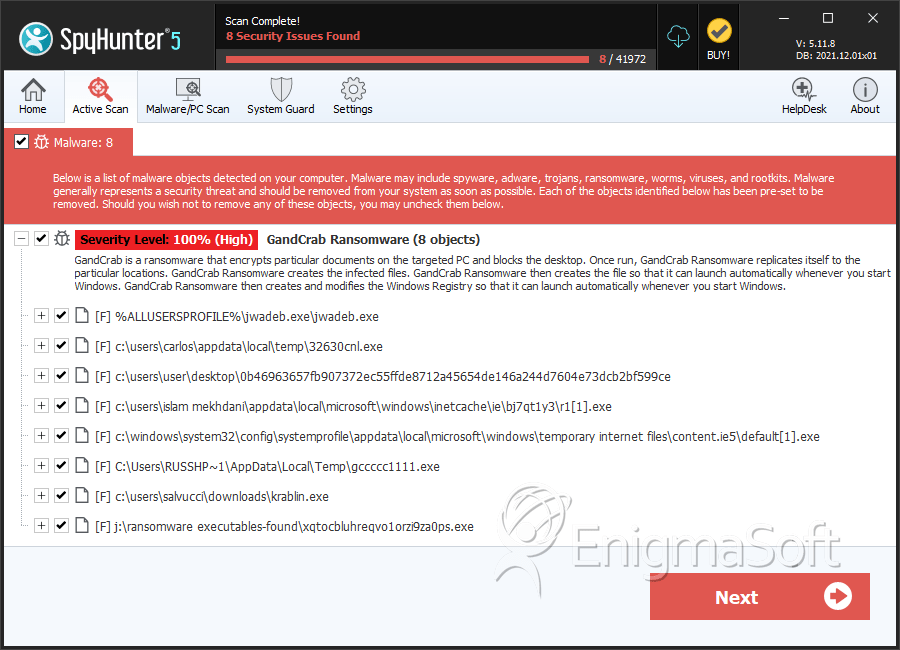
SpyHunter Detects & Remove GandCrab Ransomware
File System Details
| # | File Name | MD5 |
Detections
Detections: The number of confirmed and suspected cases of a particular threat detected on
infected computers as reported by SpyHunter.
|
|---|---|---|---|
| 1. | 32630cnl.exe | c0645cee077359f0e7d0a98a4b23b22d | 7 |
| 2. | 0b46963657fb907372ec55ffde8712a45654de146a244d7604e73dcb2bf599ce | 3be2d5f740549e7c1f5b96274c43324a | 4 |
| 3. | r1[1].exe | 0e5a2bc5655320bfe2bc5c36ab404641 | 2 |
| 4. | default[1].exe | d9ebd35f303eb73c37245c2ec2a86d3d | 2 |
| 5. | gccccc1111.exe | e43344a5ba0c90b92224cddd43de674e | 2 |
| 6. | krablin.exe | 77067974a70af43a3cadf88219d1e28c | 1 |
| 7. | xqtocbluhreqvo1orzi9za0ps.exe | 76ebb7a68789191d71c62d3d3cd999f7 | 1 |
| 8. | ikyg6fy5qjawlekos7t38klco.exe | b091826a997d9c0ca7dd5ad5ca2f7e2d | 1 |
| 9. | 5b13e0c41b955fdc7929e324357cd0583b7d92c8c2aedaf7930ff58ad3a00aed.exe | 6134eed250273cbd030f10621ce0ad0b | 1 |
| 10. | ff8836362eda2ac9bfaca9f8073191df | ff8836362eda2ac9bfaca9f8073191df | 0 |
| 11. | 28c4782e7f66250c7aeb9257cae3c10d | 28c4782e7f66250c7aeb9257cae3c10d | 0 |
| 12. | f5a43bdce5bfa305aa91e2ffdf3066d4 | f5a43bdce5bfa305aa91e2ffdf3066d4 | 0 |
| 13. | 0483b66214816924425c312600cd6dba | 0483b66214816924425c312600cd6dba | 0 |
| 14. | 18d2a7deb97e9dc1153494bb04f06aa4 | 18d2a7deb97e9dc1153494bb04f06aa4 | 0 |
| 15. | 5d481e6f1ceef609ce470877ef803d4c | 5d481e6f1ceef609ce470877ef803d4c | 0 |
| 16. | 2e8a08da5a2f0e6abce5721974aa32ca | 2e8a08da5a2f0e6abce5721974aa32ca | 0 |
| 17. | b189d127cb65cb98a49e7e6902f2e5dd | b189d127cb65cb98a49e7e6902f2e5dd | 0 |
| 18. | f0dcbb87d743ad612be8dc50e5d11906 | f0dcbb87d743ad612be8dc50e5d11906 | 0 |
| 19. | 5d92b42c4f84d5284028f512f49a2326 | 5d92b42c4f84d5284028f512f49a2326 | 0 |
| 20. | file.exe | db031787c04ee36c1979223485fd271c | 0 |
| 21. | file.doc | 6d70903794ab3ca05dd1b1b4f917204f | 0 |
| 22. | file.js | a1d6b82a97da9b5e4b106bd36e9bcca5 | 0 |
| 23. | 69774172027aff9947f0b35abb6a9d91 | 69774172027aff9947f0b35abb6a9d91 | 0 |
| 24. | b4da4d7e145b0fdd916456eece0974c0 | b4da4d7e145b0fdd916456eece0974c0 | 0 |
| 25. | 36939afd1a2c325513d9ea4e684260d9 | 36939afd1a2c325513d9ea4e684260d9 | 0 |