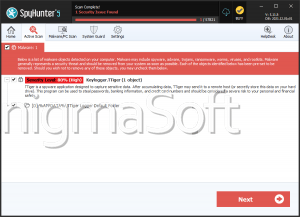
Tiger Ransomware
As ransomware attacks continue to evolve in complexity and scope, it's more important than ever for users to take proactive measures to defend their systems. One of the latest additions to the growing catalog of file-encrypting threats is Tiger Ransomware, a sophisticated strain that belongs to the infamous GlobeImposter family. This malware is designed to lock users out of their own data and pressure them into paying a ransom for decryption, often with no guarantee of recovery.
Table of Contents
Tiger Ransomware: What It Does and How It Works
Tiger Ransomware launches a full-scale assault on compromised systems by encrypting files and appending a distinctive '.Tiger4444' extension to each one. For instance, a document titled 'report.doc' would be transformed into 'report.doc.Tiger4444.' This effectively renders the files inaccessible.
Once encryption is complete, the malware drops a ransom note titled 'HOW TO BACK YOUR FILES.txt.' This message informs victims of the encryption, instructs them to contact the attackers for decryption assistance, and even offers a test decryption for one file. After this initial communication, victims are typically given payment instructions.
The note strongly advises against attempting manual file recovery, warning that such actions could result in irreversible data loss. However, even paying the ransom offers no certainty of file restoration, as cybercriminals often ignore victims once they've received payment.
How Tiger Ransomware Infects Devices
Tiger Ransomware, like many threats of its kind, is distributed using social engineering and deceptive techniques. Attackers often disguise malware as legitimate content or bundle it with other files to deceive users into initiating the infection chain.
Common infection vectors include:
- Spam emails with malicious attachments or links
- Trojan downloaders and backdoors
- Fake software updates and cracked software tools
- Drive-by downloads from compromised or rogue websites
- P2P file-sharing networks and free file-hosting services
- Online scams and malvertising campaigns
In some cases, the ransomware can even spread autonomously across local networks or through removable storage devices like USB drives and external hard disks.
The Ransom Dilemma: Why Paying Is Not Recommended
Victims of ransomware often face immense pressure to regain access to their data quickly. However, paying the ransom is a high-risk gamble. There is no assurance that the attackers will uphold their end of the deal and deliver the promised decryption key or tool. Worse still, by making the payment, victims inadvertently fund and encourage further criminal activities.
Security experts consistently recommend avoiding ransom payments and focusing instead on damage control, system cleanup, and data recovery from secure backups, if available.
Strengthening Your Defenses: Best Practices for Ransomware Prevention
In an increasingly hostile digital landscape, maintaining a strong cybersecurity posture is essential. Here are the most effective ways to protect your devices from Tiger Ransomware and similar threats:
- Adopt Safe Browsing and Email Habits:
- Avoid opening unsolicited email attachments or clicking on suspicious links.
- Be cautious with files received via messaging platforms or shared through unknown sources.
- Do not engage with offers that sound too good to be true, especially those involving free software, license keys, or services.
- Maintain a Robust System Defense:
- Use reputable anti-malware software and keep it updated regularly.
- Apply operating system and application updates as soon as they become available.
- Disable macros in Microsoft Office files unless absolutely necessary.
- Avoid downloading software from unverified websites or using pirated programs.
- Create and Maintain Secure Backups:
- Perform routine backups of critical data and store them offline or in secure cloud environments.
- Regularly test your backups to ensure they work and can be restored if needed.
- Implement Network and Access Controls:
- Restrict user permissions based on roles to limit the spread of malware.
- Segment networks to isolate critical systems.
- Monitor for unusual file or network activity that could indicate a breach.
Final Thoughts
Tiger Ransomware is a stark reminder of the increasing sophistication of cyber threats. While the malware itself is highly disruptive, the real damage often lies in the loss of critical data and the potential financial and emotional toll on victims. By remaining informed and vigilant, and by implementing strong preventive measures, individuals and organizations can significantly reduce their exposure to such devastating attacks.