Ransomware.International Police Association
Threat Scorecard
EnigmaSoft Threat Scorecard
EnigmaSoft Threat Scorecards are assessment reports for different malware threats which have been collected and analyzed by our research team. EnigmaSoft Threat Scorecards evaluate and rank threats using several metrics including real-world and potential risk factors, trends, frequency, prevalence, and persistence. EnigmaSoft Threat Scorecards are updated regularly based on our research data and metrics and are useful for a wide range of computer users, from end users seeking solutions to remove malware from their systems to security experts analyzing threats.
EnigmaSoft Threat Scorecards display a variety of useful information, including:
Popularity Rank: The ranking of a particular threat in EnigmaSoft’s Threat Database.
Severity Level: The determined severity level of an object, represented numerically, based on our risk modeling process and research, as explained in our Threat Assessment Criteria.
Infected Computers: The number of confirmed and suspected cases of a particular threat detected on infected computers as reported by SpyHunter.
See also Threat Assessment Criteria.
| Popularity Rank: | 17,162 |
| Threat Level: | 70 % (High) |
| Infected Computers: | 472 |
| First Seen: | July 24, 2012 |
| Last Seen: | October 4, 2026 |
| OS(es) Affected: | Windows |
The detection of Ransomware.International Police Association on your system indicates a serious security threat that requires immediate attention. This type of malware is designed to encrypt your files and demand a ransom in exchange for the decryption key. It's essential to understand the nature of this threat and take prompt action to remove it and prevent further damage.
Table of Contents
What Is Ransomware.International Police Association?
Ransomware.International Police Association is a type of malware that uses coercion to extort money from its victims. The name suggests a possible theme or disguise used by the malware, but it's crucial to focus on the ransomware aspect, which is the primary concern. Ransomware typically spreads through phishing emails, exploited vulnerabilities, or infected software downloads. Once inside a system, it starts encrypting files, making them inaccessible to the user. The attackers then demand a ransom, usually in cryptocurrency, in exchange for the decryption key.
How Ransomware.International Police Association Operates
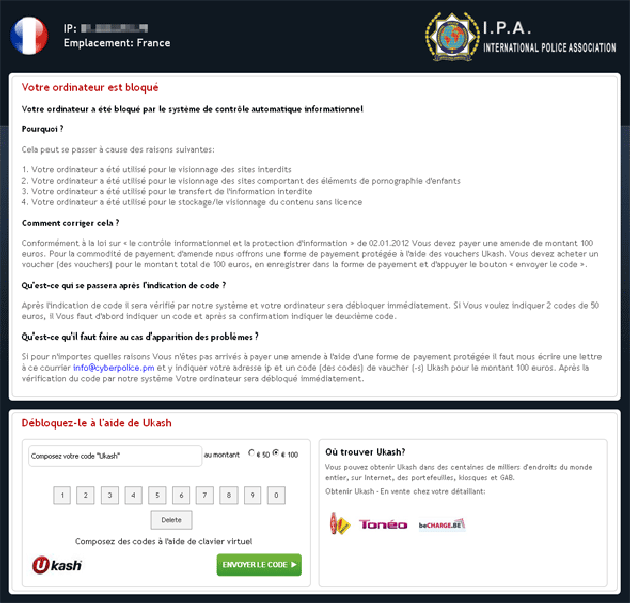
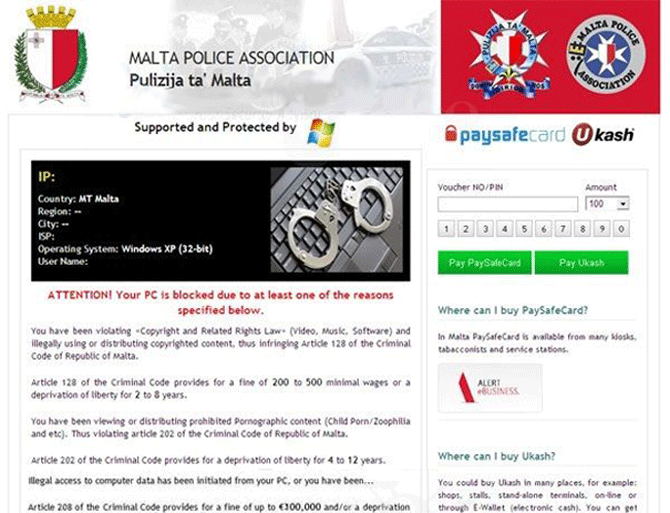
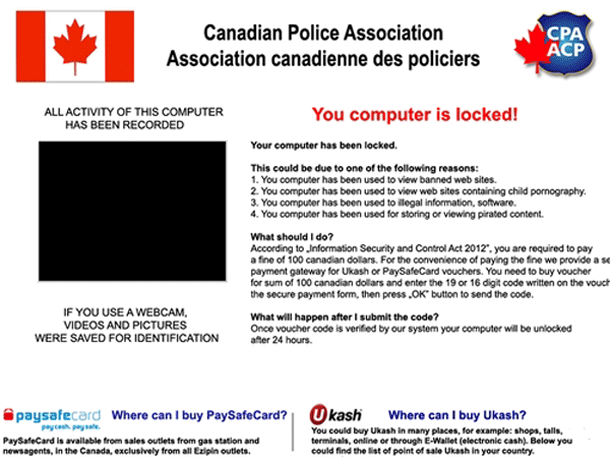
Ransomware.International Police Association, like other ransomware variants, operates by using advanced encryption algorithms to lock down files on the infected system. It may also attempt to spread to other connected devices or networks to maximize its impact. The malware is designed to be stealthy, often evading detection by traditional security software until it's too late. Upon infection, the malware will typically display a ransom note, threatening to delete the encrypted files unless the ransom is paid within a specified timeframe.
Symptoms of Infection
Symptoms of a Ransomware.International Police Association infection can vary but commonly include files being encrypted and renamed with a specific extension, the appearance of a ransom note or demand, and possibly slowed system performance. In some cases, the malware may also attempt to disable security software or limit access to certain system features to prevent removal. It's crucial to recognize these symptoms early to minimize the damage and take swift action to contain and remove the threat.
How to Remove Ransomware.International Police Association
- Boot your system into Safe Mode with Networking to prevent the malware from loading and to allow for internet access. This will make it easier to download and install removal tools.
- Download and install a reputable anti-malware tool, such as SpyHunter, which can perform a full scan of your system to detect and remove the malware. Ensure the tool is updated with the latest definitions before running the scan.
- Uninstall any suspicious programs that may have been installed without your knowledge. Be cautious and only remove programs you are certain are malicious or unnecessary.
- Reset your web browsers, including Chrome, Firefox, and Edge, to their default settings. This can help remove any malicious extensions or settings that the malware may have altered.
- Reboot your system and perform another full scan with your anti-malware tool to ensure that all remnants of the malware have been removed. This step is crucial to verify that the system is clean and secure.
Conclusion
Removing Ransomware.International Police Association requires careful and immediate action to prevent further damage and minimize the risk of data loss. By understanding how this malware operates and following the steps outlined above, you can effectively remove the threat and secure your system. It's also essential to take preventive measures, such as regularly backing up your data, using strong antivirus software, and being cautious with emails and downloads, to protect against future infections. Remember, paying the ransom is not recommended, as it does not guarantee that your files will be decrypted and can encourage further malicious activity.
File System Details
| # | File Name | MD5 |
Detections
Detections: The number of confirmed and suspected cases of a particular threat detected on
infected computers as reported by SpyHunter.
|
|---|---|---|---|
| 1. | bos.exe | 89ab457a095168e102c60837aca51327 | 4 |