YE1337 Ransomware
Threat Scorecard
EnigmaSoft Threat Scorecard
EnigmaSoft Threat Scorecards are assessment reports for different malware threats which have been collected and analyzed by our research team. EnigmaSoft Threat Scorecards evaluate and rank threats using several metrics including real-world and potential risk factors, trends, frequency, prevalence, and persistence. EnigmaSoft Threat Scorecards are updated regularly based on our research data and metrics and are useful for a wide range of computer users, from end users seeking solutions to remove malware from their systems to security experts analyzing threats.
EnigmaSoft Threat Scorecards display a variety of useful information, including:
Ranking: The ranking of a particular threat in EnigmaSoft’s Threat Database.
Severity Level: The determined severity level of an object, represented numerically, based on our risk modeling process and research, as explained in our Threat Assessment Criteria.
Infected Computers: The number of confirmed and suspected cases of a particular threat detected on infected computers as reported by SpyHunter.
See also Threat Assessment Criteria.
| Threat Level: | 100 % (High) |
| Infected Computers: | 2 |
| First Seen: | January 9, 2025 |
| OS(es) Affected: | Windows |
Among the risks posed by cybersecurity threats, ransomware remains a persistent danger. One of the latest and more sophisticated strains, the YE1337 Ransomware, has caught the attention of security researchers due to its aggressive file encryption tactics and the lack of direct communication from its operators. Understanding how YE1337 operates and adopting strong security measures is absolutely crucial for users to protect their data and devices.
Table of Contents
How the YE1337 Ransomware Encrypts Files
Once executed on a system, the YE1337 Ransomware immediately begins encrypting files, rendering them inaccessible. It appends the '.YE1337' extension to every encrypted file, changing names like 'document.docx' to 'document.docx.YE1337.' This alteration signals that the file is locked with a strong encryption algorithm.
In addition to encrypting files, YE1337 leaves behind a ransom note titled 'YE1337_read_me.txt.' This document warns victims that their files will remain permanently inaccessible unless they pay a ransom. The attackers claim that attempting to restore files using third-party tools is futile and could lead to irreversible damage. They also warn against shutting down or disconnecting the affected system, stating that such actions might result in permanent data loss. However, the ransom note lacks direct contact information, making it unclear how victims are expected to proceed.
Should You Pay the Ransom?
While victims may feel compelled to make the ransom payment in hopes of regaining access to their files, cybersecurity experts strongly advise against it. There are no guarantees that attackers will provide the necessary decryption tool after receiving payment. Many victims of ransomware attacks have reported losing both their money and their data. Furthermore, paying the ransom only encourages cybercriminals to continue their operations, leading to more attacks in the future.
How a Ransomware Like YE1337 Spreads
The YE1337 Ransomware, like many other file-encrypting threats, relies on deceptive distribution tactics to infiltrate systems. Users may unknowingly download the ransomware through:
- Pirated Software and Cracking Tools: Cybercriminals often disguise ransomware within unauthorized software downloads, keygens and activation tools.
- Fraudulent Email Attachments: Fraudulent emails may carry infected attachments or links that download ransomware when clicked.
- Exploited Software Vulnerabilities: Outdated software with security flaws gives attackers an entry point to execute malicious code.
- Compromised Websites and Advertisements: Malvertising campaigns deliver ransomware through deceptive online advertisements and infected websites.
- Peer-to-Peer Networks and USB Drives: File-sharing platforms and removable media are also common infection sources when used carelessly.
Strengthening Your Defense against Ransomware
To lessen the risk of falling victim to the YE1337 Ransomware and similar threats, users should implement the following best security practices:
- Keep Operating Systems and Software Upgraded: Regular updates patch security vulnerabilities that cybercriminals exploit to deploy ransomware.
- Avoid Suspicious Email Attachments and Links: Never access unexpected emails or links from unknown senders. If an email claims to be urgent, verify its legitimacy before taking action.
- Use Reliable Security Software: A robust cybersecurity solution with real-time threat detection can help prevent ransomware infections.
- Enable File Backups: Regularly back up important files to an apart drive or a secure cloud storage service. This guarantees that data can be restored without paying a ransom.
- Disable Macros in Documents: Attackers often hide ransomware in macro-enabled MS Office documents. Disabling macros by default reduces the risk of infection.
- Be Cautious with Free Software Downloads: Avoid downloading software from unofficial sources, as these often contain hidden threats.
- Restrict Administrative Privileges: Limit user permissions on devices to prevent unauthorized execution of malicious files.
Final Thoughts
The YE1337 Ransomware highlights the ongoing threat posed by file-encrypting attacks, emphasizing the need for proactive security measures. Since the ransom note provides no direct means of contacting the attackers, victims have even fewer options when faced with an infection. The best defense against ransomware is prevention—by staying informed, practicing caution online, and maintaining strong cybersecurity habits, users can minimize the risks and protect their valuable data.
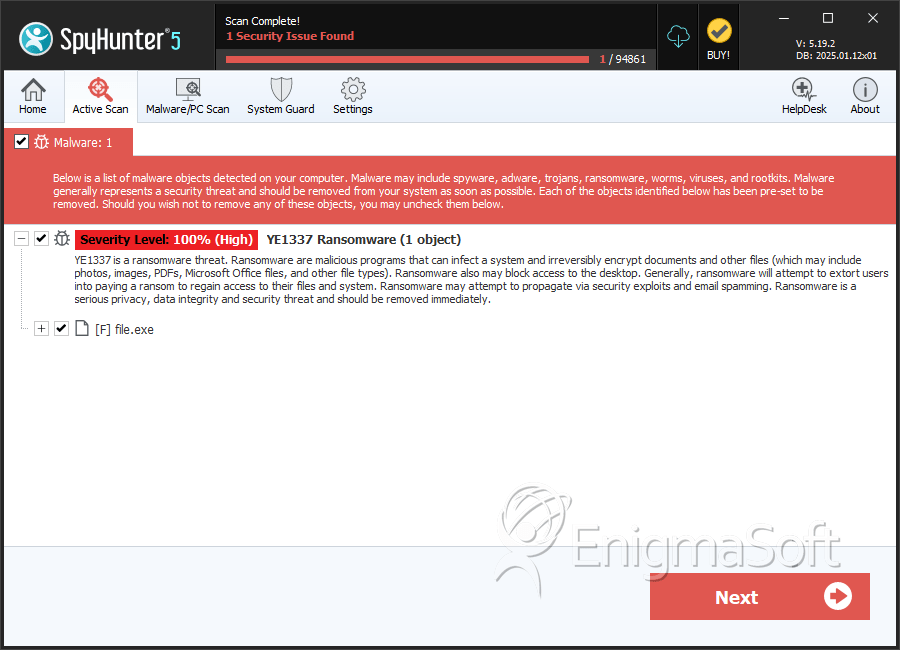
SpyHunter Detects & Remove YE1337 Ransomware
File System Details
| # | File Name | MD5 |
Detections
Detections: The number of confirmed and suspected cases of a particular threat detected on
infected computers as reported by SpyHunter.
|
|---|---|---|---|
| 1. | eafbe9c6868646f2f029e3eda372d6085060fafc8d8612c7b78ad148f8c4f6ef | ef3f8a5db3585abcf8297be3f155346e | 2 |


