Ursq Ransomware
Ransomware is a type of threatening software intended to block access to a computer or data, typically by encrypting the data and keeping it inaccessible until a sum of money is paid. One such ransomware making rounds is the Ursq Ransomware. This ransomware, which belongs to the Makop Ransomware family, appends the file extension '.ursq' to encrypted files, making them inaccessible without a decryption key. Additionally, it leaves a ransom message named +README-WARNING+.txt, which provides instructions on how victims can recover their files, usually involving a demand for payment. The attackers behind the Ursq ransomware offer contact through Tox chat and the email address datahelp2022@keemail.me.
Table of Contents
What Happens When Infected by the Ursq Ransomware?
- File Encryption: Upon infection, the Ursq Ransomware scans the victim's system for specific file types and encrypts them. The encrypted files are then renamed with the '.ursq' extension, rendering them unusable.
- Ransom Note: After encryption, the ransomware drops a ransom note named +README-WARNING+.txt. This note contains instructions for the victims on how to proceed to recover their files, usually demanding a ransom payment in cryptocurrency. It also includes contact information, in this case, a Tox chat, and the email address datahelp2022@keemail.me.
Steps to Take When Infected
- Isolate the Infected System: Immediately disconnect the infected device from the network to block the ransomware from spreading to other devices.
- Do not Pay the Ransom: Paying the ransom does not mean that you will regain access to your files. It also encourages cybercriminals to continue their illegal activities.
- Identify the Ransomware: Determine that the ransomware is indeed Ursq by checking the file extensions and the ransom note.
- Report the Incident: Contact your local cybercrime unit or appropriate authorities to report the ransomware attack.
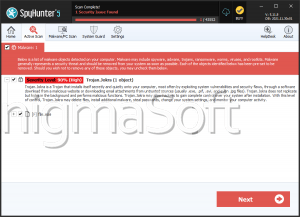
- Use Anti-Malware Software: Set up a full system scan using reputable anti-malware software to remove the ransomware. However, note that this will not decrypt your files.
- Restore from Backup: If you have backups of your files, restore them after ensuring that the ransomware has been completely removed from your system.
- Search for Professional Help: If you lack the technical expertise, consider hiring a cybersecurity professional to assist with the removal and recovery process.
Preventing Ransomware Infections
- Regular Backups: Back up your data to an independent hard drive or cloud storage. Make sure that backups are not connected to your network to prevent them from being compromised.
- Use Anti-Malware Software: Keep your anti-malware software updated. Execute regular scans to detect and remove threats.
- Update Software and Systems: Keep your operating system, software, and applications current. Apply security patches immediately after they are released to fix vulnerabilities.
- Be Cautious with Emails: Be wary of email attachments and links, especially from unknown senders. Phishing emails are a common method for ransomware distribution.
- Educate Employees and Users: Train employees and users on cybersecurity best practices. Acknowledgment can significantly reduce the risk of falling victim to ransomware.
- Empower Firewall and Intrusion Detection Systems: Utilize firewalls and intrusion detection systems to observe and block unsafe activities.
- Restrict User Privileges: Limit user permissions to only what is necessary. Admin accounts should have stricter security measures.
- Implement Security Policies: Develop and enforce security policies that include guidelines on password management, email handling, and safe browsing habits.
Ransomware like Ursq is a severe threat that can cause significant harm to individuals and organizations. Understanding how it operates and knowing the steps to take if infected can mitigate its impact. Moreover, implementing preventive measures can substantially reduce the risk of infection. Always stay vigilant, update your systems, and back up your data regularly to protect against ransomware attacks.
The ransom message the Ursq Ransomware delivers to victims reads:
'Greetings :::
Little FAQ:
.1.
Q: Whats Happen?
A: Your files have been encrypted. The file structure was not damaged, we did everything possible so that this could not happen.
.2.
Q: How to recover files?
A: If you wish to decrypt your files you will need to pay us.
.3.
Q: What about guarantees?
A: Its just a business. We absolutely do not care about you and your deals, except getting benefits. If we do not do our work and liabilities - nobody will cooperate with us. Its not in our interests.
To check the ability of returning files, you can send to us any 2 files with SIMPLE extensions(jpg,xls,doc, etc... not databases!) and low sizes(max 1 mb), we will decrypt them and send back to you. That is our guarantee..4.
Q: How to contact with you?
A: You can write us to our mailbox: datahelp2022@keemail.me
Or you can contact us via TOX: 029C3395724C05DEC314636546384B4BA9517C3EF686B9539CF9CF39223F455F5FC35C2F466F
You don't know about TOX? Go to hxxps://qtox.github.io/
.5.
Q: How will the decryption process proceed after payment?
A: After payment we will send to you our scanner-decoder program and detailed instructions for use. With this program you will be able to decrypt all your encrypted files.
.6.
Q: If I don t want to pay bad people like you?
A: If you will not cooperate with our service - for us, its does not matter. But you will lose your time and data, cause only we have the private key. In practice - time is much more valuable than money.
:::BEWARE:::
DON'T try to change encrypted files by yourself!
If you will try to use any third party software for restoring your data or antivirus solutions - please make a backup for all encrypted files!
Any changes in encrypted files may entail damage of the private key and, as result, the loss all data.'