Searchya.com
Threat Scorecard
EnigmaSoft Threat Scorecard
EnigmaSoft Threat Scorecards are assessment reports for different malware threats which have been collected and analyzed by our research team. EnigmaSoft Threat Scorecards evaluate and rank threats using several metrics including real-world and potential risk factors, trends, frequency, prevalence, and persistence. EnigmaSoft Threat Scorecards are updated regularly based on our research data and metrics and are useful for a wide range of computer users, from end users seeking solutions to remove malware from their systems to security experts analyzing threats.
EnigmaSoft Threat Scorecards display a variety of useful information, including:
Popularity Rank: The ranking of a particular threat in EnigmaSoft’s Threat Database.
Severity Level: The determined severity level of an object, represented numerically, based on our risk modeling process and research, as explained in our Threat Assessment Criteria.
Infected Computers: The number of confirmed and suspected cases of a particular threat detected on infected computers as reported by SpyHunter.
See also Threat Assessment Criteria.
| Popularity Rank: | 8,787 |
| Threat Level: | 50 % (Medium) |
| Infected Computers: | 10,501 |
| First Seen: | August 24, 2012 |
| Last Seen: | December 28, 2025 |
| OS(es) Affected: | Windows |
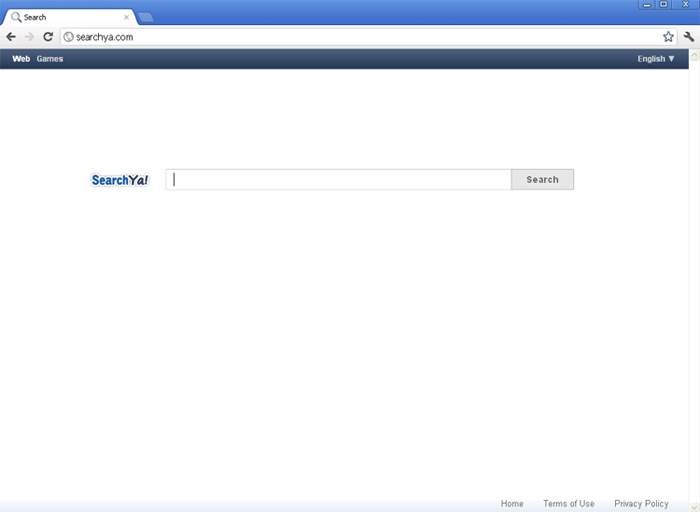
Searchya.com Image
Bogus search engines are among the most common forms of online scams. In the past couple of years, ESG security analysts have observed a marked rise of these fake online search engines (particularly since the summer of 2011). In fact, it seems that this scam has surpassed what was formerly the most common kind of online scam, the rogue security program's scam. While criminals go to great pains to ensure that their fake search engines are convincing in order to attract victims and to induce them to stay, Searchya.com is a rather uncreative version of this scam. Sporting a white page with nothing but the search bar, the Searchya.com bogus search engine is not particularly credible.
However, its scam is the same and just as profitable as most common examples of this kind of scam. Basically, fake search engines like Searchya.com are designed to display spam and advertisements instead of actual search results. This means that criminals can profit from inflated advertisement revenue and pay-per-click schemes. The obvious question is: why would anyone use Searchya.com for their online searches if there are dozens of reliable, free search engines online? – Google, Yahoo and Bing just to name the biggest of these. Well, criminals ensure that their victims have no other choice but to visit Searchya.com repeatedly.
Table of Contents
How Spammers Force Searchya.com on Inexperienced Computer Users
Criminals get paid for each person that sees or clicks on a particular advertisement. To ensure that their victims are exposed to their advertisements as much as possible, spammers use browser hijackers. These are malware infections that basically take over an infected computer's web browser and then force it to carry out several tasks, for example: visiting a particular website, directing web traffic through a particular domain address or displaying pop-up windows.
Unfortunately, ESG security analysts have found that Searchya.com is associated with the most dangerous kinds of browser hijackers, those that take over an entire computer system and change how it goes online. Most redirects to Searchya.com will occur after carrying out a search on one of the popular search engines mentioned above. Then, the browser hijacker takes over the victim's web browser, changing search results so that they direct to Searchya.com instead of to their corresponding website. Not realizing how abnormal this situation is, iInexperienced computer users, not realizing how abnormal this situation is, will often fall for the scam and attempt their search again at the Searchya.com bogus search engine.
SpyHunter Detects & Remove Searchya.com
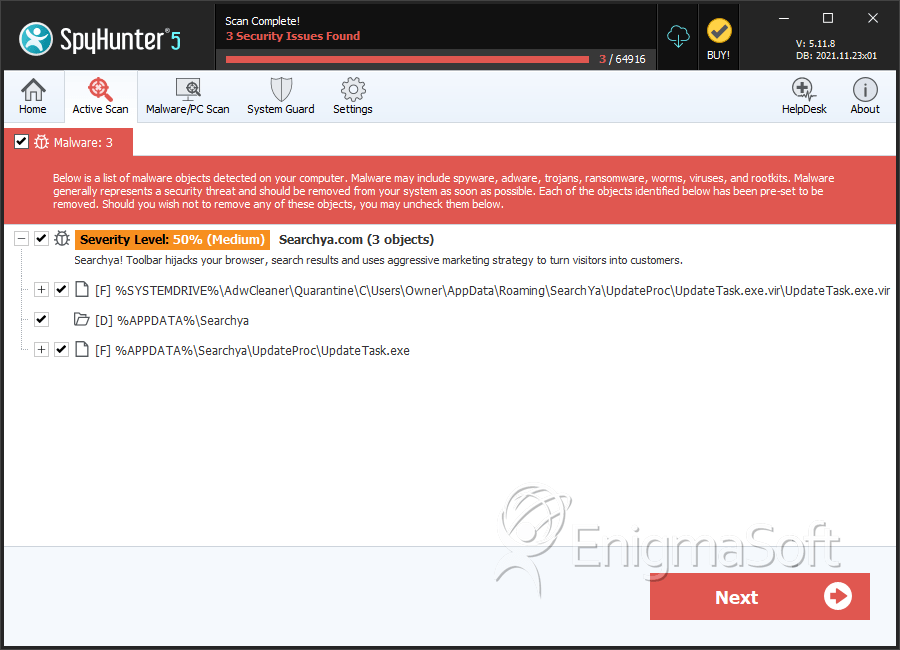
File System Details
| # | File Name | MD5 |
Detections
Detections: The number of confirmed and suspected cases of a particular threat detected on
infected computers as reported by SpyHunter.
|
|---|---|---|---|
| 1. | UpdateTask.exe.vir | 0e2ef4c2f4f3b3c03ead568486ad54b8 | 2,760 |
| 2. | UpdateTask.exe | 57727194c7f1a2b72f1a24845c7f902b | 1 |
Registry Details
Directories
Searchya.com may create the following directory or directories:
| %APPDATA%\Searchya |
URLs
Searchya.com may call the following URLs:
| .search-ya.com |