PUP.UR Browser
Threat Scorecard
EnigmaSoft Threat Scorecard
EnigmaSoft Threat Scorecards are assessment reports for different malware threats which have been collected and analyzed by our research team. EnigmaSoft Threat Scorecards evaluate and rank threats using several metrics including real-world and potential risk factors, trends, frequency, prevalence, and persistence. EnigmaSoft Threat Scorecards are updated regularly based on our research data and metrics and are useful for a wide range of computer users, from end users seeking solutions to remove malware from their systems to security experts analyzing threats.
EnigmaSoft Threat Scorecards display a variety of useful information, including:
Popularity Rank: The ranking of a particular threat in EnigmaSoft’s Threat Database.
Severity Level: The determined severity level of an object, represented numerically, based on our risk modeling process and research, as explained in our Threat Assessment Criteria.
Infected Computers: The number of confirmed and suspected cases of a particular threat detected on infected computers as reported by SpyHunter.
See also Threat Assessment Criteria.
| Popularity Rank: | 22,434 |
| Threat Level: | 10 % (Normal) |
| Infected Computers: | 572 |
| First Seen: | January 27, 2023 |
| Last Seen: | July 15, 2026 |
| OS(es) Affected: | Windows |
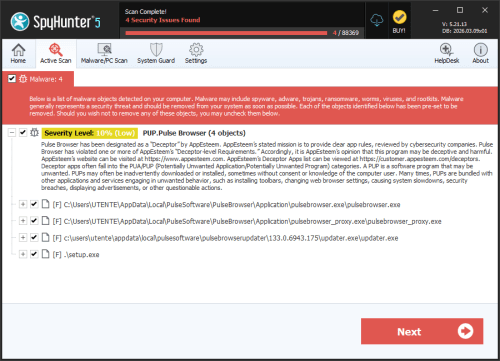
The detection of PUP.UR Browser on your system indicates the presence of a potentially unwanted program (PUP) that may be compromising your browser's security and performance. PUPs are software applications that, while not necessarily malicious, can cause significant disruptions and pose risks to your personal data and system integrity. Understanding what PUP.UR Browser is, how it operates, and the symptoms it causes is crucial for effective removal and prevention of future infections.
Table of Contents
What Is PUP.UR Browser?
PUP.UR Browser refers to a type of potentially unwanted program that is designed to affect web browser functionality. These programs can be bundled with other software or installed through deceptive means, often without the user's full knowledge or consent. Once installed, they can alter browser settings, redirect searches, display unwanted advertisements, and collect user data for various purposes, including targeted advertising.
How PUP.UR Browser Operates
PUPs like PUP.UR Browser typically operate by integrating themselves into the browser as extensions or add-ons. They can modify the browser's home page, default search engine, and even install additional software that can further compromise the system. These programs often use deceptive tactics to remain hidden from the user, making them difficult to detect and remove without proper tools and knowledge. Their operation can lead to a significant decline in system performance, increased risk of exposure to malicious content, and potential data breaches.
Symptoms of Infection
Identifying a PUP.UR Browser infection involves recognizing certain symptoms that indicate the presence of a PUP. Common symptoms include unwanted changes to browser settings, such as a changed home page or default search engine, an increase in pop-up advertisements, and unexpected redirects to suspicious websites. Additionally, users may notice a decrease in their system's performance, as these programs can consume system resources. Being vigilant about these symptoms is key to early detection and removal of the PUP.
How to Remove PUP.UR Browser
- Enter Safe Mode with Networking: This will help prevent the PUP from loading and give you a cleaner environment to perform the removal process.
- Conduct a Full Scan: Use a reputable anti-malware tool, such as SpyHunter, to scan your system for any traces of PUP.UR Browser and other potential threats. Ensure the tool is updated to the latest version for the most effective detection and removal.
- Uninstall Suspicious Programs: Go through the list of installed programs on your system and uninstall any that are suspicious or unfamiliar, as they could be related to the PUP.
- Reset Your Browser: For browsers like Chrome, Firefox, or Edge, resetting them to their default settings can help remove any changes made by the PUP. Be aware that this will also remove any customized settings, so it's advisable to back up any important data before doing so.
- Reboot and Re-scan: After completing the above steps, reboot your system and perform another scan with your anti-malware tool to ensure that all components of the PUP have been removed.
Conclusion
Removing PUP.UR Browser and preventing future infections require a combination of awareness, the right tools, and proactive measures. By understanding the nature of PUPs, being cautious during software installations, and regularly scanning your system with reputable anti-malware tools, you can significantly reduce the risk of PUP.UR Browser and other unwanted programs. Remember, vigilance and timely action are crucial in maintaining the security and integrity of your system and personal data.
Analysis Report
General information
| Family Name: | PUP.UR Browser |
|---|---|
| Signature status: | Self Signed |
Known Samples
Known Samples
This section lists other file samples believed to be associated with this family.|
MD5:
ea93eea1573171c22f0d567d4392a66e
SHA1:
f7d5d585c0f517f5627a9d9d7237dd1bcf16b51b
SHA256:
A99948EFFD571C189B91B81F137B16EA7CD79F4FDB14E21FBE15955CDA9576BC
File Size:
1.45 MB, 1448952 bytes
|
|
MD5:
5a66362343c6cff3803ae253ac95f1dc
SHA1:
8b7dddc8320f99992095052b23f00ffe4eae0772
SHA256:
833F619F2F636A23B5D7CB14A7B5982C929723C735770FBD9F698448814CC859
File Size:
1.61 MB, 1607864 bytes
|
|
MD5:
151472fe6b2dcd4c3ba3eb4ee19fdf82
SHA1:
48a867cff64995643df947072ed7e3c39b932be8
SHA256:
7CE2C6179F91FF8F1F310DCBFC1F6BCAE3283B15D14CA5727D1CD466FC587FF7
File Size:
1.45 MB, 1447536 bytes
|
Windows Portable Executable Attributes
- File doesn't have "Rich" header
- File doesn't have debug information
- File doesn't have exports table
- File is 32-bit executable
- File is either console or GUI application
- File is GUI application (IMAGE_SUBSYSTEM_WINDOWS_GUI)
- File is Native application (NOT .NET application)
- File is not packed
- IMAGE_FILE_DLL is not set inside PE header (Executable)
- IMAGE_FILE_EXECUTABLE_IMAGE is set inside PE header (Executable Image)
File Icons
File Icons
This section displays icon resources found within family samples. Malware often replicates icons commonly associated with legitimate software to mislead users into believing the malware is safe.


Windows PE Version Information
Windows PE Version Information
This section displays values and attributes that have been set in the Windows file version information data structure for samples within this family. To mislead users, malware actors often add fake version information mimicking legitimate software.| Name | Value |
|---|---|
| File Description | UR Browser Setup |
| File Version | 3.5.1.7 |
| Internal Name | UR Browser Setup |
| Product Name | UR Browser Setup |
| Product Version | 3.5.1.7 |
Digital Signatures
Digital Signatures
This section lists digital signatures that are attached to samples within this family. When analyzing and verifying digital signatures, it is important to confirm that the signature’s root authority is a well-known and trustworthy entity and that the status of the signature is good. Malware is often signed with non-trustworthy “Self Signed” digital signatures (which can be easily created by a malware author with no verification). Malware may also be signed by legitimate signatures that have an invalid status, and by signatures from questionable root authorities with fake or misleading “Signer” names.| Signer | Root | Status |
|---|---|---|
| AdaptiveBee SAS | DigiCert Trusted G4 Code Signing RSA4096 SHA384 2021 CA1 | Self Signed |
| Adaptivebee SASU | DigiCert Trusted G4 Code Signing RSA4096 SHA384 2021 CA1 | Self Signed |
Files Modified
Files Modified
This section lists files that were created, modified, moved and/or deleted by samples in this family. File system activity can provide valuable insight into how malware functions on the operating system.| File | Attributes |
|---|---|
| c:\users\user\appdata\local\temp\nsldfbd.tmp | Generic Read,Write Data,Write Attributes,Write extended,Append data,Delete |
| c:\users\user\appdata\local\temp\nsldfbe.tmp\system.dll | Generic Write,Read Attributes |
| c:\users\user\appdata\local\temp\nsldfbe.tmp\uractions.dll | Generic Write,Read Attributes |
| c:\users\user\appdata\local\temp\nsq655e.tmp | Generic Read,Write Data,Write Attributes,Write extended,Append data,Delete |
| c:\users\user\appdata\local\temp\nsq655f.tmp\system.dll | Generic Write,Read Attributes |
| c:\users\user\appdata\local\temp\nsq655f.tmp\uractions.dll | Generic Write,Read Attributes |
Registry Modifications
Registry Modifications
This section lists registry keys and values that were created, modified and/or deleted by samples in this family. Windows Registry activity can provide valuable insight into malware functionality. Additionally, malware often creates registry values to allow itself to automatically start and indefinitely persist after an initial infection has compromised the system.| Key::Value | Data | API Name |
|---|---|---|
| HKCU\software\abee::tempappinstanceuid | 3ffa3451-320c-44dc-9717-87864e2c0f74 | RegNtPreCreateKey |
| HKCU\software\abee::tempappinstanceuid | 5563e222-5b5a-44ff-b714-f92070242667 | RegNtPreCreateKey |
Windows API Usage
Windows API Usage
This section lists Windows API calls that are used by the samples in this family. Windows API usage analysis is a valuable tool that can help identify malicious activity, such as keylogging, security privilege escalation, data encryption, data exfiltration, interference with antivirus software, and network request manipulation.| Category | API |
|---|---|
| Encryption Used |
|
| Network Winhttp |
|
| Service Control |
|