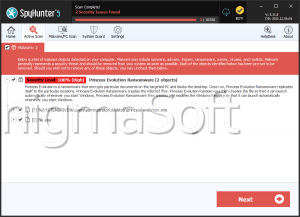
Prince Ransomware
Threat Scorecard
EnigmaSoft Threat Scorecard
EnigmaSoft Threat Scorecards are assessment reports for different malware threats which have been collected and analyzed by our research team. EnigmaSoft Threat Scorecards evaluate and rank threats using several metrics including real-world and potential risk factors, trends, frequency, prevalence, and persistence. EnigmaSoft Threat Scorecards are updated regularly based on our research data and metrics and are useful for a wide range of computer users, from end users seeking solutions to remove malware from their systems to security experts analyzing threats.
EnigmaSoft Threat Scorecards display a variety of useful information, including:
Ranking: The ranking of a particular threat in EnigmaSoft’s Threat Database.
Severity Level: The determined severity level of an object, represented numerically, based on our risk modeling process and research, as explained in our Threat Assessment Criteria.
Infected Computers: The number of confirmed and suspected cases of a particular threat detected on infected computers as reported by SpyHunter.
See also Threat Assessment Criteria.
| Threat Level: | 100 % (High) |
| Infected Computers: | 3 |
| First Seen: | February 5, 2025 |
| OS(es) Affected: | Windows |
Safeguarding your devices from malware threats is becoming more and more crucial. Ransomware, in particular, poses significant risks to individuals and organizations by encrypting critical files and demanding payment for their decryption. The Prince Ransomware has emerged as a notable example among the many ransomware threats. Understanding its mechanics and implementing robust security practices are essential steps in defending against such attacks.
Table of Contents
The Prince Ransomware: An Overview
The Prince Ransomware is a threatening program designed to encrypt victims' files and extort a ransom for their decryption. Written in the Go programming language, it appends a '.ran' extension to the encrypted files, rendering them inaccessible. For instance, a file named '1.png' would become '1.png.ran,' and '2.pdf' would be altered to '2.pdf.ran.' There are indications that it might also use a '.prince' extension, though this remains unconfirmed.
Ransom Demand and Instructions
Once the encryption process is complete, the Prince Ransomware changes the desktop wallpaper and leaves a ransom note titled 'Decryption Instructions.txt.' The new wallpaper informs the victim about the encryption and directs them to the text file for more details. The ransom note typically demands payment in cryptocurrency, though the exact amount and currency type are unspecified. Victims are warned against renaming or modifying the affected files, as this could make them undecryptable.
Contact Issues and Payment Risks
Interestingly, the contact details provided by the attackers in the ransom note appear to be invalid. This anomaly suggests that the Prince Ransomware might still be in development or undergoing testing. Cybersecurity experts caution that paying the ransom does not guarantee file recovery, as attackers often fail to provide the decryption keys even after receiving the payment. Complying with their demands inadvertently supports their illegal activities and perpetuates the cycle of cybercrime.
Effective Security Practices to Protect Your Devices
Regularly updating your operating system and all installed software applications is a fundamental step in protecting your devices. Software updates, most of the time, include patches for security vulnerabilities that ransomware could otherwise exploit. Set up automatic updates whenever possible to ensure you are always protected against the latest threats.
- Use Reliable Security Software: Invest in reputable anti-malware solutions to expose and block ransomware threats before they cause any damage. Ensure that these security tools are regularly updated and that they offer real-time protection against emerging threats.
- Implement Strong Backup Solutions: Regularly back up your data to an external hard drive or a cloud-based service. Ensure that backups are stored offline and are not accessible from the network to prevent them from being compromised during a ransomware attack. In the event of an infection, having access to up-to-date backups allows you to restore your files without paying the ransom.
- Practice Safe Email and Internet Habits: Be alert when dealing with email attachments and links, especially from unknown or untrusted sources. These attachments may carry phishing emails, a common vector for ransomware distribution. Verify the legitimacy of emails before opening attachments or clicking on links. Additionally, avoid downloading software from unverified websites and refrain from visiting suspicious websites.
- Enable File Extensions and Show Hidden Files: Enabling file extensions in your operating system settings can help you identify suspicious files more easily. Ransomware often disguises itself with double extensions (e.g., 'document.pdf.exe'). Similarly, showing hidden files and folders can help you spot any unusual or unfamiliar files that might be part of a ransomware attack.
- Limit User Privileges: Restrict user privileges on your devices to prevent unauthorized installation of software. Users should operate on accounts with limited privileges and only use administrative accounts when necessary. This reduces the risk of ransomware executing with full system access.
- Educate Yourself and Your Team: Regularly elucidate yourself and your associates about the latest cybersecurity threats and best practices. Awareness and training are critical in recognizing and avoiding potential ransomware attacks. Conduct periodic security drills and simulations to reinforce these practices.
Ransomware threats like the Prince Ransomware underscore the importance of proactive cybersecurity measures. By understanding how such threats operate and implementing effectual security practices, you can significantly reduce the chances of infection and protect your valuable data. Remember, prevention is always better than cure. Stay vigilant, stay informed, and prioritize cybersecurity to safeguard your digital assets.
The ransom note dropped by Pthe rince Ransomware is:
'---------- Ransomware ----------
Your files have been encrypted using Prince Ransomware!
They can only be decrypted by paying us a ransom in cryptocurrency.Encrypted files have the .prince extension.
IMPORTANT: Do not modify or rename encrypted files, as they may become unrecoverable.Contact us at the following email address to discuss payment.
example@airmail.cc
Your ID: BODUGSSVTKHZYASW
---------- Ransomware ----------The message shown to victims of the threat as a desktop background image is:
Prince Ransomware
All of your important documents have been encrypted.
In order to decrypt them, find Decryption Instructions.txt'
File System Details
| # | File Name | MD5 |
Detections
Detections: The number of confirmed and suspected cases of a particular threat detected on
infected computers as reported by SpyHunter.
|
|---|---|---|---|
| 1. | 918e2f2e3d7db628fb34b627d3c03fc95a720f578d09f265cbbc1f492a24df94 | 88f8ba23ccafdac9cf5f8d9e9210a713 | 3 |