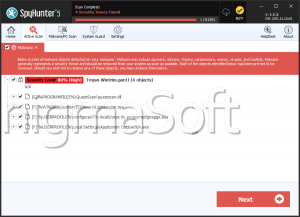
Trojan:Win64/PyBlankStealer
Malware is no longer merely an inconvenience; it can destroy data, hijack finances, and turn your machine into an espionage tool. Protecting endpoints from threats like Trojan:Win64/PyBlankStealer is essential because a single successful infection can cascade into multiple compromises, financial loss, and long-term privacy damage. Understanding how this threat operates and what to do if it appears will help you respond quickly and limit harm.
Table of Contents
What Trojan:Win64/PyBlankStealer Actually Is
Trojan:Win64/PyBlankStealer is a downloader‑style Trojan that masquerades as a legitimate installer — commonly presented as an Adobe Reader setup or other familiar utility. Once executed, it runs quietly in the background and reaches out to fetch and run additional malicious payloads. Those secondary payloads can include ransomware, spyware, banking Trojans, or other components that broaden the attacker's foothold. Because its core role is 'download and deploy,' an initial PyBlankStealer infection frequently leads to a multi-stage compromise rather than a single, isolated problem.
How It Spreads And Common Delivery Vectors
Attackers distribute PyBlankStealer using classic social‑engineering and compromised content: fake installers, cracked or pirated software bundles, malicious email attachments, and phony update prompts. In many campaigns, victims pick it up from torrent sites, unofficial freeware portals, infected webpages that push deceptive pop-ups, or phishing messages crafted to look like legitimate services. Once a user runs the deceptive installer or opens the malicious file, the Trojan installs itself and begins contacting its command infrastructure.
The Threat Lifecycle And The Risks It Creates
After initial execution, PyBlankStealer typically alters startup entries or registry keys to maintain persistence and spawns hidden processes to avoid casual detection. It can:
- Pull down and run additional malware families that encrypt files, harvest credentials, or enable remote control.
- Modify system components so it survives reboots and evades some AV tools.
- Log keystrokes, capture screenshots, or exfiltrate credentials and other sensitive information to attacker servers.
- Provide remote operators with the ability to run arbitrary commands, copy data, or use the host in larger attacks.
Because cryptocurrency transactions and many account‑level actions are irreversible, data and money stolen as part of these chains of compromise are often unrecoverable.
Indicators that PyBlankStealer or similar downloaders may be present:
- Unexpected 'installer' prompts for widely used software you didn't request.
- New, unknown background processes that consume CPU or network bandwidth.
- Unexplained file downloads, new scheduled tasks, or modified startup items.
- Alerts from security software naming downloader Trojans or unusual files.
(These indicators are not definitive proof by themselves, but should trigger closer inspection.)
What Is A False Positive
A false positive occurs when legitimate software or a benign file is mistakenly identified as malware by security software. False positives can arise for several reasons: heuristic or behavior‑based engines may flag uncommon installer behavior (like adding startup entries) as malicious; generic detection rules may match code patterns or packers used by legitimate applications; or new, unsigned binaries can look suspicious until vendors update signatures. In environments where legitimate tools are frequently repackaged (for example, custom installers, internal utilities, or cracked software), false positives are more likely.
How To Distinguish A False Positive From A Real Infection
Validate the file and context: check the file's digital signature, publisher information, and file hash. Compare hashes against known legitimate releases.
Examine behavior: does the file exhibit network connections to known malicious domains, spawn suspicious child processes, or drop additional binaries? Behavioral evidence strengthens the case for a real infection.
Cross‑check with multiple engines: submit the file or its hash to reputable multi‑engine scanners and vendor sandboxes. If only one product flags it and others don't, the likelihood of a false positive increases — but it's not proof.
Use safe analysis: run suspect files in an isolated, instrumented environment (sandbox or offline lab) to observe actions without risking production systems.
Final Words
Downloader Trojans like Trojan:Win64/PyBlankStealer are dangerous precisely because they are a foothold for worse threats. Rapid isolation paired with careful, evidence‑based verification will help you tell false alarms from real infections and limit damage. Maintain good backups, enforce strict software sourcing policies, and treat unexpected installers and update prompts with suspicion — those steps are your best defense.