PUP.Viber
The detection of PUP.Viber on your system indicates the presence of a potentially unwanted program that may compromise your computer's security and performance. It is essential to understand the nature of this threat and take immediate action to remove it to prevent further damage.
Table of Contents
What Is PUP.Viber?
PUP.Viber is classified as a potentially unwanted program (PUP), which means it is a software that may cause unwanted effects on your computer, such as displaying advertisements, collecting user data, or modifying system settings without your consent. PUPs are often bundled with other software or downloaded from untrusted sources, and they can be challenging to remove without proper guidance.
How PUP.Viber Operates
PUP.Viber operates by exploiting vulnerabilities in your system or using social engineering tactics to trick you into installing it. Once installed, it may start displaying unwanted advertisements, redirecting your browser to suspicious websites, or collecting your personal data. It may also modify your system settings, such as changing your default search engine or homepage, to generate revenue for its creators. PUP.Viber may also download and install additional malware or PUPs, making it essential to remove it as soon as possible.
Symptoms of Infection
The symptoms of PUP.Viber infection may vary, but common signs include unwanted advertisements, slow system performance, and unexpected changes to your browser settings. You may also notice that your browser is redirecting to suspicious websites or that your search results are being hijacked. Additionally, you may experience frequent pop-ups, system crashes, or errors, indicating that your system is compromised. If you suspect that your system is infected with PUP.Viber, it is crucial to take immediate action to remove it.
How to Remove PUP.Viber
- Boot your computer in Safe Mode with Networking to prevent PUP.Viber from loading and to allow you to remove it more easily.
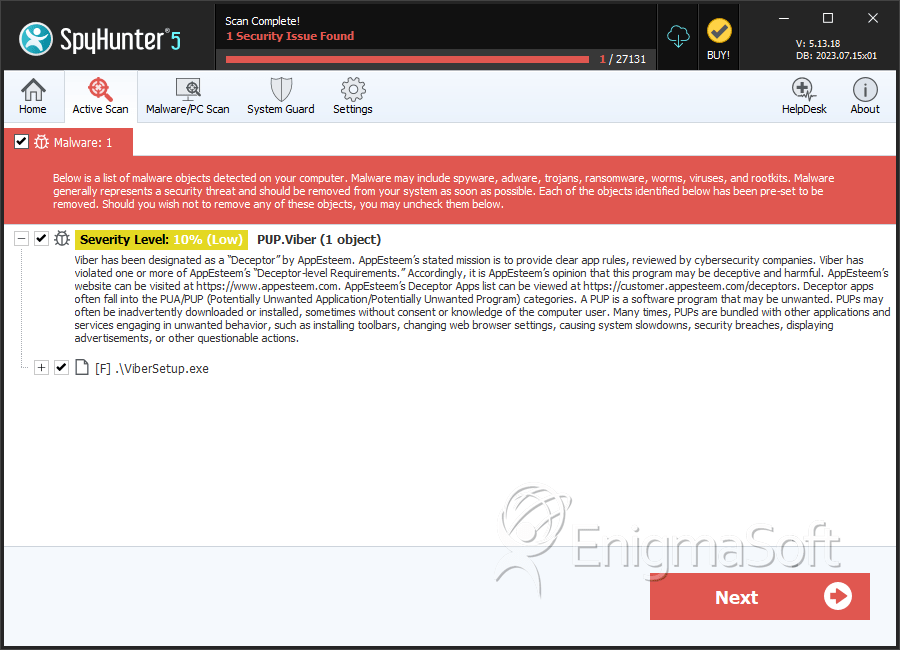
- Download and install a reputable anti-malware tool, such as SpyHunter, and perform a full scan of your system to detect and remove PUP.Viber and any other malware or PUPs.
- Uninstall any suspicious programs or software that you do not recognize or that were installed without your consent.
- Reset your browser settings, including Chrome, Firefox, and Edge, to their default values to remove any modifications made by PUP.Viber.
- Reboot your computer and perform another scan with your anti-malware tool to ensure that PUP.Viber has been completely removed.
Conclusion
Removing PUP.Viber from your system requires careful attention to detail and a thorough understanding of the removal process. By following the steps outlined above, you can effectively remove PUP.Viber and prevent further damage to your system. It is essential to remain vigilant and take proactive measures to protect your system from future infections, such as keeping your operating system and software up to date, using reputable anti-malware tools, and avoiding suspicious downloads or websites. By taking these precautions, you can help ensure the security and performance of your computer and protect your personal data from potential threats.
SpyHunter Detects & Remove PUP.Viber