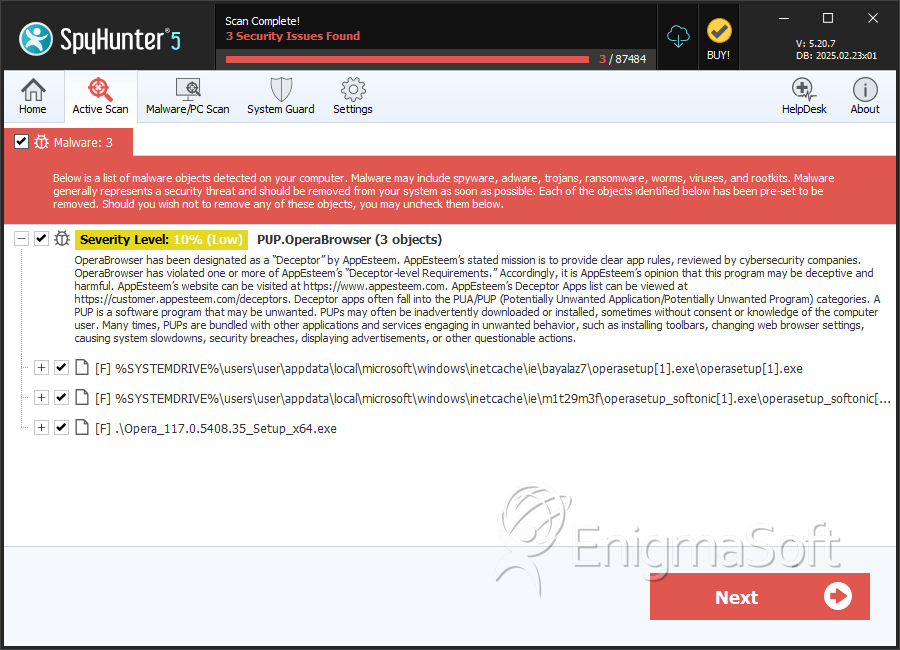
PUP.OperaBrowser
The detection of PUP.OperaBrowser on your system indicates the presence of a potentially unwanted program (PUP) that may be causing issues with your browser or overall system performance. It is essential to understand the nature of this threat and take appropriate steps to remove it and prevent future infections.
Table of Contents
What Is PUP.OperaBrowser?
PUP.OperaBrowser is a type of malware that is categorized as a potentially unwanted program. This means that while it may not be as harmful as other types of malware, such as viruses or Trojans, it can still cause problems and compromise your system's security. PUPs are often installed unintentionally, and they can lead to a range of issues, including unwanted browser extensions, pop-up ads, and changes to your browser's settings.
How PUP.OperaBrowser Operates
PUP.OperaBrowser operates by installing itself on your system, often through deceptive means, such as bundling with other software or exploiting vulnerabilities in your browser or operating system. Once installed, it can begin to modify your browser's settings, install unwanted extensions, and display unwanted advertisements. In some cases, PUPs can also collect your personal data, such as browsing history and search queries, and transmit it to third-party servers.
Symptoms of Infection
If your system is infected with PUP.OperaBrowser, you may notice a range of symptoms, including unwanted browser extensions, pop-up ads, and changes to your browser's homepage or search engine. You may also experience slower browser performance, crashes, or freezes. In some cases, you may notice that your browser is redirecting you to unwanted websites or displaying fake alerts and warnings.
- Unwanted browser extensions or add-ons
- Pop-up ads or unwanted advertisements
- Changes to your browser's homepage or search engine
- Slower browser performance or crashes
- Redirects to unwanted websites or fake alerts and warnings
How to Remove PUP.OperaBrowser
- Boot your system in Safe Mode with Networking to prevent the PUP from loading and to allow you to download and install removal tools.
- Download and install a reputable anti-malware tool, such as SpyHunter, and perform a full scan of your system to detect and remove the PUP.
- Uninstall any suspicious programs or software that may be related to the PUP.
- Reset your browser settings to their default values, including Chrome, Firefox, and Edge, to remove any unwanted extensions or modifications.
- Reboot your system and perform a follow-up scan with your anti-malware tool to ensure that the PUP has been completely removed.
Conclusion
Removing PUP.OperaBrowser from your system requires a combination of technical knowledge and the right tools. By following the steps outlined above, you can help to ensure that your system is free from this potentially unwanted program and prevent future infections. It is essential to remain vigilant and to take proactive steps to protect your system from malware and other online threats. Regularly updating your software, avoiding suspicious downloads, and using reputable anti-malware tools can help to keep your system safe and secure.
SpyHunter Detects & Remove PUP.OperaBrowser