PUP.Magic Speed
The detection of PUP.Magic Speed indicates that your system has been compromised by a potentially unwanted program (PUP). This type of malware is designed to perform unwanted actions on your computer, often without your knowledge or consent. PUPs can be particularly problematic because they may not exhibit the same level of malicious behavior as other types of malware, making them harder to detect and remove.
Table of Contents
What Is PUP.Magic Speed?
PUPs like PUP.Magic Speed are software applications that are installed on your computer without your full understanding of their purpose or functionality. They can be bundled with other software, downloaded from the internet, or installed through exploits. Once installed, PUPs can collect data, display unwanted advertisements, or perform other actions that are not in your best interest. The term "PUP" does not necessarily imply that the program is malicious, but rather that it is unwanted and may pose a risk to your privacy or system security.
How PUP.Magic Speed Operates
PUPs operate by exploiting vulnerabilities in software or by tricking users into installing them. They can be designed to run in the background, collecting data or performing other tasks without your knowledge. In some cases, PUPs may also attempt to evade detection by anti-virus software or other security measures. The goal of a PUP like PUP.Magic Speed is often to generate revenue for its creators, either through advertising, data collection, or other means.
Symptoms of Infection
The symptoms of a PUP infection can vary, but common indicators include unwanted advertisements, slow system performance, or unexpected changes to your browser settings. You may also notice that your system is running more slowly than usual, or that you are experiencing frequent crashes or errors. In some cases, PUPs may also attempt to collect sensitive data, such as login credentials or financial information.
- Unwanted advertisements or pop-ups
- Slow system performance or crashes
- Unexpected changes to browser settings or homepage
- Collection of sensitive data, such as login credentials or financial information
How to Remove PUP.Magic Speed
- Boot your system in Safe Mode with Networking to prevent the PUP from loading and to allow for easier removal.
- Perform a full scan of your system using a reputable anti-virus tool, such as SpyHunter, to detect and remove any malware.
- Uninstall any suspicious programs or applications that may be related to the PUP.
- Reset your browser settings to their default values, including Chrome, Firefox, and Edge, to remove any unwanted changes.
- Reboot your system and perform a follow-up scan to ensure that the PUP has been completely removed.
Conclusion
Removing a PUP like PUP.Magic Speed requires careful attention to detail and a thorough understanding of the removal process. By following the steps outlined above and using reputable anti-virus software, you can help to protect your system and prevent future infections. Remember to always be cautious when installing software or clicking on links, and to monitor your system for any suspicious activity. With the right tools and knowledge, you can help to keep your system safe and secure.
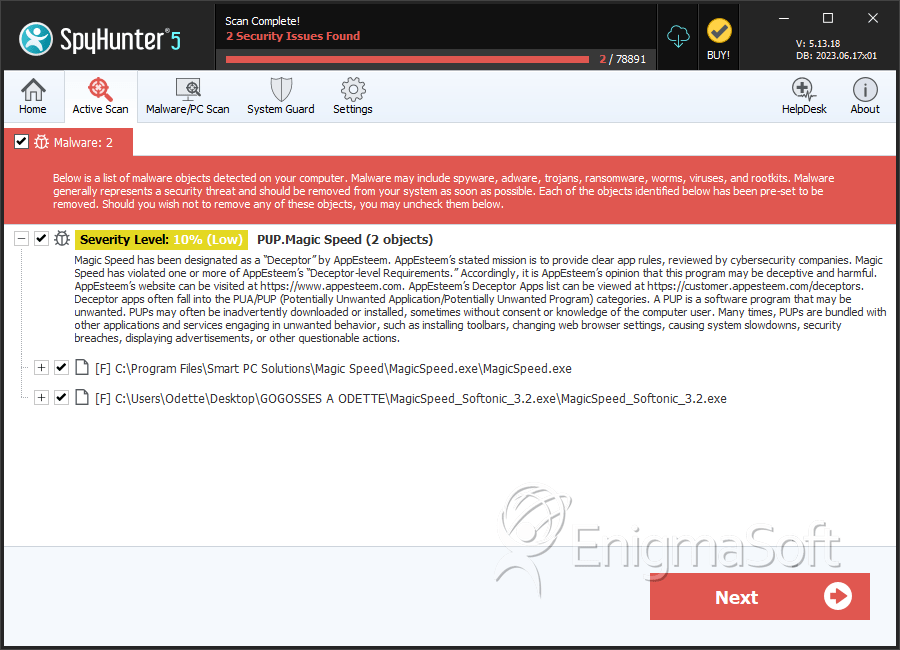
SpyHunter Detects & Remove PUP.Magic Speed