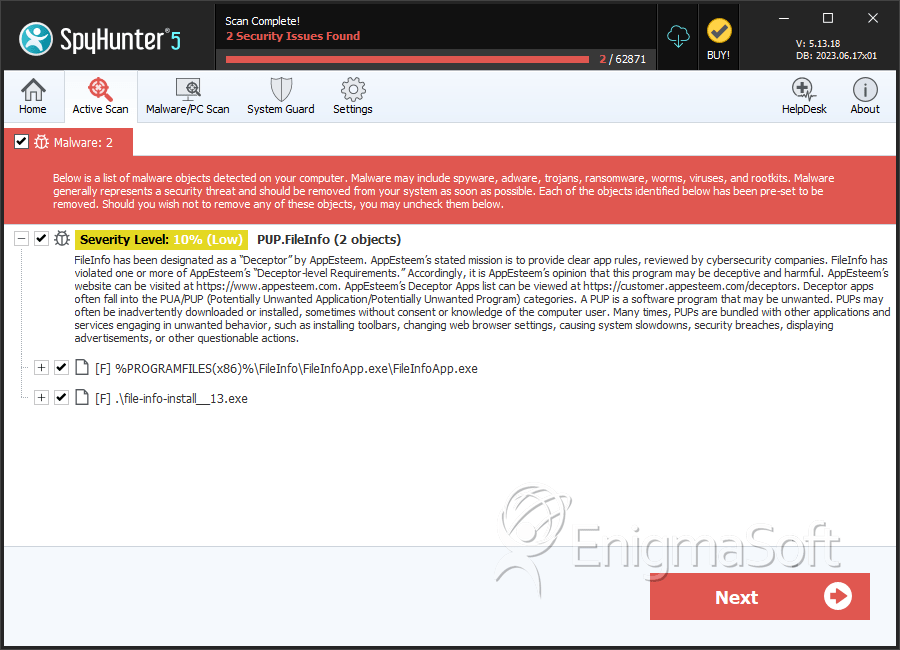
PUP.FileInfo
The detection of PUP.FileInfo indicates that your system has been compromised by a potentially unwanted program (PUP). This type of malware is designed to perform actions that are not necessarily malicious but can still cause problems for the user. PUPs often sneak onto a system through bundled software downloads or by exploiting vulnerabilities in the operating system or applications. It's essential to address this issue promptly to prevent any potential harm to your system or data.
Table of Contents
What Is PUP.FileInfo?
PUP.FileInfo is a detection name given to a potentially unwanted program that has been identified on your system. The name itself does not indicate a specific malware family but rather a category of threats that are considered unwanted. PUPs can exhibit a range of behaviors, from displaying unwanted advertisements to collecting user data without consent. They may also consume system resources, slowing down your computer or causing other performance issues.
How PUP.FileInfo Operates
While the exact operation of PUP.FileInfo is not detailed in this report due to the lack of specific telemetry, PUPs generally operate by installing themselves on a system through various means. They might be bundled with other software, downloaded from untrusted sources, or exploited through vulnerabilities. Once installed, PUPs can run in the background, performing their intended functions without the user's knowledge or consent. These functions can include data collection, displaying advertisements, or even installing additional unwanted software.
Symptoms of Infection
Symptoms of a PUP infection can vary but often include an increase in unwanted advertisements, pop-ups, or a general slowdown of the system. Users might also notice unfamiliar programs or toolbars installed on their browsers, or they might experience redirects to unwanted websites. In some cases, the presence of a PUP might not be immediately noticeable, making regular system scans crucial for detecting and removing such threats.
How to Remove PUP.FileInfo
- Boot your computer in Safe Mode with Networking to prevent the PUP from loading and to allow for internet access for updates and downloads.
- Perform a full scan of your system using a reputable anti-malware tool, such as SpyHunter, to detect and remove PUP.FileInfo and any other potential threats.
- Uninstall any suspicious programs that you do not recognize or that were installed around the time the PUP was detected. Be cautious and only uninstall programs you are sure are not needed for your system's operation.
- Reset your web browsers (Chrome, Firefox, Edge) to their default settings to remove any unwanted extensions or settings changes made by the PUP.
- Reboot your computer and perform another full scan with your anti-malware tool to ensure that all components of the PUP have been removed and that your system is clean.
Conclusion
Removing PUP.FileInfo from your system is crucial to maintaining your privacy, security, and overall system performance. By following the steps outlined above, you should be able to successfully remove this potentially unwanted program. It's also important to take preventive measures to avoid future infections, such as being cautious with downloads, keeping your operating system and software up to date, and regularly scanning your system for threats. Remember, vigilance and proactive maintenance are key to protecting your digital environment.
SpyHunter Detects & Remove PUP.FileInfo