Privacy Protector
Protecting your device from intrusive and untrustworthy software is no longer optional, it is essential. Potentially Unwanted Programs (PUPs), especially adware, often disguise themselves as helpful tools while quietly undermining privacy, security, and overall system performance. One such example is Privacy Protector, which illustrates how misleading these applications may be.
Table of Contents
What Is Privacy Protector Really?
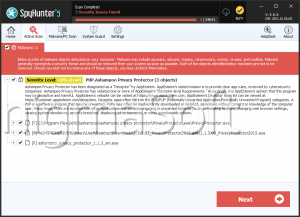
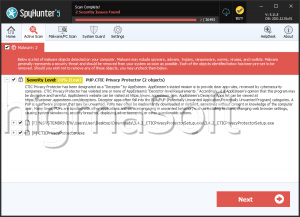
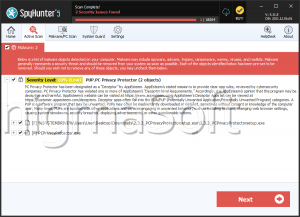
At first glance, Privacy Protector is advertised as a browser extension designed to block trackers and enhance online privacy. However, deeper analysis by cybersecurity researchers reveals a very different reality, it functions as adware.
Instead of improving security, Privacy Protector introduces advertising components into the browsing experience. This contradiction between its claims and actual behavior is a strong indicator that it should not be trusted or installed.
Intrusive Advertising and Risky Redirects
Once active, Privacy Protector may flood users with various types of advertisements, including:
- Pop-ups
- Banners
- Coupons
- In-text ads
These ads are not just disruptive, they may also be dangerous. Interacting with them could redirect users to:
- Fraudulent websites
- Pages promoting unwanted or harmful software
- Phishing platforms designed to steal sensitive information
Such sites may attempt to trick users into revealing login credentials, financial data, or downloading additional threats, increasing the risk of identity theft or malware infections.
Data Tracking and Privacy Concerns
Beyond advertising, Privacy Protector may monitor user activity. This includes:
- Browsing history
- Search queries
- Clicked links
This collected data could be used to deliver targeted ads or even sold to third parties. Such practices raise serious privacy concerns, especially since users are often unaware this tracking is taking place.
Performance Issues and Browser Manipulation
Adware like Privacy Protector does not just impact privacy, it may also degrade system performance. Users may notice:
- Slower browser speeds
- Pages loading incorrectly
- Frequent crashes or freezes
In some cases, it could also behave like a browser hijacker, altering browser settings without clear permission. These changes may persist and prove difficult to reverse while the adware remains installed.
How PUPs Like Privacy Protector Sneak Onto Devices
One of the most concerning aspects of adware is how it gets installed in the first place. Applications like Privacy Protector rely on deceptive distribution tactics, such as:
Software Bundling
Adware is often hidden within installers for free or questionable software. When users choose default or 'Quick' installation settings, additional components may be installed silently. Selecting 'Custom' or 'Advanced' options is crucial, as it allows users to review and decline these extras.
Misleading Advertisements and Fake Alerts
Suspicious websites frequently display fake warnings or enticing offers that encourage users to download software. These prompts may appear legitimate but often lead to unwanted installations.
Untrusted Download Sources
Downloading files from unofficial app stores, third-party websites, or peer-to-peer (P2P) networks significantly increases the risk. Such platforms often distribute bundled or modified installers that include adware.
Why You Should Avoid Privacy Protector
Privacy Protector exemplifies how PUPs may present themselves as beneficial tools while introducing risks instead. It may:
- Display intrusive and potentially harmful ads
- Track browsing-related data
- Interfere with browser functionality
- Contribute to security vulnerabilities
For these reasons, installing or keeping such software is not advisable.
Final Thoughts
Adware like Privacy Protector is more than just an annoyance, it is a potential gateway to broader security and privacy issues. Staying vigilant, avoiding suspicious downloads, and carefully reviewing installation settings are key steps in keeping your system safe. If Privacy Protector is already present on your device, removing it promptly is strongly recommended.