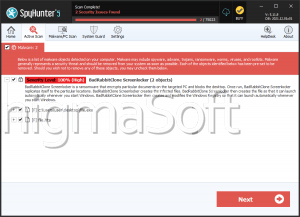
Clone Ransomware
In an era when ransomware threats grow increasingly sophisticated, this article discusses the Clone Ransomware, its impact, and essential strategies for enhancing cybersecurity defenses.
Table of Contents
What is the Clone Ransomware?
The Clone Ransomware is a threatening program designed to encipher users' files and demand a ransom for their recovery. Once deployed on a system, Clone encrypts files and appends their names with a unique ID, the attackers' email address, and a '.Clone' extension. For instance, a file named 'photo.jpg' would be renamed to 'photo.jpg.id-9ECFA74E.[CloneDrive@mailum.com].Clone.'
The ransomware also creates ransom notes in two formats: a text file named 'clone_info.txt' and a pop-up message. These notes inform the victim of the encryption and provide instructions to contact the attackers via email. While the messages assure victims that file recovery is possible, they discourage seeking assistance from third parties, adding to the pressure to comply.
How the Clone Ransomware Operates
Like other members of the Dharma family, the Clone Ransomware primarily targets local and network-shared files. Despite the extensive encryption of data, the system's critical files are left untouched, ensuring the device remains operable.
To maximize its impact, the Clone Ransomware terminates processes associated with active files (e.g., databases or documents in use) and prevents double encryptions by maintaining an exclusion list. It also secures persistence by copying itself into specific system directories and registering with startup keys to activate after a reboot.
Another hallmark of this ransomware is its ability to erase Shadow Volume Copies, eliminating a key recovery method for victims. Additionally, Clone can use geolocation data to decide whether to proceed with an attack, often targeting specific regions or avoiding economically disadvantaged areas.
Why Paying the Ransom isn’t the Solution
In ransomware cases, victims often face a grim choice: pay the ransom or lose access to their files. However, cybersecurity experts strongly advise against complying with ransom requests.
There is no guarantee that the attackers will provide the promised decryption tools even after payment. Furthermore, paying a ransom supports and encourages illegal activities, fueling future attacks. The best course of action is to focus on preventing infections and maintaining robust data backups.
How Does the Clone Ransomware Spread?
The Clone Ransomware is commonly distributed through insecure Remote Desktop Protocol (RDP) connections. Attackers exploit weak credentials through brute-force or dictionary attacks to gain unauthorized access. Once inside, they disable firewalls and deploy the ransomware.
Additionally, ransomware is often spread via phishing emails, malicious downloads, or deceptive online schemes. Attachments in spam emails, fake software updates, and cracked software are among the many tactics cybercriminals use to disguise their malicious payloads. The Clone Ransomware may also propagate through removable storage devices or shared networks.
Boosting Your Defense against Ransomware
To protect yourself from ransomware threats like Clone, implementing a strong cybersecurity strategy is essential. Here are some best practices to fortify your defenses:
- Preserve Regular Backups: Regularly back up your data to multiple secure locations, such as external storage devices or cloud-based services. Ensure that backups are disconnected from your network to prevent ransomware from accessing them.
- Strengthen RDP Security: Disable RDP if it is not in use. For essential RDP services, enforce strong passwords, implement two-factor authentication (2FA), and restrict access to trusted IP addresses.
- Stay Alert for Phishing Attempts: Be cautious when receiving unsolicited emails, especially those containing attachments or links. Verify the sender's identity before interacting with any suspicious content.
- Update Software Regularly: Keep your operating system, antivirus tools, and other software updated. Security patches often address vulnerabilities that ransomware exploits.
- Install a Reliable Firewall: A robust firewall can help detect and block unauthorized access attempts, adding an extra layer of protection.
- Be Cautious when Downloading: Avoid downloading files or software from unverified sources, such as freeware sites, peer-to-peer networks, and unofficial app stores.
- Educate Yourself and Your Team: If you're part of an organization, conduct regular cybersecurity training to ensure that all users understand the risks and can identify potential threats.
The Clone Ransomware exemplifies the evolving tactics employed by cybercriminals to exploit vulnerabilities. While its methods are sophisticated, users can significantly reduce their risk by adopting proactive security measures. Staying vigilant, maintaining strong backups, and fostering a culture of cybersecurity awareness is key to ensuring that your digital world remains safe from ransomware and other online threats.