Swirlz Toolbar
Threat Scorecard
EnigmaSoft Threat Scorecard
EnigmaSoft Threat Scorecards are assessment reports for different malware threats which have been collected and analyzed by our research team. EnigmaSoft Threat Scorecards evaluate and rank threats using several metrics including real-world and potential risk factors, trends, frequency, prevalence, and persistence. EnigmaSoft Threat Scorecards are updated regularly based on our research data and metrics and are useful for a wide range of computer users, from end users seeking solutions to remove malware from their systems to security experts analyzing threats.
EnigmaSoft Threat Scorecards display a variety of useful information, including:
Ranking: The ranking of a particular threat in EnigmaSoft’s Threat Database.
Severity Level: The determined severity level of an object, represented numerically, based on our risk modeling process and research, as explained in our Threat Assessment Criteria.
Infected Computers: The number of confirmed and suspected cases of a particular threat detected on infected computers as reported by SpyHunter.
See also Threat Assessment Criteria.
| Threat Level: | 20 % (Normal) |
| Infected Computers: | 86 |
| First Seen: | December 2, 2013 |
| Last Seen: | January 17, 2023 |
| OS(es) Affected: | Windows |
The Swirlz Toolbar is a low quality PUP or Potentially Unwanted Program, that is associated with a search engine by the same name. The Swirlz Toolbar has both characteristics of browser hijackers and adware because the Swirlz Toolbar can take over the victim's Web browser in order to promote its associated websites and that the Swirlz Toolbar is used to make money by exposing computer users to advertising material. The low quality search engine associated with the Swirlz Toolbar is not designed to help computer users carry out online searches. Instead, this search engine's results are little more than a collection of sponsored affiliate marketing links and advertisements. The Swirlz Toolbar is used to boost certain websites' page ranking and to promote known low quality websites.
The Swirlz Toolbar should be removed at once from an affected computer with the help of a reliable security program. Usually, the Swirlz Toolbar can be uninstalled using the Windows Control Panel. However, the Swirlz Toolbar may have exposed the affected computer to other unreliable components, requiring the use of a security program to detect and remove them.
Table of Contents
Be Careful When Installing a Freeware Since It May Come with Threats Bundled
Although many computer users refer to the Swirlz Toolbar as a virus, this is incorrect. PC security researchers consider programs like the Swirlz Toolbar as PUPs or Potentially Unwanted Programs. This is because the Swirlz Toolbar exhibits many threat-like symptoms but, unlike viruses or Trojans, can be uninstalled using relatively simple techniques and leaving no lasting damage on the affected computer. However, it is important to note that PUPs like the Swirlz Toolbar may expose a computer to other kind of threats through unregulated advertisements and browser redirects. Security researchers have noted that the Swirlz Toolbar may be installed after the computer user installs freeware from poorly regulated sources. In general, the Swirlz Toolbar may be bundled with freeware and dropped on the affected computer during the installation process. Although computer users may usually opt out of installing the Swirlz Toolbar, many do not because the option is often hard to find or because they do not understand the true nature of the Swirlz Toolbar.
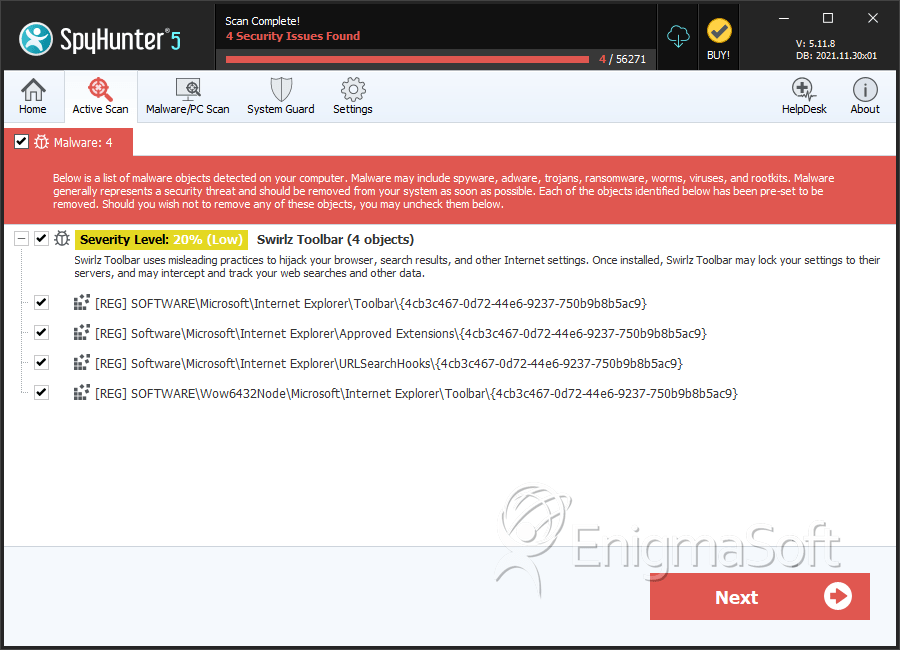
SpyHunter Detects & Remove Swirlz Toolbar




Submit Comment
Please DO NOT use this comment system for support or billing questions. For SpyHunter technical support requests, please contact our technical support team directly by opening a customer support ticket via your SpyHunter. For billing issues, please refer to our "Billing Questions or Problems?" page. For general inquiries (complaints, legal, press, marketing, copyright), visit our "Inquiries and Feedback" page.