SeeWords Ads
Threat Scorecard
EnigmaSoft Threat Scorecard
EnigmaSoft Threat Scorecards are assessment reports for different malware threats which have been collected and analyzed by our research team. EnigmaSoft Threat Scorecards evaluate and rank threats using several metrics including real-world and potential risk factors, trends, frequency, prevalence, and persistence. EnigmaSoft Threat Scorecards are updated regularly based on our research data and metrics and are useful for a wide range of computer users, from end users seeking solutions to remove malware from their systems to security experts analyzing threats.
EnigmaSoft Threat Scorecards display a variety of useful information, including:
Ranking: The ranking of a particular threat in EnigmaSoft’s Threat Database.
Severity Level: The determined severity level of an object, represented numerically, based on our risk modeling process and research, as explained in our Threat Assessment Criteria.
Infected Computers: The number of confirmed and suspected cases of a particular threat detected on infected computers as reported by SpyHunter.
See also Threat Assessment Criteria.
| Ranking: | 16,807 |
| Threat Level: | 20 % (Normal) |
| Infected Computers: | 106 |
| First Seen: | May 7, 2015 |
| Last Seen: | July 11, 2023 |
| OS(es) Affected: | Windows |
SeeWords Ads Image
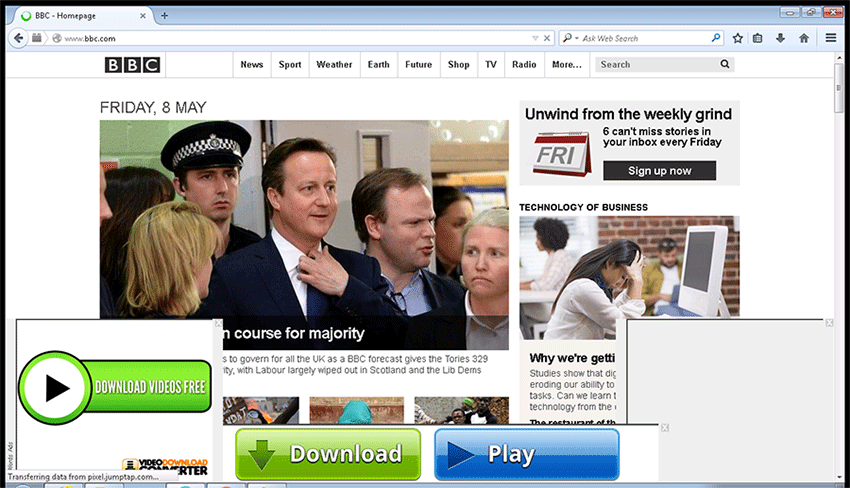
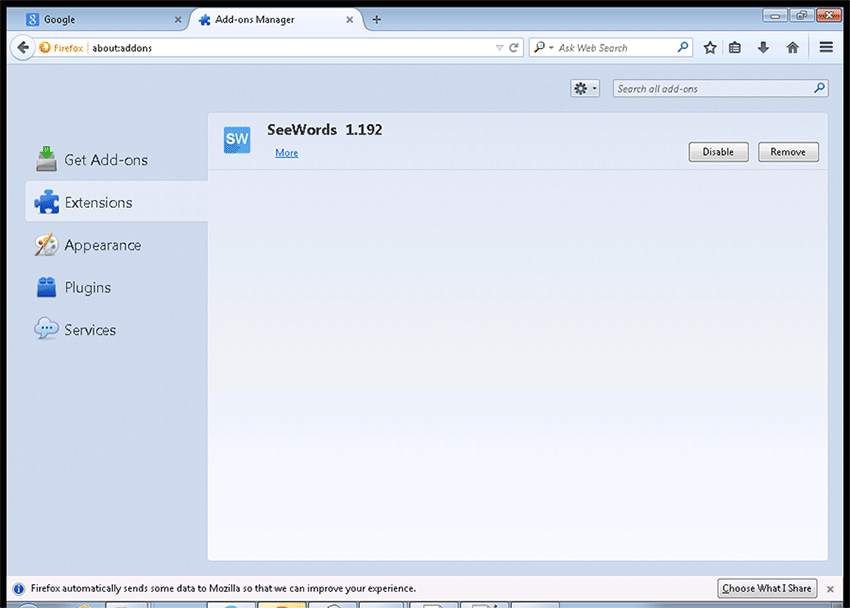
SeeWords browser add-on is promoted as a powerful search assistant in freeware packages under the 'Advanced' or 'Typical' option. However, users may wish to know that the SeeWords app is classified by security analysts as adware because SeeWords serves as a private ad platform for adware developers to earn pay-per-click revenue. The SeeWords adware is similar to other adware like Search Fairy, Bold Letters, and LinkWiz and can display pop-up and pop-under windows loaded with marketing content. Also, the SeeWords adware may insert keyword highlight ads, banners, and floating ad boxes on the websites users browse. The SeeWords adware may add a registry key in Windows to launch when you start an online session and read your Internet history to display related ads. Security analysts note that the ads by SeeWords are not considered as safe and may direct you to visit suspicious websites and untrusted domains where your cyber security may be at risk. Moreover, the SeeWords adware may slow down your web browser and increase the loading time of your preferred web pages. The SeeWords adware may substitute ads on trusted online stores with links to products and services by sponsors that might not be safe. Therefore, users might want to purge the SeeWords adware by using a reliable anti-malware tool.
 template:statistic]





Submit Comment
Please DO NOT use this comment system for support or billing questions. For SpyHunter technical support requests, please contact our technical support team directly by opening a customer support ticket via your SpyHunter. For billing issues, please refer to our "Billing Questions or Problems?" page. For general inquiries (complaints, legal, press, marketing, copyright), visit our "Inquiries and Feedback" page.