Screenify Ads
Threat Scorecard
EnigmaSoft Threat Scorecard
EnigmaSoft Threat Scorecards are assessment reports for different malware threats which have been collected and analyzed by our research team. EnigmaSoft Threat Scorecards evaluate and rank threats using several metrics including real-world and potential risk factors, trends, frequency, prevalence, and persistence. EnigmaSoft Threat Scorecards are updated regularly based on our research data and metrics and are useful for a wide range of computer users, from end users seeking solutions to remove malware from their systems to security experts analyzing threats.
EnigmaSoft Threat Scorecards display a variety of useful information, including:
Ranking: The ranking of a particular threat in EnigmaSoft’s Threat Database.
Severity Level: The determined severity level of an object, represented numerically, based on our risk modeling process and research, as explained in our Threat Assessment Criteria.
Infected Computers: The number of confirmed and suspected cases of a particular threat detected on infected computers as reported by SpyHunter.
See also Threat Assessment Criteria.
| Ranking: | 13,240 |
| Threat Level: | 20 % (Normal) |
| Infected Computers: | 2,244 |
| First Seen: | April 7, 2016 |
| Last Seen: | September 19, 2023 |
| OS(es) Affected: | Windows |
The Screenify application may be promoted to users as a browser plug-in that can help them magnify images on the Web in full-screen and custom the image size. The Screenify application may claim to act like an online magnifying glass, and users with poor eyesight and need to preview images in a larger size may be interested in installing the Screenify application. You could encounter the Screenify app bundled with free software installers and on freeware platforms. However, the Screenify application is not a reliable alternative to the Microsoft Magnifier that is built into Windows because it is an adware that may turn off your browser protection and load corrupted advertising content. Security experts alert that the Screenify adware may temper with the Internet settings of Internet Explorer, Google Chrome, and Mozilla Firefox, and disable the TLS and SSL encryption that is used to establish a protected connection to sites.
Moreover, the Screenify adware may install itself as a module to the Microsoft .NET Framework, which third-party programs use to load images, videos, text and raw data. That way, the Screenify adware can inject advertisements in the processes of other applications, and you may see banners and pop-up windows loaded with commercials while playing games and making a report on Microsoft Word. The Screenify adware may cause program crashes and slow down your PC. Security analysts note that Screenify adware may be resistant to manual removal by creating Registry keys that hide its files and prevent the user from killing the screenify.exe process via the Windows Task Manager. The Screenify adware is similar to WikiTime and Serpens and may edit the DNS configuration of the infected computer to reroute the victim's Web traffic to the servers of advertisers. Computer users that wish to keep their Internet habits private and shop securely would need to remove the Screenify adware with the help of a trusted anti-spyware tool.
Table of Contents
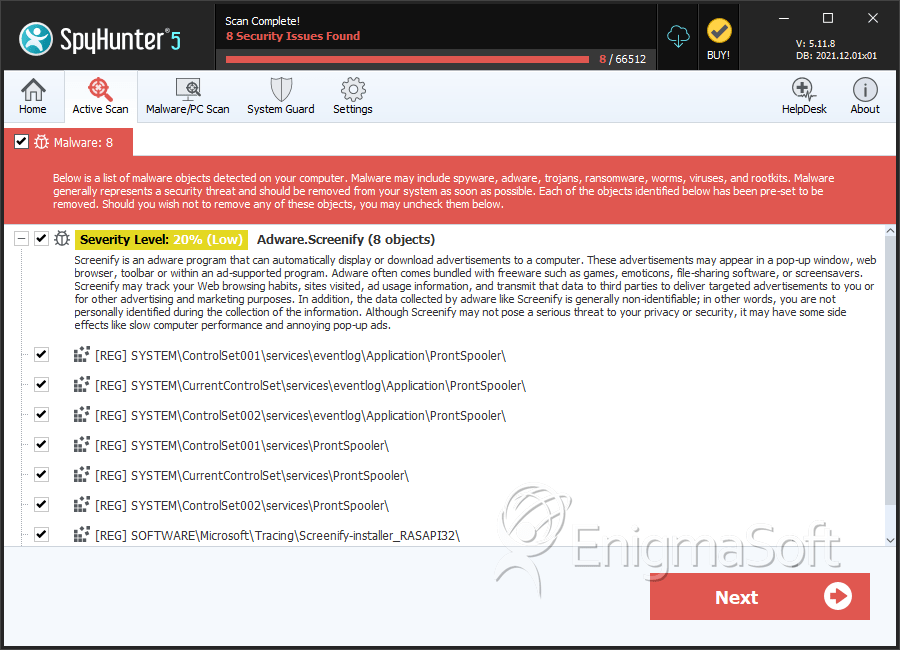
SpyHunter Detects & Remove Screenify Ads
Registry Details
Directories
Screenify Ads may create the following directory or directories:
| %PROGRAMFILES%\Screenify |
| %PROGRAMFILES(x86)%\Screenify |





Submit Comment
Please DO NOT use this comment system for support or billing questions. For SpyHunter technical support requests, please contact our technical support team directly by opening a customer support ticket via your SpyHunter. For billing issues, please refer to our "Billing Questions or Problems?" page. For general inquiries (complaints, legal, press, marketing, copyright), visit our "Inquiries and Feedback" page.