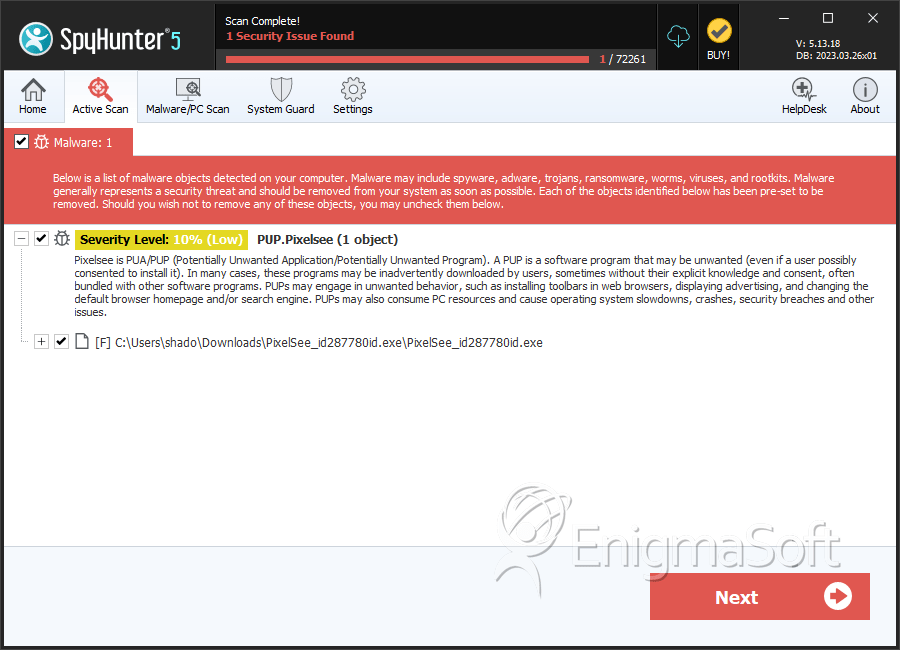
PUP.Pixelsee
Protecting your device from intrusive software is not just about avoiding obvious malware, potentially unwanted programs (PUPs) also pose a significant risk. While they are not as destructive as full-blown malware, PUPs like PUP.Pixelsee may disrupt your browsing experience, compromise your privacy, and expose you to unreliable online services. Recognizing and removing such threats is essential for maintaining both security and control over your digital environment.
Table of Contents
What Is PUP.Pixelsee?
PUP.Pixelsee is classified as a browser hijacker and operates as an intrusive application designed to manipulate browser behavior. Instead of improving usability, it alters critical settings such as your homepage, new tab page, and default search engine. Once in control, it reroutes web traffic through untrustworthy or obscure search platforms that promote sponsored content rather than delivering accurate results.
While these redirects may seem relatively harmless at first, the program’s underlying purpose is to exploit users. It may insert aggressive advertising into visited pages, flood screens with pop-ups, and quietly track browsing activity to generate targeted ads. Over time, this behavior reduces browser performance, clutters your online sessions, and poses risks to data privacy.
Questionable Distribution Tactics
One of the most concerning aspects of PUPs like Pixelsee is how they manage to sneak onto devices. Rarely do users knowingly install them. Instead, the software typically arrives through deceptive packaging and misleading methods, including:
- Bundled installations, where Pixelsee is hidden inside freeware or shareware setup files.
- Fake software updates that trick users into downloading additional components.
- Browser extensions are promoted as useful tools, but they hide intrusive features.
- Download sources outside official app stores, such as third-party platforms or torrent sites.
- Clickbait ads, pop-ups, or fraudulent 'system alerts' urging users to install a program.
- Misleading CAPTCHA prompts that request notification permissions, which are later misused for spam.
These tactics exploit users’ trust and lack of scrutiny during installation, making it easy for the hijacker to establish itself without clear consent.
How PUP.Pixelsee Disrupts Browsing
Once installed, PUP.Pixelsee does not sit idle. Instead, it aggressively modifies browser behavior and resists easy removal. Its main activities include:
- Switching your homepage, search engine, and new tab page to its promoted service.
- Redirecting searches to sites filled with ads or unsafe links.
- Injecting intrusive banners, sponsored results, and pop-up ads into regular websites.
- Collecting information about your browsing history, clicks, and search terms.
- Reinstalling itself using hidden components if users attempt manual removal.
This level of interference undermines the reliability of web searches, slows down browsing, and puts sensitive data at risk of being harvested by unknown third parties.
Why Removal Is Necessary
While PUP.Pixelsee may not behave like classic malware, its presence exposes users to unreliable services, unwanted advertisements, and privacy violations. Left unchecked, it could weaken overall security, increase the chance of encountering phishing pages, and damage trust in legitimate websites.
For these reasons, immediate removal is strongly recommended. A combination of thorough manual cleanup and reputable security tools may be required to fully eradicate the hijacker and restore normal browser functionality.
SpyHunter Detects & Remove PUP.Pixelsee