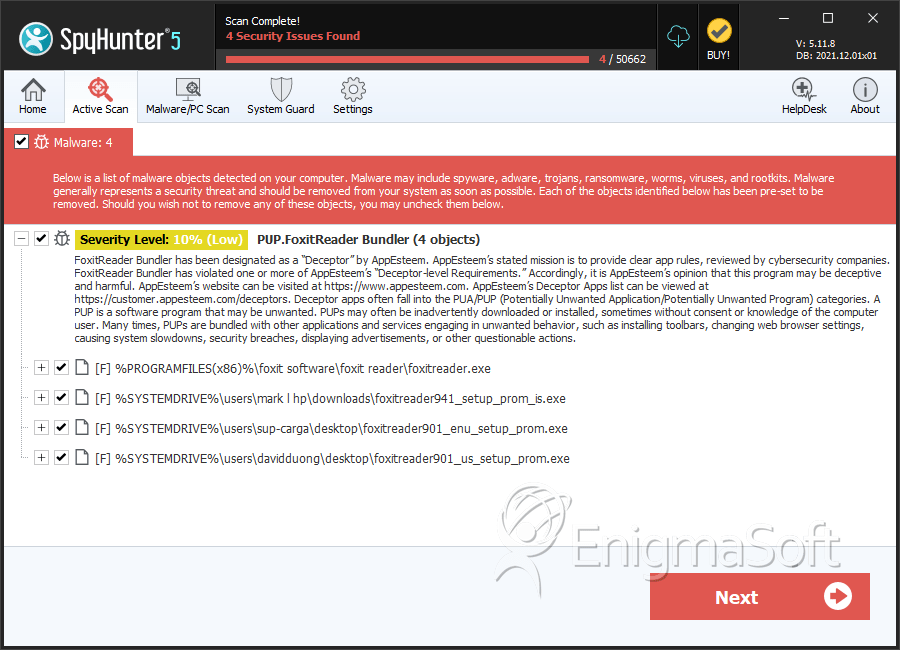
PUP.FoxitReader Bundler
The detection of PUP.FoxitReader Bundler on your system indicates the presence of a potentially unwanted program (PUP) that may have been installed without your full knowledge or consent. This type of software is often bundled with other programs or applications, and its presence can lead to a range of issues, from unwanted advertisements and browser redirects to more serious security vulnerabilities. In this report, we will provide an overview of what PUP.FoxitReader Bundler is, how it operates, the symptoms of infection, and most importantly, how to remove it from your system.
Table of Contents
What Is PUP.FoxitReader Bundler?
PUP.FoxitReader Bundler is classified as a potentially unwanted program (PUP) due to its behavior of being installed alongside other software, often without the user's explicit consent. This bundling technique is used by some software developers to distribute their applications more widely, but it can also be exploited by malicious actors to spread unwanted or harmful software. The name suggests an association with Foxit Reader, a popular PDF viewer, but the nature of this association can vary, and it's crucial to understand that not all software bundled with other applications is malicious.
How PUP.FoxitReader Bundler Operates
PUPs like PUP.FoxitReader Bundler typically operate by integrating themselves into your system through bundled installations. Once installed, they can exhibit a range of behaviors, including displaying unwanted advertisements, changing browser settings, or even collecting user data without consent. These programs often have legitimate functions but are considered unwanted due to their aggressive marketing tactics or potential to act as a vector for more malicious software.
Symptoms of Infection
Symptoms of PUP.FoxitReader Bundler infection can include, but are not limited to, an increase in unwanted advertisements or pop-ups, changes to your browser's homepage or search engine, the appearance of new, unfamiliar programs or toolbars, and overall system slowdown. In some cases, you might not notice any symptoms at all, which is why regular system checks and scans are important for maintaining your computer's health and security.
How to Remove PUP.FoxitReader Bundler
Removing PUP.FoxitReader Bundler requires a systematic approach to ensure all components of the PUP are eliminated from your system. Here are the steps to follow:
- Boot your computer in Safe Mode with Networking to prevent any potentially unwanted programs from running and to give you a clean environment to work in.
- Perform a full scan of your system using a reputable anti-malware tool, such as SpyHunter, to detect and remove all traces of PUP.FoxitReader Bundler and any other potential threats.
- Manually uninstall any suspicious programs that you do not recognize or need. Be cautious and only uninstall programs you are sure are not required by your system or other legitimate applications.
- Reset your web browsers (Google Chrome, Mozilla Firefox, Microsoft Edge, etc.) to their default settings to remove any changes made by the PUP, such as altered homepages or search engines.
- Reboot your computer and perform another full scan with your anti-malware tool to ensure that all threats have been removed and your system is clean.
Conclusion
The removal of PUP.FoxitReader Bundler from your system is crucial to prevent potential security risks and to restore your computer's performance and privacy. By following the steps outlined above and maintaining good computing practices, such as regularly scanning your system for malware and being cautious when installing new software, you can significantly reduce the risk of future infections. Remember, vigilance and proactive maintenance are key to keeping your digital environment safe and secure.
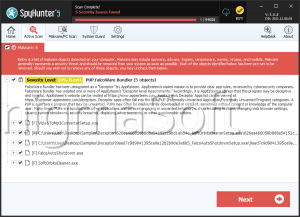
SpyHunter Detects & Remove PUP.FoxitReader Bundler