PUP.Fast Browser
Threat Scorecard
EnigmaSoft Threat Scorecard
EnigmaSoft Threat Scorecards are assessment reports for different malware threats which have been collected and analyzed by our research team. EnigmaSoft Threat Scorecards evaluate and rank threats using several metrics including real-world and potential risk factors, trends, frequency, prevalence, and persistence. EnigmaSoft Threat Scorecards are updated regularly based on our research data and metrics and are useful for a wide range of computer users, from end users seeking solutions to remove malware from their systems to security experts analyzing threats.
EnigmaSoft Threat Scorecards display a variety of useful information, including:
Popularity Rank: The ranking of a particular threat in EnigmaSoft’s Threat Database.
Severity Level: The determined severity level of an object, represented numerically, based on our risk modeling process and research, as explained in our Threat Assessment Criteria.
Infected Computers: The number of confirmed and suspected cases of a particular threat detected on infected computers as reported by SpyHunter.
See also Threat Assessment Criteria.
| Popularity Rank: | 377 |
| Threat Level: | 10 % (Normal) |
| Infected Computers: | 625,770 |
| First Seen: | July 2, 2015 |
| Last Seen: | October 5, 2026 |
| OS(es) Affected: | Windows |
The detection of PUP.Fast Browser indicates that your system may be affected by a potentially unwanted program. This type of software can cause a range of issues, from annoying pop-ups and redirects to more serious problems like data theft and system instability. In this report, we will provide an overview of what PUP.Fast Browser is, how it operates, and the symptoms of infection, as well as guidance on how to remove it from your system.
Table of Contents
What Is PUP.Fast Browser?
PUP.Fast Browser is a type of potentially unwanted program (PUP) that can be installed on a system without the user's knowledge or consent. PUPs are often bundled with other software or downloaded from the internet, and they can cause a range of problems, including slowing down system performance, displaying unwanted ads, and collecting user data. While PUPs are not typically considered to be malicious software, they can still pose a significant threat to system security and user privacy.
How PUP.Fast Browser Operates
PUP.Fast Browser operates by installing itself on a system and then modifying various settings and configurations to achieve its goals. This can include changing the default browser homepage, adding unwanted toolbars or extensions, and redirecting user searches to alternative websites. In some cases, PUP.Fast Browser may also collect user data, such as browsing history and search queries, and transmit it to third-party servers for analysis and exploitation.
- PUP.Fast Browser may use various tactics to evade detection, including disguising itself as a legitimate program or hiding in the system's temporary files.
- It may also use social engineering techniques, such as fake alerts or warnings, to trick users into installing additional software or providing sensitive information.
- In some cases, PUP.Fast Browser may even install other PUPs or malware on the system, leading to a range of further problems and complications.
Symptoms of Infection
The symptoms of a PUP.Fast Browser infection can vary, but common signs include:
- Unwanted ads or pop-ups appearing on the system or in the browser.
- Changes to the default browser homepage or search engine.
- Slow system performance or freezes.
- Unexplained crashes or errors.
- Unwanted toolbars or extensions installed in the browser.
If you are experiencing any of these symptoms, it is likely that your system is infected with PUP.Fast Browser or another type of malware.
How to Remove PUP.Fast Browser
To remove PUP.Fast Browser from your system, follow these steps:
- Boot your system in Safe Mode with Networking to prevent any malware from loading.
- Use a reputable anti-malware tool, such as SpyHunter, to perform a full scan of your system and detect any malware or PUPs.
- Uninstall any suspicious programs or software that may be related to the infection.
- Reset your browser settings to their default values, including Chrome, Firefox, and Edge.
- Reboot your system and perform a follow-up scan to ensure that all malware and PUPs have been removed.
By following these steps, you should be able to remove PUP.Fast Browser and any related malware from your system, restoring your browser and system to a clean and secure state.
Conclusion
In conclusion, PUP.Fast Browser is a potentially unwanted program that can cause a range of problems on a system, from annoying ads and redirects to more serious issues like data theft and system instability. By understanding how PUP.Fast Browser operates and the symptoms of infection, you can take steps to remove it from your system and prevent future infections. Remember to always use reputable anti-malware tools and follow best practices for system security to keep your browser and system safe and secure.
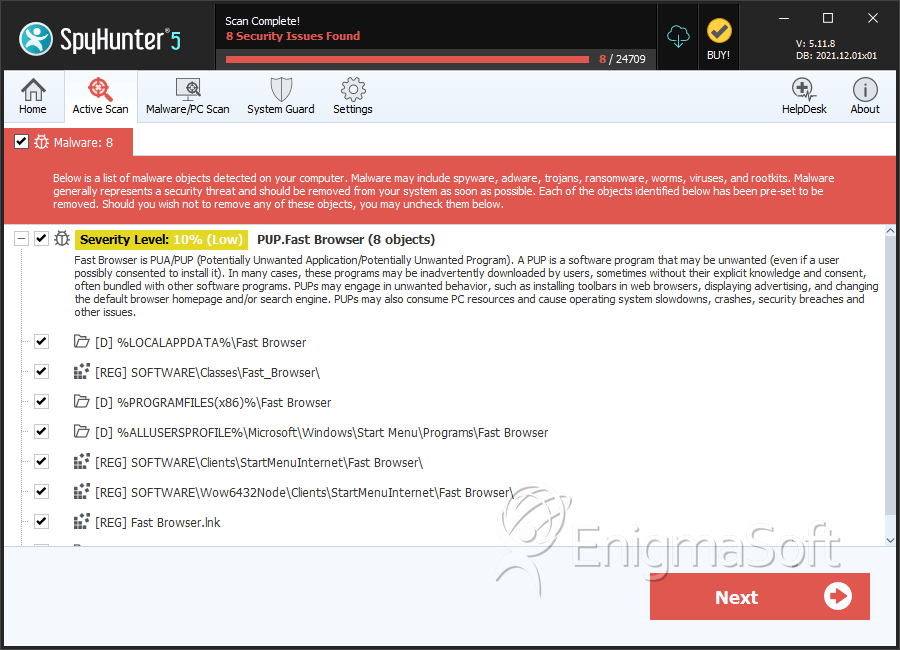
SpyHunter Detects & Remove PUP.Fast Browser
File System Details
| # | File Name | MD5 |
Detections
Detections: The number of confirmed and suspected cases of a particular threat detected on
infected computers as reported by SpyHunter.
|
|---|---|---|---|
| 1. | chrmstp.exe | 4d5f057a1942fb70816c708c6afb4cbb | 13 |
| 2. | chrome.exe | 225f502d696322b6b2904902419141f9 | 1 |
Registry Details
Directories
PUP.Fast Browser may create the following directory or directories:
| %ALLUSERSPROFILE%\Microsoft\Windows\Start Menu\Programs\Fast Browser |
| %ALLUSERSPROFILE%\Start Menu\Programs\Fast Browser |
| %APPDATA%\Microsoft\Windows\Start Menu\Programs\Fast Browser |
| %LOCALAPPDATA%\Fast Browser |
| %PROGRAMFILES%\Fast Browser |
| %PROGRAMFILES(x86)%\Fast Browser |
| %UserProfile%\Local Settings\Application Data\Fast Browser |
Analysis Report
General information
| Family Name: | PUP.Fast Browser |
|---|---|
| Signature status: | Self Signed |
Known Samples
Known Samples
This section lists other file samples believed to be associated with this family.|
MD5:
59d17f62fc76ae6bff123840e8abcff9
SHA1:
45386f1e646c9d195c590a3a54ada29c40cfe440
SHA256:
ED316F064CFBA1E6F0350BC99DA4401156D43374DB3F3E647143A715CED85188
File Size:
911.17 KB, 911168 bytes
|
Windows Portable Executable Attributes
- File doesn't have "Rich" header
- File doesn't have exports table
- File doesn't have relocations information
- File is 32-bit executable
- File is either console or GUI application
- File is GUI application (IMAGE_SUBSYSTEM_WINDOWS_GUI)
- File is Native application (NOT .NET application)
- File is not packed
- IMAGE_FILE_DLL is not set inside PE header (Executable)
- IMAGE_FILE_EXECUTABLE_IMAGE is set inside PE header (Executable Image)
File Icons
File Icons
This section displays icon resources found within family samples. Malware often replicates icons commonly associated with legitimate software to mislead users into believing the malware is safe.
Windows PE Version Information
Windows PE Version Information
This section displays values and attributes that have been set in the Windows file version information data structure for samples within this family. To mislead users, malware actors often add fake version information mimicking legitimate software.| Name | Value |
|---|---|
| Company Name | Make The Web Better, LLC |
| File Version | 1.0.0.1 |
| Internal Name | FastBrowserURLDownload.exe |
| Legal Copyright | Make The Web Better, LLC. All rights reserved. |
| Original Filename | FastBrowserURLDownload.exe |
| Product Version | 2.0.0.1 |
Digital Signatures
Digital Signatures
This section lists digital signatures that are attached to samples within this family. When analyzing and verifying digital signatures, it is important to confirm that the signature’s root authority is a well-known and trustworthy entity and that the status of the signature is good. Malware is often signed with non-trustworthy “Self Signed” digital signatures (which can be easily created by a malware author with no verification). Malware may also be signed by legitimate signatures that have an invalid status, and by signatures from questionable root authorities with fake or misleading “Signer” names.| Signer | Root | Status |
|---|---|---|
| Make The Web Better, LLC | VeriSign Class 3 Code Signing 2004 CA | Self Signed |
Block Information
Block Information
During analysis, EnigmaSoft breaks file samples into logical blocks for classification and comparison with other samples. Blocks can be used to generate malware detection rules and to group file samples into families based on shared source code, functionality and other distinguishing attributes and characteristics. This section lists a summary of this block data, as well as its classification by EnigmaSoft. A visual representation of the block data is also displayed, where available.| Total Blocks: | 2,167 |
|---|---|
| Potentially Malicious Blocks: | 5 |
| Whitelisted Blocks: | 2,113 |
| Unknown Blocks: | 49 |
Visual Map
? - Unknown Block
x - Potentially Malicious Block
Files Modified
Files Modified
This section lists files that were created, modified, moved and/or deleted by samples in this family. File system activity can provide valuable insight into how malware functions on the operating system.| File | Attributes |
|---|---|
| c:\users\user\appdata\local\temp\~df8b5042550f46e15c.tmp | Generic Read,Write Data,Write Attributes,Write extended,Append data |
Windows API Usage
Windows API Usage
This section lists Windows API calls that are used by the samples in this family. Windows API usage analysis is a valuable tool that can help identify malicious activity, such as keylogging, security privilege escalation, data encryption, data exfiltration, interference with antivirus software, and network request manipulation.| Category | API |
|---|---|
| Other Suspicious |
|
| Network Wininet |
|
| Anti Debug |
|