Intense Results
Threat Scorecard
EnigmaSoft Threat Scorecard
EnigmaSoft Threat Scorecards are assessment reports for different malware threats which have been collected and analyzed by our research team. EnigmaSoft Threat Scorecards evaluate and rank threats using several metrics including real-world and potential risk factors, trends, frequency, prevalence, and persistence. EnigmaSoft Threat Scorecards are updated regularly based on our research data and metrics and are useful for a wide range of computer users, from end users seeking solutions to remove malware from their systems to security experts analyzing threats.
EnigmaSoft Threat Scorecards display a variety of useful information, including:
Ranking: The ranking of a particular threat in EnigmaSoft’s Threat Database.
Severity Level: The determined severity level of an object, represented numerically, based on our risk modeling process and research, as explained in our Threat Assessment Criteria.
Infected Computers: The number of confirmed and suspected cases of a particular threat detected on infected computers as reported by SpyHunter.
See also Threat Assessment Criteria.
| Threat Level: | 20 % (Normal) |
| Infected Computers: | 7 |
| First Seen: | April 29, 2015 |
| Last Seen: | January 10, 2019 |
| OS(es) Affected: | Windows |
The Intense Results browser tool might claim that it will help you navigate through the web more efficiently, but you may want to know that it is ad-supported. Web surfers may have to tolerate numerous ads during their Internet activities while the Intense Results adware is attached to their web browser. Security analysts note that the Intense Results adware may show banners, pop-ups, video ads and transitional commercials loaded with marketing content from sponsors in order to earn pay-per-click revenue. Additionally, the Intense Results adware may offer you to install other adware like LyriXeeker and the Music Box Toolbar that may slow down your web browser and change your default search aggregator, home page and new tab settings. Security analysts add that the Intense Results adware may feature links to suspicious websites and low-quality webs stores where your cyber security could be at risk. Also, the Intense Results adware might detect your IP address, approximate geographical locations and use tracking cookies in order to show targeted marketing content and maximize its effectiveness. Users might want to employ the services of a reputable anti-spyware application and remove the Intense Results adware from their OS.
SpyHunter Detects & Remove Intense Results
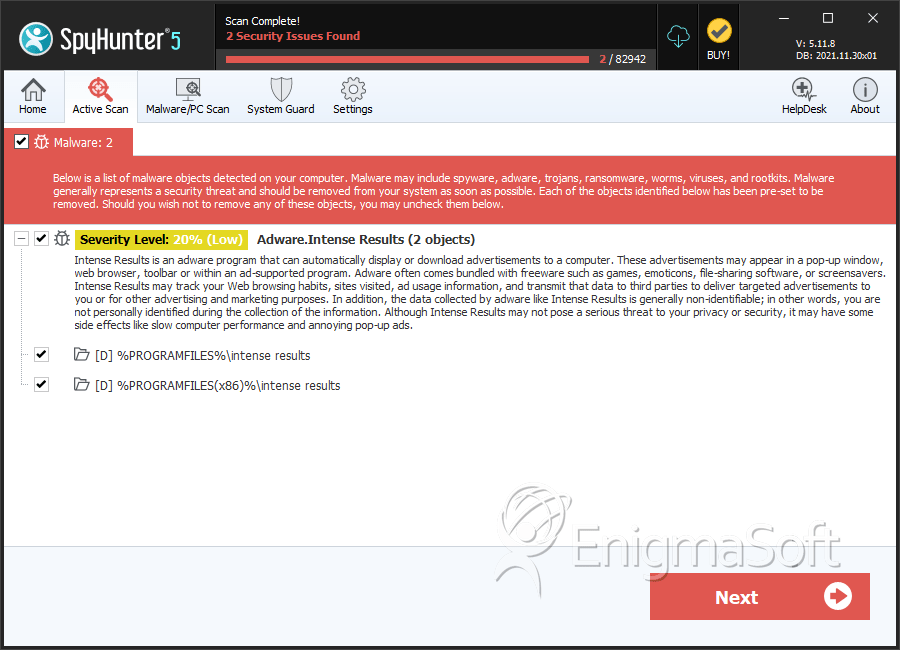
Directories
Intense Results may create the following directory or directories:
| %PROGRAMFILES%\intense results |
| %PROGRAMFILES(x86)%\intense results |





Submit Comment
Please DO NOT use this comment system for support or billing questions. For SpyHunter technical support requests, please contact our technical support team directly by opening a customer support ticket via your SpyHunter. For billing issues, please refer to our "Billing Questions or Problems?" page. For general inquiries (complaints, legal, press, marketing, copyright), visit our "Inquiries and Feedback" page.