Backdoor.ZBot.FWA
Threat Scorecard
EnigmaSoft Threat Scorecard
EnigmaSoft Threat Scorecards are assessment reports for different malware threats which have been collected and analyzed by our research team. EnigmaSoft Threat Scorecards evaluate and rank threats using several metrics including real-world and potential risk factors, trends, frequency, prevalence, and persistence. EnigmaSoft Threat Scorecards are updated regularly based on our research data and metrics and are useful for a wide range of computer users, from end users seeking solutions to remove malware from their systems to security experts analyzing threats.
EnigmaSoft Threat Scorecards display a variety of useful information, including:
Popularity Rank: The ranking of a particular threat in EnigmaSoft’s Threat Database.
Severity Level: The determined severity level of an object, represented numerically, based on our risk modeling process and research, as explained in our Threat Assessment Criteria.
Infected Computers: The number of confirmed and suspected cases of a particular threat detected on infected computers as reported by SpyHunter.
See also Threat Assessment Criteria.
| Popularity Rank: | 7,222 |
| Threat Level: | 60 % (Medium) |
| Infected Computers: | 75 |
| First Seen: | August 13, 2025 |
| Last Seen: | July 20, 2026 |
| OS(es) Affected: | Windows |
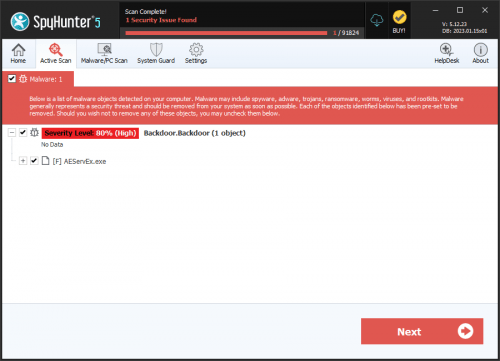
The detection of Backdoor.ZBot.FWA on your system indicates a potential security threat that requires immediate attention. This report provides an overview of the threat, its operating methods, symptoms of infection, and steps to remove it from your system.
Table of Contents
What Is Backdoor.ZBot.FWA?
Backdoor.ZBot.FWA is a type of malware that allows unauthorized access to your computer, giving attackers control over your system. The term "backdoor" refers to the malicious program's ability to bypass normal security mechanisms, creating a secret entry point for hackers. While the specifics of Backdoor.ZBot.FWA are not detailed in this report, understanding its nature as a backdoor threat is crucial for taking appropriate removal and prevention measures.
How Backdoor.ZBot.FWA Operates
Backdoor threats like Backdoor.ZBot.FWA typically operate by establishing a connection between your computer and a command and control server operated by the attackers. This connection allows hackers to remotely execute commands, steal sensitive information, install additional malware, or use your computer for malicious activities such as spamming or distributing malware. The exact mechanisms can vary, but the primary goal is to maintain unauthorized access to compromised systems.
Symptoms of Infection
Symptoms of a backdoor infection can be subtle and may not always be immediately apparent. Common indicators include unusual network activity, slow system performance, unexpected changes to system settings, or the presence of unfamiliar programs. In some cases, the system may become unstable, or you might notice unauthorized access to personal data or accounts. Since backdoors are designed to be stealthy, some infections may not exhibit noticeable symptoms until significant damage has been done.
How to Remove Backdoor.ZBot.FWA
- Boot into Safe Mode with Networking: This will limit the malware's ability to interfere with the removal process. Restart your computer, and as it boots up, press the key that opens the boot menu (usually F8, F12, or Del), and select Safe Mode with Networking.
- Perform a Full Scan with a Reputable Tool: Use an anti-malware tool like SpyHunter to perform a full scan of your system. This can help identify and remove the backdoor and any associated malware.
- Uninstall Suspicious Programs: Go through your installed programs and remove any that you don't recognize or that were installed without your knowledge. Be cautious, as some legitimate programs might be mistakenly uninstalled.
- Reset Your Browser: If your web browser (Google Chrome, Mozilla Firefox, Microsoft Edge, etc.) has been compromised, resetting it to its default settings can help remove malicious extensions or settings. This can usually be done through the browser's settings or options menu.
- Reboot and Re-scan: After completing the above steps, restart your computer in normal mode and perform another scan with your anti-malware tool to ensure that the threat has been fully removed.
Conclusion
Removing Backdoor.ZBot.FWA requires careful and thorough steps to ensure that your system is completely clean. It's also important to take preventive measures to avoid future infections, such as keeping your operating system and software up to date, using strong and unique passwords, and being cautious when opening email attachments or downloading files from the internet. By understanding the nature of backdoor threats and taking proactive security measures, you can significantly reduce the risk of your system being compromised.
Analysis Report
General information
| Family Name: | Backdoor.ZBot.FWA |
|---|---|
| Signature status: | No Signature |
Known Samples
Known Samples
This section lists other file samples believed to be associated with this family.|
MD5:
fcf9a3bf0516107e14319dc356eee6b5
SHA1:
a176471d4edc03cf79027084531b7e9951d3a6e1
SHA256:
4157304214CBD32824F0DE929AE57924BE8DB0E1988453175E08270112D9D473
File Size:
2.18 MB, 2180904 bytes
|
Windows Portable Executable Attributes
- File doesn't have "Rich" header
- File doesn't have debug information
- File doesn't have exports table
- File doesn't have relocations information
- File doesn't have security information
- File is 32-bit executable
- File is either console or GUI application
- File is GUI application (IMAGE_SUBSYSTEM_WINDOWS_GUI)
- File is Native application (NOT .NET application)
- File is not packed
Show More
- IMAGE_FILE_DLL is not set inside PE header (Executable)
- IMAGE_FILE_EXECUTABLE_IMAGE is set inside PE header (Executable Image)
File Icons
File Icons
This section displays icon resources found within family samples. Malware often replicates icons commonly associated with legitimate software to mislead users into believing the malware is safe.
Windows PE Version Information
Windows PE Version Information
This section displays values and attributes that have been set in the Windows file version information data structure for samples within this family. To mislead users, malware actors often add fake version information mimicking legitimate software.| Name | Value |
|---|---|
| File Version | 1.00 |
| Internal Name | TJprojMain |
| Original Filename | TJprojMain.exe |
| Product Name | Project1 |
| Product Version | 1.00 |
File Traits
- .adata
- 00 section
- 2+ executable sections
- HighEntropy
- x86
Windows API Usage
Windows API Usage
This section lists Windows API calls that are used by the samples in this family. Windows API usage analysis is a valuable tool that can help identify malicious activity, such as keylogging, security privilege escalation, data encryption, data exfiltration, interference with antivirus software, and network request manipulation.| Category | API |
|---|---|
| Other Suspicious |
|