Adware.BoostWeb App
Threat Scorecard
EnigmaSoft Threat Scorecard
EnigmaSoft Threat Scorecards are assessment reports for different malware threats which have been collected and analyzed by our research team. EnigmaSoft Threat Scorecards evaluate and rank threats using several metrics including real-world and potential risk factors, trends, frequency, prevalence, and persistence. EnigmaSoft Threat Scorecards are updated regularly based on our research data and metrics and are useful for a wide range of computer users, from end users seeking solutions to remove malware from their systems to security experts analyzing threats.
EnigmaSoft Threat Scorecards display a variety of useful information, including:
Popularity Rank: The ranking of a particular threat in EnigmaSoft’s Threat Database.
Severity Level: The determined severity level of an object, represented numerically, based on our risk modeling process and research, as explained in our Threat Assessment Criteria.
Infected Computers: The number of confirmed and suspected cases of a particular threat detected on infected computers as reported by SpyHunter.
See also Threat Assessment Criteria.
| Popularity Rank: | 21,141 |
| Threat Level: | 20 % (Normal) |
| Infected Computers: | 108 |
| First Seen: | May 5, 2015 |
| Last Seen: | July 29, 2026 |
| OS(es) Affected: | Windows |
The detection of Adware.BoostWeb App on your system indicates the presence of unwanted software that may be compromising your online experience and system security. This type of adware is designed to generate revenue for its creators by displaying advertisements, collecting user data, and potentially redirecting users to malicious websites. Understanding the nature and behavior of Adware.BoostWeb App is crucial for effective removal and prevention of future infections.
Table of Contents
What Is Adware.BoostWeb App?
Adware.BoostWeb App is a form of malicious software categorized under the broader term of adware. Adware programs are known for their ability to display unwanted advertisements, often in the form of pop-ups, banners, or sponsored content within web pages. These advertisements can be intrusive, disrupting the user's browsing experience, and may also pose security risks by leading to phishing sites, malware downloads, or other harmful activities. The primary goal of adware like Adware.BoostWeb App is to generate income through pay-per-click schemes or by collecting and selling user data.
How Adware.BoostWeb App Operates
Adware.BoostWeb App operates by infiltrating a user's system, often through bundled software downloads, deceptive installations, or exploits in software vulnerabilities. Once installed, it can modify browser settings, inject advertisements into web pages, and track user behavior to deliver targeted ads. This adware may also communicate with its command and control servers to report user activity, receive updates, or download additional malicious components. Its ability to operate stealthily and evade detection makes it challenging for users to identify and remove without proper tools and knowledge.
Symptoms of Infection
Symptoms of Adware.BoostWeb App infection can vary but commonly include an increase in unwanted advertisements, unexpected redirects to suspicious websites, and changes in browser homepage or search engine settings. Users may also experience slower system performance, as the adware consumes system resources to display ads and communicate with remote servers. Furthermore, the presence of adware can lead to an increase in pop-up windows, even when the browser is closed, and the appearance of unwanted toolbars or extensions in the browser.
How to Remove Adware.BoostWeb App
- Enter Safe Mode with Networking to restrict the adware's ability to interfere with the removal process. This mode allows you to use the internet to download removal tools while limiting the adware's functionality.
- Conduct a full scan of your system using a reputable anti-malware tool, such as SpyHunter. These tools are designed to detect and remove adware, including Adware.BoostWeb App, by identifying and deleting associated files, registry entries, and other components.
- Uninstall suspicious programs that may be related to the adware. Review your installed programs and remove any that you do not recognize or that were installed around the time the adware symptoms began.
- Reset your browsers (Chrome, Firefox, Edge, etc.) to their default settings. This step will remove any changes made by the adware, such as modified homepages, search engines, or the installation of unwanted extensions.
- After completing the above steps, reboot your system and perform another scan with your anti-malware tool to ensure that all components of Adware.BoostWeb App have been removed.
Conclusion
Removing Adware.BoostWeb App from your system requires a systematic approach, including the use of reputable anti-malware tools and careful removal of associated programs and browser modifications. By following the steps outlined, you can effectively eliminate this adware and restore your system's security and performance. It's also essential to adopt preventive measures, such as being cautious with software downloads, keeping your operating system and software up to date, and using strong antivirus protection, to avoid future infections. Remember, vigilance and the right tools are key to maintaining a secure and adware-free computing environment.
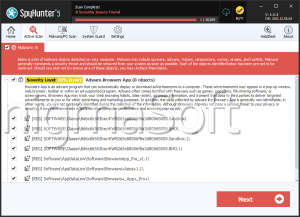
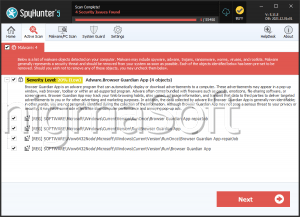
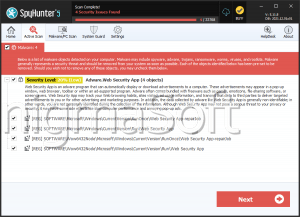
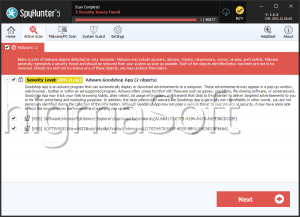
SpyHunter Detects & Remove Adware.BoostWeb App
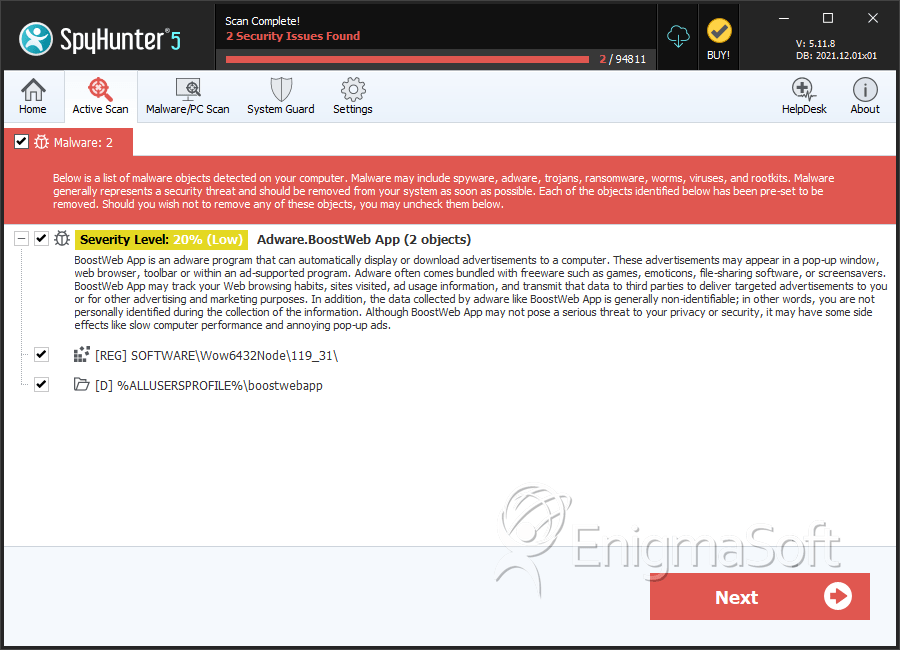
Registry Details
Directories
Adware.BoostWeb App may create the following directory or directories:
| %ALLUSERSPROFILE%\boostwebapp |
Analysis Report
General information
| Family Name: | Adware.BoostWeb App |
|---|---|
| Signature status: | Self Signed |
Known Samples
Known Samples
This section lists other file samples believed to be associated with this family.|
MD5:
3f27d96ab1a0c40f4433f0ba5fdc929f
SHA1:
8b79f2e10076c0bfcee6d1c74105bda6d970e678
SHA256:
B2CB541C1E69DE16C48E579A1DAE7DF35BA773A65D0F807B269B5BB39F192E51
File Size:
871.22 KB, 871224 bytes
|
Windows Portable Executable Attributes
- File doesn't have "Rich" header
- File doesn't have debug information
- File doesn't have exports table
- File doesn't have relocations information
- File is 32-bit executable
- File is either console or GUI application
- File is GUI application (IMAGE_SUBSYSTEM_WINDOWS_GUI)
- File is Native application (NOT .NET application)
- File is not packed
- IMAGE_FILE_DLL is not set inside PE header (Executable)
Show More
- IMAGE_FILE_EXECUTABLE_IMAGE is set inside PE header (Executable Image)
File Icons
File Icons
This section displays icon resources found within family samples. Malware often replicates icons commonly associated with legitimate software to mislead users into believing the malware is safe.


Windows PE Version Information
Windows PE Version Information
This section displays values and attributes that have been set in the Windows file version information data structure for samples within this family. To mislead users, malware actors often add fake version information mimicking legitimate software.| Name | Value |
|---|---|
| Product Name | Boost |
| Product Version | 3.0.0.27 |
Digital Signatures
Digital Signatures
This section lists digital signatures that are attached to samples within this family. When analyzing and verifying digital signatures, it is important to confirm that the signature’s root authority is a well-known and trustworthy entity and that the status of the signature is good. Malware is often signed with non-trustworthy “Self Signed” digital signatures (which can be easily created by a malware author with no verification). Malware may also be signed by legitimate signatures that have an invalid status, and by signatures from questionable root authorities with fake or misleading “Signer” names.| Signer | Root | Status |
|---|---|---|
| Boost Shopping | VeriSign Class 3 Code Signing 2010 CA | Self Signed |
Files Modified
Files Modified
This section lists files that were created, modified, moved and/or deleted by samples in this family. File system activity can provide valuable insight into how malware functions on the operating system.| File | Attributes |
|---|---|
| c:\users\user\appdata\local\temp\nsxa777.tmp | Generic Read,Write Data,Write Attributes,Write extended,Append data,Delete |
| c:\users\user\appdata\local\temp\nsxa7c6.tmp\modern-header.bmp | Generic Write,Read Attributes |
| c:\users\user\appdata\local\temp\nsxa7c6.tmp\modern-wizard.bmp | Generic Write,Read Attributes |
| c:\users\user\appdata\local\temp\nsxa7c6.tmp\nsdialogs.dll | Generic Write,Read Attributes |
| c:\users\user\appdata\local\temp\nsxa7c6.tmp\system.dll | Generic Write,Read Attributes |