Adware.BHO.bh
Threat Scorecard
EnigmaSoft Threat Scorecard
EnigmaSoft Threat Scorecards are assessment reports for different malware threats which have been collected and analyzed by our research team. EnigmaSoft Threat Scorecards evaluate and rank threats using several metrics including real-world and potential risk factors, trends, frequency, prevalence, and persistence. EnigmaSoft Threat Scorecards are updated regularly based on our research data and metrics and are useful for a wide range of computer users, from end users seeking solutions to remove malware from their systems to security experts analyzing threats.
EnigmaSoft Threat Scorecards display a variety of useful information, including:
Popularity Rank: The ranking of a particular threat in EnigmaSoft’s Threat Database.
Severity Level: The determined severity level of an object, represented numerically, based on our risk modeling process and research, as explained in our Threat Assessment Criteria.
Infected Computers: The number of confirmed and suspected cases of a particular threat detected on infected computers as reported by SpyHunter.
See also Threat Assessment Criteria.
| Threat Level: | 20 % (Normal) |
| Infected Computers: | 0 |
| First Seen: | July 24, 2009 |
| OS(es) Affected: | Windows |
The detection of Adware.BHO.bh on your system indicates the presence of a potentially unwanted program that may be causing disruptions to your browsing experience and overall system performance. Adware, short for advertising-supported software, is designed to display unwanted advertisements, collect user data, and sometimes redirect users to malicious websites. In this report, we will delve into the nature of Adware.BHO.bh, its operational methods, symptoms of infection, and provide guidance on how to remove it from your system.
Table of Contents
What Is Adware.BHO.bh?
Adware.BHO.bh is identified as a form of adware that utilizes a Browser Helper Object (BHO) to integrate itself into web browsers. BHOs are components that can modify or extend the functionality of a web browser, but in the case of adware, they are used to inject advertisements, track user behavior, and potentially steal sensitive information. The ".bh" suffix may indicate a specific variant or behavior within the broader category of adware, but without more detailed analysis, its exact implications are unclear.
How Adware.BHO.bh Operates
Adware.BHO.bh operates by embedding itself into your web browser, allowing it to monitor and control your browsing activities. It can display pop-up ads, banners, and other forms of unwanted advertisements, often based on your browsing history and interests. This adware may also collect data about your online activities, including the websites you visit, search queries, and potentially sensitive information like login credentials or credit card numbers. By doing so, it compromises your privacy and can lead to more targeted and intrusive advertising, or even identity theft.
Symptoms of Infection
Symptoms of Adware.BHO.bh infection can include an increase in unwanted advertisements appearing on your screen, unexpected changes to your browser's homepage or search engine, and a general slowdown in system and browser performance. You might also notice that your browser is being redirected to unwanted websites, or that new, unfamiliar toolbars have been added to your browser. These symptoms can significantly disrupt your online experience and pose a risk to your personal data.
How to Remove Adware.BHO.bh
- Enter Safe Mode with Networking to prevent the adware from interfering with the removal process. This mode allows you to use the internet to download necessary tools while limiting the ability of malicious programs to run.
- Download and run a full scan with a reputable anti-malware tool, such as SpyHunter. Ensure the tool is updated to the latest version to increase the chances of detecting and removing the adware successfully.
- Uninstall suspicious programs from your computer. Go through the list of installed programs and remove any that you do not recognize or that were installed around the time your issues began.
- Reset your browsers (Chrome, Firefox, Edge, etc.) to their default settings. This will remove any changes made by the adware, including unwanted extensions or modified settings. Be aware that this will also remove any saved data, such as bookmarks and passwords, unless you have them backed up or synced with an account.
- After completing the above steps, reboot your computer and perform another scan with your anti-malware tool to ensure that the adware has been completely removed. This step is crucial as some components of the adware might only be removable when the system is restarted.
Conclusion
Removing Adware.BHO.bh requires a combination of using the right tools, understanding how adware operates, and taking steps to protect your system and personal data. By following the guidance provided, you should be able to eliminate the adware from your system and restore your browser and computer to a safe, operational state. Remember, prevention is key; always be cautious when downloading software, avoid suspicious links, and keep your security software up to date to minimize the risk of future infections.
Aliases
15 security vendors flagged this file as malicious.
| Antivirus Vendor | Detection |
|---|---|
| TrendMicro | TROJ_DLOADER.LJM |
| Symantec | Downloader |
| Sunbelt | Trojan-Downloader.Age |
| Sophos | LifeC |
| Prevx1 | Low Risk Adware |
| Panda | Spyware/SafeSurf |
| NOD32 | probably a variant of Win32/Adware.BHO |
| McAfee-GW-Edition | Ad-Spyware.Bho.BH.1 |
| McAfee | Generic.dx |
| Kaspersky | not-a-virus:AdWare.Win32.BHO.bh |
| Ikarus | not-a-virus:AdWare.Win32.BHO |
| Fortinet | Adware/BHO |
| F-Secure | AdWare.Win32.BHO.bh |
| eTrust-Vet | Win32/Lifec.A |
| Comodo | Unclassified Malware |
SpyHunter Detects & Remove Adware.BHO.bh
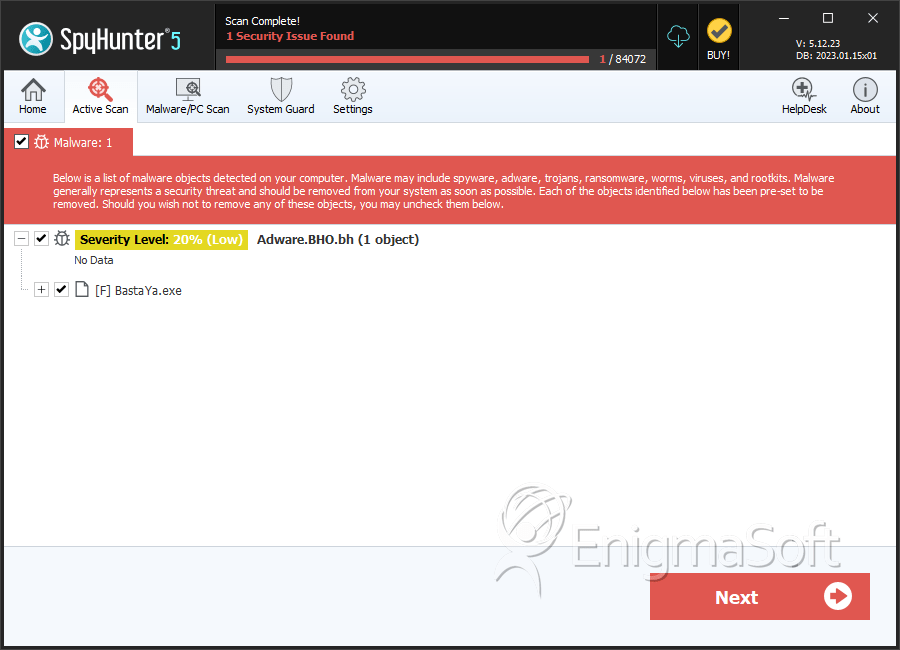
File System Details
| # | File Name | MD5 |
Detections
Detections: The number of confirmed and suspected cases of a particular threat detected on
infected computers as reported by SpyHunter.
|
|---|---|---|---|
| 1. | BastaYa.exe | cf761296fa5afcf09ca456dde9d3d2dc | 0 |


