Internet Security
Threat Scorecard
EnigmaSoft Threat Scorecard
EnigmaSoft Threat Scorecards are assessment reports for different malware threats which have been collected and analyzed by our research team. EnigmaSoft Threat Scorecards evaluate and rank threats using several metrics including real-world and potential risk factors, trends, frequency, prevalence, and persistence. EnigmaSoft Threat Scorecards are updated regularly based on our research data and metrics and are useful for a wide range of computer users, from end users seeking solutions to remove malware from their systems to security experts analyzing threats.
EnigmaSoft Threat Scorecards display a variety of useful information, including:
Ranking: The ranking of a particular threat in EnigmaSoft’s Threat Database.
Severity Level: The determined severity level of an object, represented numerically, based on our risk modeling process and research, as explained in our Threat Assessment Criteria.
Infected Computers: The number of confirmed and suspected cases of a particular threat detected on infected computers as reported by SpyHunter.
See also Threat Assessment Criteria.
| Ranking: | 12,063 |
| Threat Level: | 100 % (High) |
| Infected Computers: | 1,216 |
| First Seen: | February 2, 2012 |
| Last Seen: | September 19, 2023 |
| OS(es) Affected: | Windows |
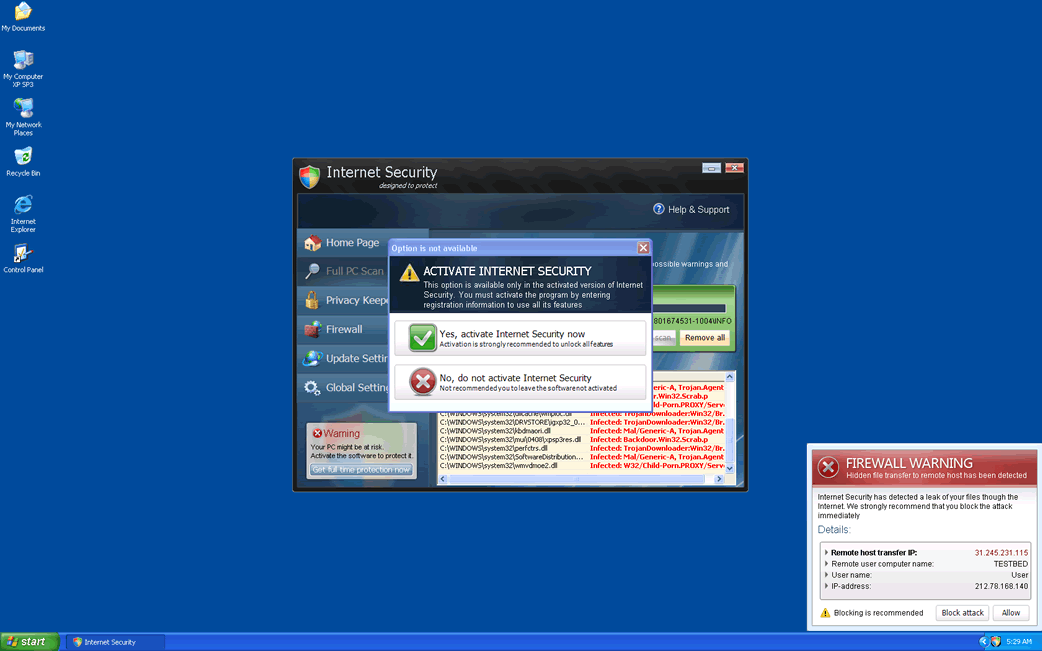
Internet Security Image
Those interested in PC security will find Internet Security familiar, since Internet Security is a variant of a very common rogue anti-virus program. Internet Security is one of the many fake anti-virus tools that are installed as a consequence of a FakeRean Trojan infection. This dangerous malware infection is designed to enter a computer system without alerting the computer user and then installing fake security programs in order to allow criminals to take advantage of gullible computer users. Basically, the Internet Security scam consists in selling useless fake security programs to inexperienced computer users that may not to know any better.
ESG security researchers strongly recommend ignoring any alerts and messages that Internet Security displays and instead remove this fake anti-virus with a legitimate security program. If you made the mistake of purchasing a useless registration code for Internet Security, steps should also be taken to contact your credit card provider to explain the situation. Failure to remove Internet Security immediately will almost certainly result in other malware threats making their way onto your hard drive, as well as making you strongly eligible for identity theft or other kinds of banking fraud.
Other versions of Internet Security include Antivirus 2008, Windows Antivirus 2008, Vista Antivirus 2008, Antivirus Pro 2009, AntiSpy Safeguard, ThinkPoint, Spyware Protection 2010, Internet Antivirus 2011, Palladium Pro, XP Anti-Virus 2011, CleanThis, PC Clean Pro, XP Home Security 2012, Windows Clear Problems, XP Security 2012, Antivirus PRO 2015.
Table of Contents
Preventing an Internet Security Infection
An Internet Security can be quite convincing. This rogue anti-virus program's interface imitates the interface of Windows Security Center very closely. Internet Security uses the same layout, color scheme and design, as well as trademarked logos from Microsoft and Windows in order to lend an appearance of legitimacy to this fake security program's scam. Do not fall for the scam, this application has no way to remove or detect viruses; it was designed simply to display constant error messages in order to alarm the user. Two things can ensure that you never have to deal with an Internet Security infection:
- Install reliable security software on your computer system, especially a real-time malware scanner that can intercept the Trojans that install Internet Security before they manage to carry out their nefarious deed.
- Be extremely careful with what you download and install on your computer system. While many malware infections can attack your computer system through brute force and take advantage of security vulnerabilities, the vast majority of malware infections are actually downloaded and installed by the users themselves.
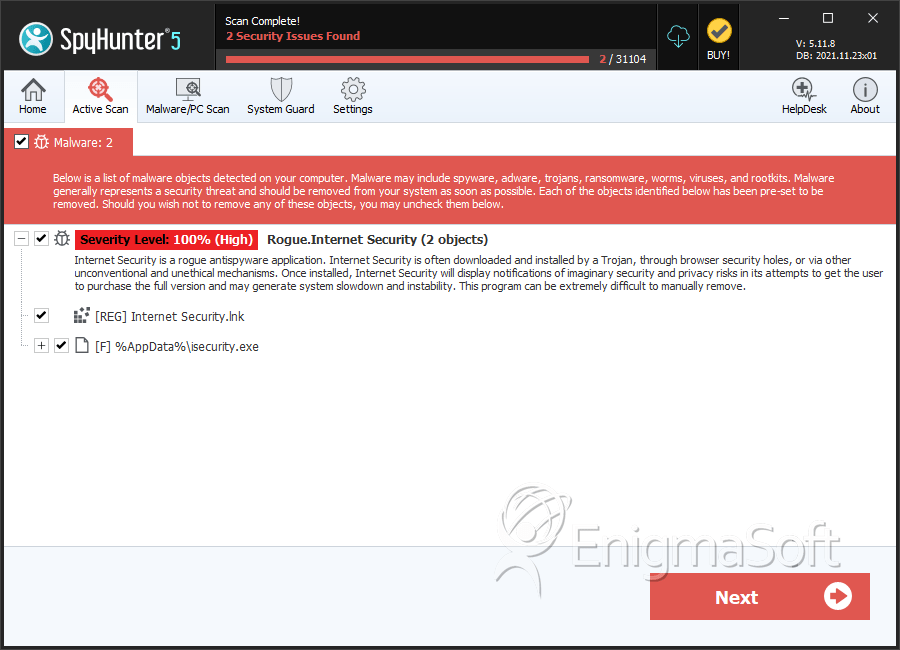
SpyHunter Detects & Remove Internet Security
Internet Security Video
Tip: Turn your sound ON and watch the video in Full Screen mode.

File System Details
| # | File Name | MD5 |
Detections
Detections: The number of confirmed and suspected cases of a particular threat detected on
infected computers as reported by SpyHunter.
|
|---|---|---|---|
| 1. | isecurity.exe | 1cb245d7034fb2f6ad470b3464cd4080 | 1 |