New! Get SpyHunter Web Security for FREE to Block Bad Sites for Google Chrome.
Get SpyHunter Web Security for FREE to Block Bad Sites for Mozilla Firefox.
Get SpyHunter Web Security for FREE to Block Bad Sites for Microsoft Edge.
Learn More »
Solutions to protect your systems against the latest malware, viruses, ransomware and other
threats. Premium technical support and custom malware fixes included to remove stubborn malware that
other antivirus apps fail to fix! Works with Windows on ARM.
SpyHunter Helps Keep Your Computer Secure Against Malware & Hackers
SpyHunter is designed to seamlessly integrate powerful protection against highly-sophisticated
malware threats. It comes with an intuitive UI, and advanced customization options to help enhance your
online security and malware protection. Check out our interactive SpyHunter demo to see its features in
action.
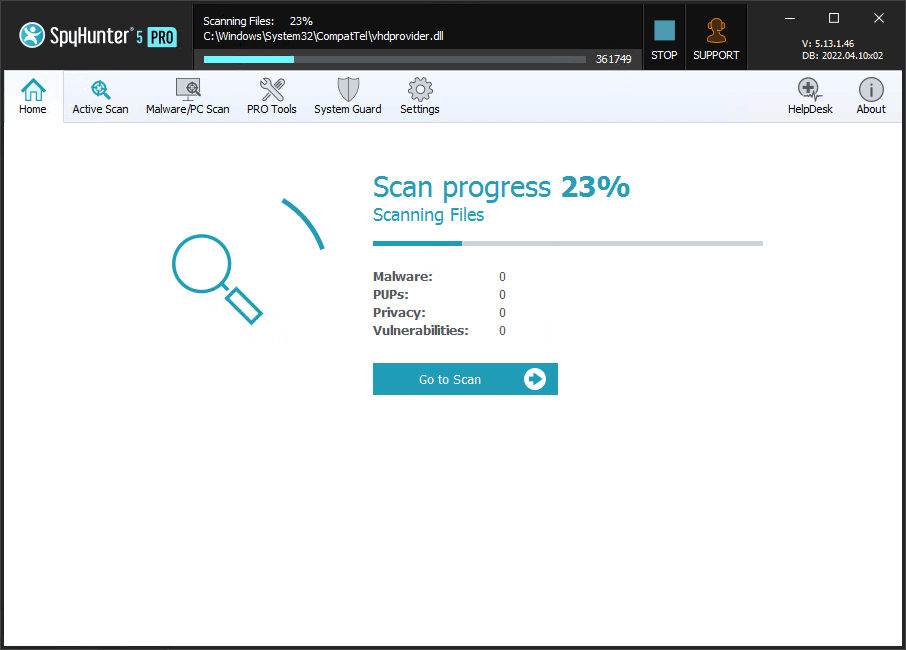
Rapid malware scan for quick and easy detection of threats.
Enhanced multi-layer scanning to detect hidden vulnerabilities.
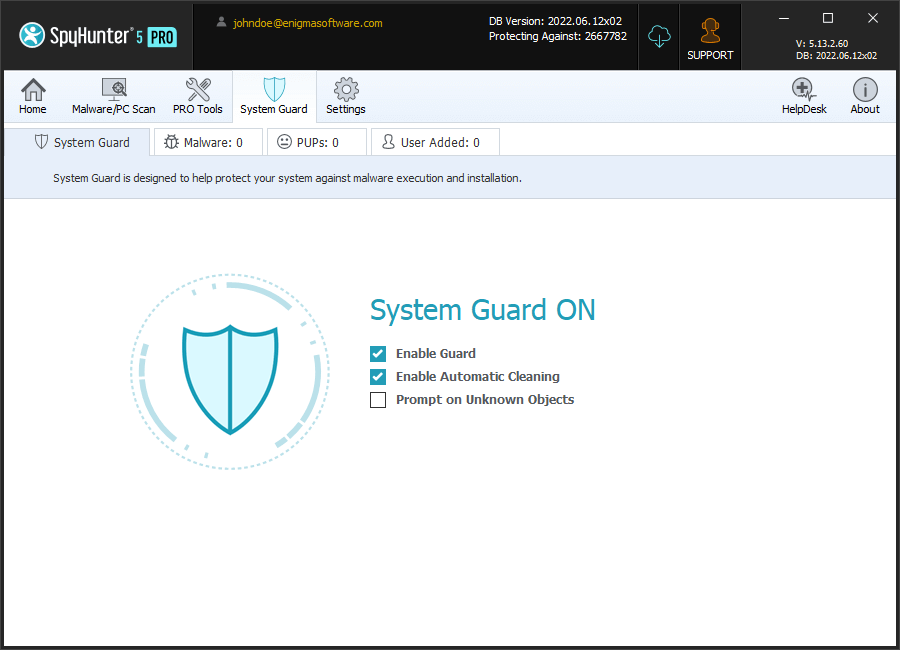
Advanced and effective real-time system guards designed to block malware before it
infects your computer.
One-on-one tech support and customized malware fixes for unique issues.
Explore the security features in each of our products and see what protection is best for you.
Remove and remediate all detected objects and receive one-on-one help from our customer support team.
Subscribe now and experience the full range of SpyHunter’s malware detection and remediation
capabilities!
SpyHunter’s automated and easy-to-use removal engine provides novice and expert users
the ability to effectively remove malware, trojans, ransomware, worms, viruses, spyware,
rootkits, keyloggers, browser hijackers, adware, and other threats. SpyHunter also detects
potentially unwanted programs (PUPs).
Yes
Yes
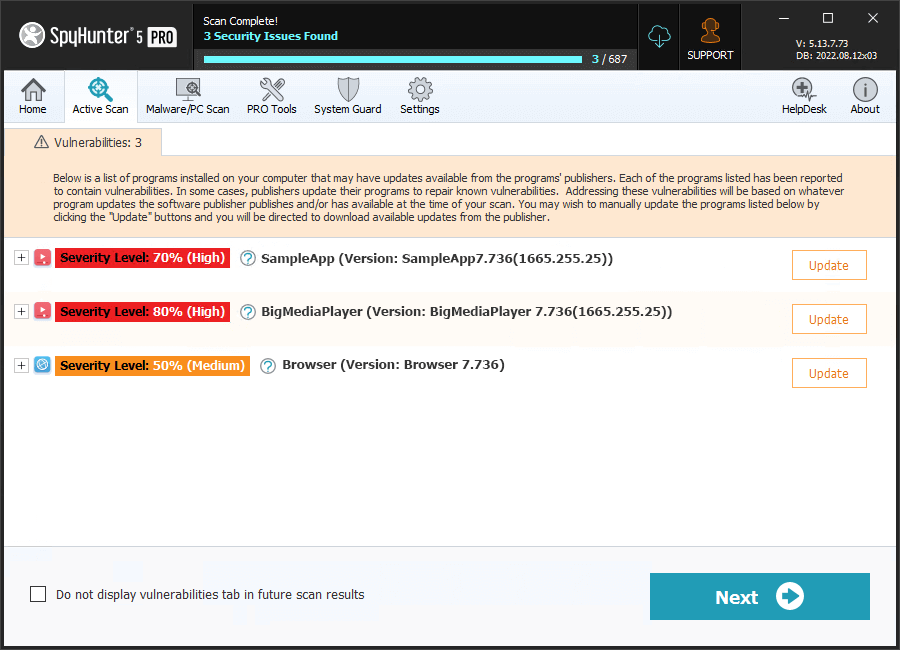
Vulnerability Detection
SpyHunter’s vulnerability scan helps identify legitimate programs on your system that
may contain reported vulnerabilities. Users can use this information to repair or update
vulnerabilities to increase their security.
Yes
Yes
Advanced Guards to Block Malware
SpyHunter’s highly optimized system guards are designed to keep your computer safe by
preventing the download and execution of malware and other threats before they can harm your
system and compromise your privacy and personal data.
Yes
Yes
Custom Malware Fixes
If a persistent malware threat cannot be readily resolved, our technical support team
can create and deliver a personalized custom fix specific to the problems infecting your system.
The custom fix will be automatically sent to SpyHunter’s HelpDesk and can be quickly and easily
applied in a matter of clicks to remedy your problem.
Yes
Yes
One-on-One Customer Support
SpyHunter’s HelpDesk offers one-on-one direct access to our technical support team to
help with malware-related issues as needed. You can access SpyHunter’s HelpDesk as many times
as you like for help with all of your malware-related problems.
Yes
Yes
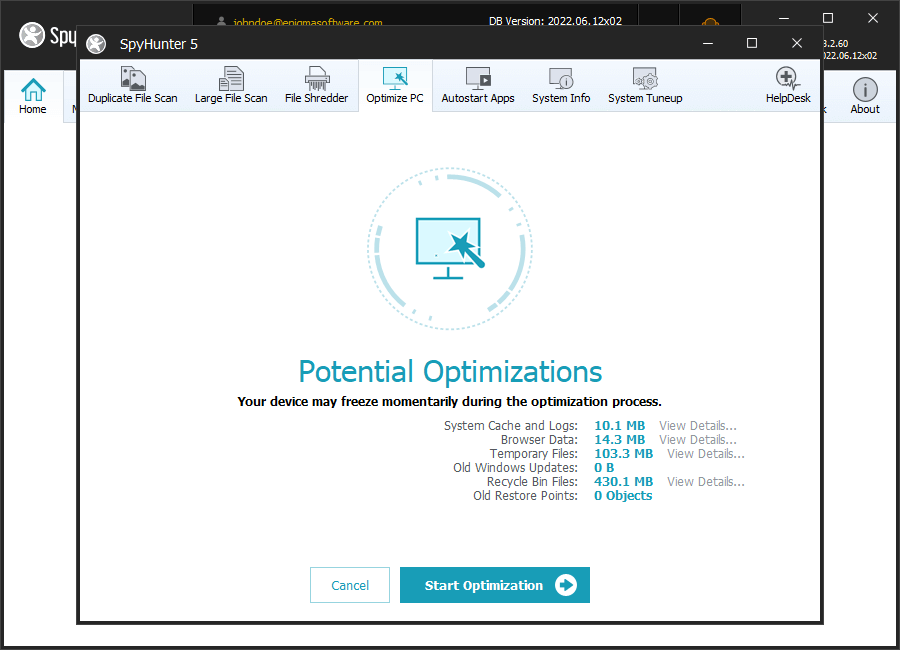
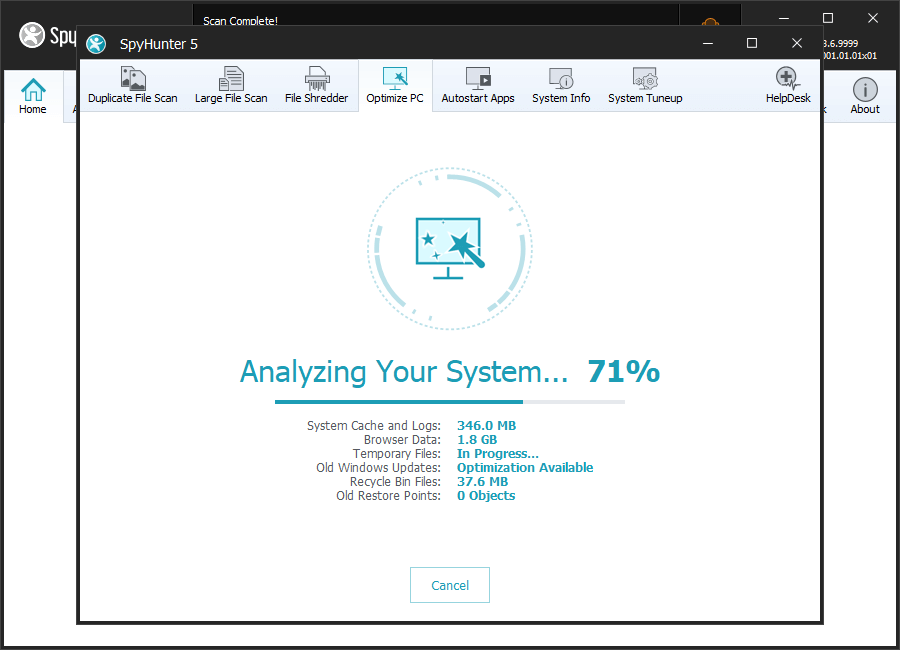
Optimization Scan & Functionality
SpyHunter 5 offers a list of system optimizations, including detecting and resolving
potentially invalid and/or unnecessary registry objects. By selectively deleting unnecessary
registry and system data, you can free up additional disk space, increase your privacy
protection and protect personal data.
No
Yes
Enhanced Privacy Protection
SpyHunter Pro allows you to easily perform multiple Windows and web browser cleanup
tasks that can remove sensitive data, including your browsing history, to improve your personal
privacy and security.
No
Yes
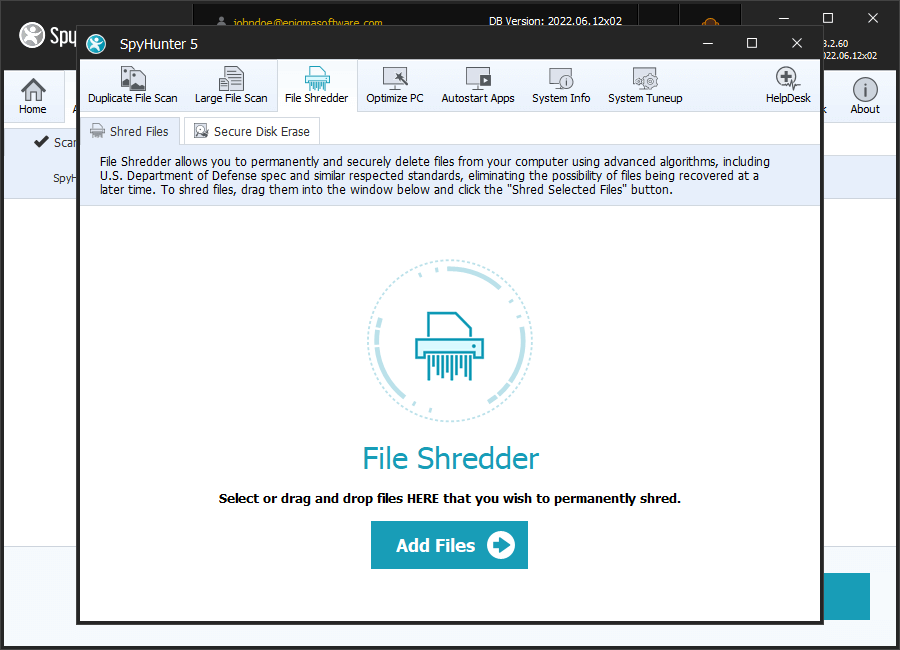
File Shredder
The File Shredder uses advanced deletion algorithms (including DoD, NIST, and NSA
standards) and is designed to provide an easy method to securely and permanently erase data
that you decide that you no longer want.
No
Yes
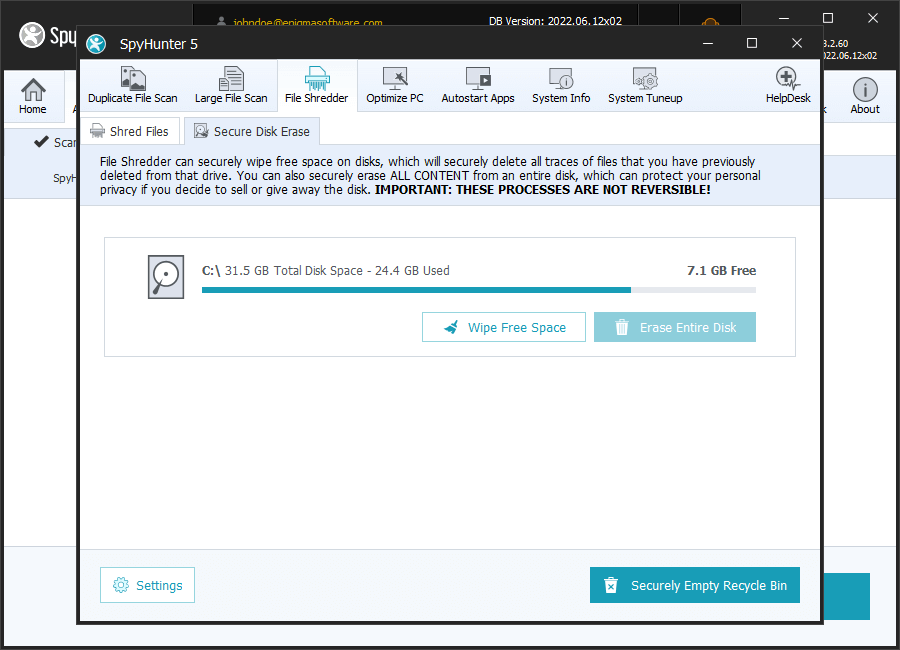
Secure Disk Erase
SpyHunter Pro allows you to securely erase entire disks with just a few clicks. This
functionality can help to protect your privacy in cases where you wish to sell or give away an
unneeded drive.
No
Yes
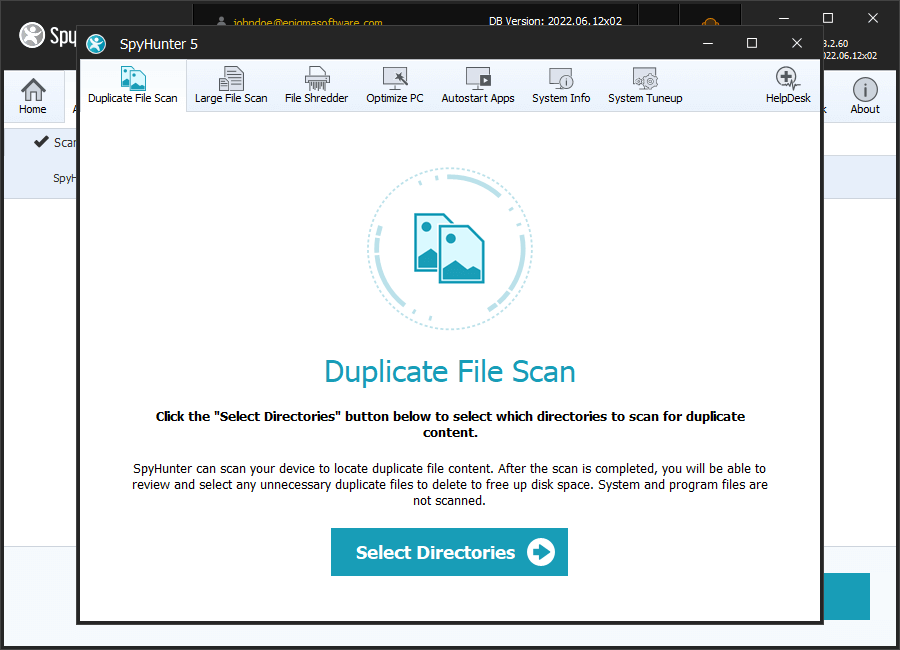
Duplicate File Scan
The Duplicate File Scan is designed to efficiently scan your system for duplicate
content. Many users can reclaim significant disk space by removing unneeded duplicate
files.
No
Yes
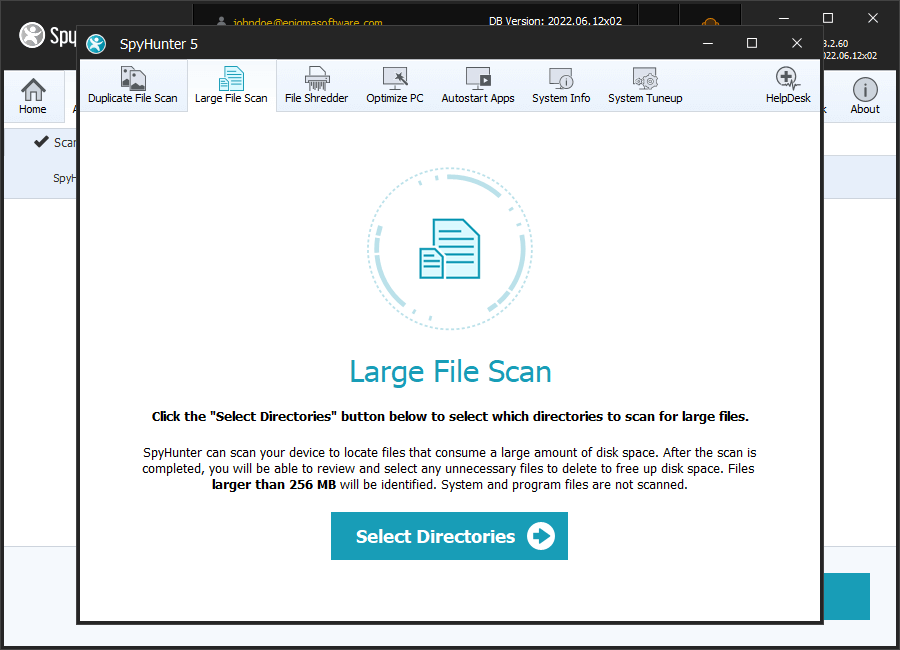
Large File Scan
The Large File Scan is designed to efficiently scan your system for large files that
may be unnecessarily consuming disk space. The Large File Scan is a very useful tool to identify
large media files and other content that you may wish to delete or archive to free up valuable
disk space.
SpyHunter delivers powerful malware removal functionality, active guards designed to block the
latest threats, advanced anti-rootkit technology, customized malware fixes, one-on-one technical support
when needed and other security features.
Explore all features
Malware Detection & Removal
SpyHunter’s advanced proprietary anti-malware engine is designed to detect the latest
malware threats. SpyHunter’s automated and easy-to-use removal engine provides novice and expert
users the ability to effectively remove trojans, ransomware, worms, viruses, spyware, rootkits,
keyloggers, browser hijackers, adware, and other threats.
Advanced System Guards Automatically Block Malware
SpyHunter’s highly optimized system guards, included with SpyHunter’s paid subscription
and certain free trial versions, are designed to keep your computer safe by preventing the download
and execution of malware and other threats before they can harm your system and compromise your
privacy and personal data. SpyHunter’s System Guards are specifically engineered to function in the
background to provide optimal security protection while not unnecessarily impeding system
performance.
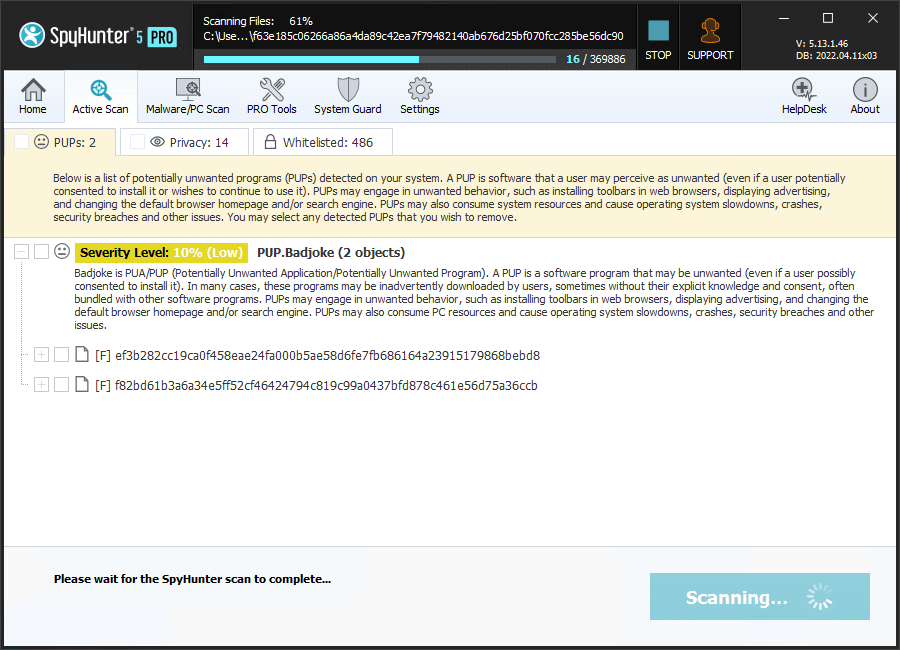
Detection & Removal of Potentially Unwanted Programs & Privacy Issues
SpyHunter can detect and remove potentially unwanted programs (“PUPs”). PUPs are programs
a user may perceive as unwanted, such as advertising software, unwanted software, grayware, and
other nuisances.
Popular web browsers and websites may often use cookies to customize the user experience.
In some cases, these cookies may be deployed by websites to extensively track a user’s online
activity. Cookies may present privacy issues for users since they may store personal information
about web browsing habits and history. SpyHunter can detect and remove behavioral tracking and
cookies identified by EnigmaSoft as presenting potential privacy issues.
Users have the option to individually exclude these types of objects, if they wish.
Powerful Vulnerability Scan to Thwart Hacker Attacks
Hackers often exploit vulnerabilities that are hidden in commonly used software to install
malware and steal your personal data. SpyHunter includes a vulnerability scan designed to help
identify legitimate programs on your system that may contain reported vulnerabilities. Users can
use this information to repair or update vulnerabilities to increase their security.
Feature
Enhanced Privacy Protection
SpyHunter Pro allows you to easily perform multiple Windows and web browser cleanup
tasks that can remove sensitive data, including your browsing history, to improve your personal
privacy and security.
Feature
Optimizations Scan
SpyHunter Pro allows you to easily perform a number of PC optimization tasks that can
free up additional disk space and remove sensitive data to improve your personal privacy and
security. SpyHunter Pro also includes functionality to scan the Windows Registry for potentially
invalid and unnecessary objects.
Feature
File Shredder
SpyHunter’s File Shredder is designed to provide an easy method to securely and
permanently erase data that you decide that you no longer want. When you use normal methods to
delete Windows files, data remains on your computer, which may be recovered with specialized
software. SpyHunter’s File Shredder is designed to completely eradicate sensitive information so
that it can never be recovered. SpyHunter allows you to choose from a variety of deletion
algorithms, including DoD, NIST, and NSA standards. You can also use File Shredder to securely
erase all files found in your Windows Recycle Bin, completely preventing recovery.
Feature
Secure Disk Erase
SpyHunter Pro allows you to securely erase entire disks with just a few clicks. This
functionality can help to protect your privacy in cases where you wish to sell or give away an
unneeded drive.
Feature
Duplicate File Scan
SpyHunter Pro’s Duplicate File Scan is designed to efficiently scan your system for
duplicate content. The Duplicate File Scan analyzes the actual file content when scanning for
duplicates, so it can easily locate duplicated data even if the files have completely different
names. Many users can reclaim significant disk space by removing unneeded duplicate files.
Feature
Large File Scan
SpyHunter Pro’s Large File Scan is designed to efficiently scan your system for large
files that may be unnecessarily consuming disk space. The Large File Scan identifies files in
common user-content locations that are larger than 256 MB. The Large File Scan is a very useful
tool to identify large media files and other content that you may wish to delete or archive to free
up valuable disk space.
Heuristic Detection Capabilities
Advanced persistent threats, including many rootkits, often use file hiding and encryption
techniques to attempt to avoid detection by security software. SpyHunter’s heuristic detection
capabilities aim to unmask these deceptive practices and attempt to identify zero-day threats.
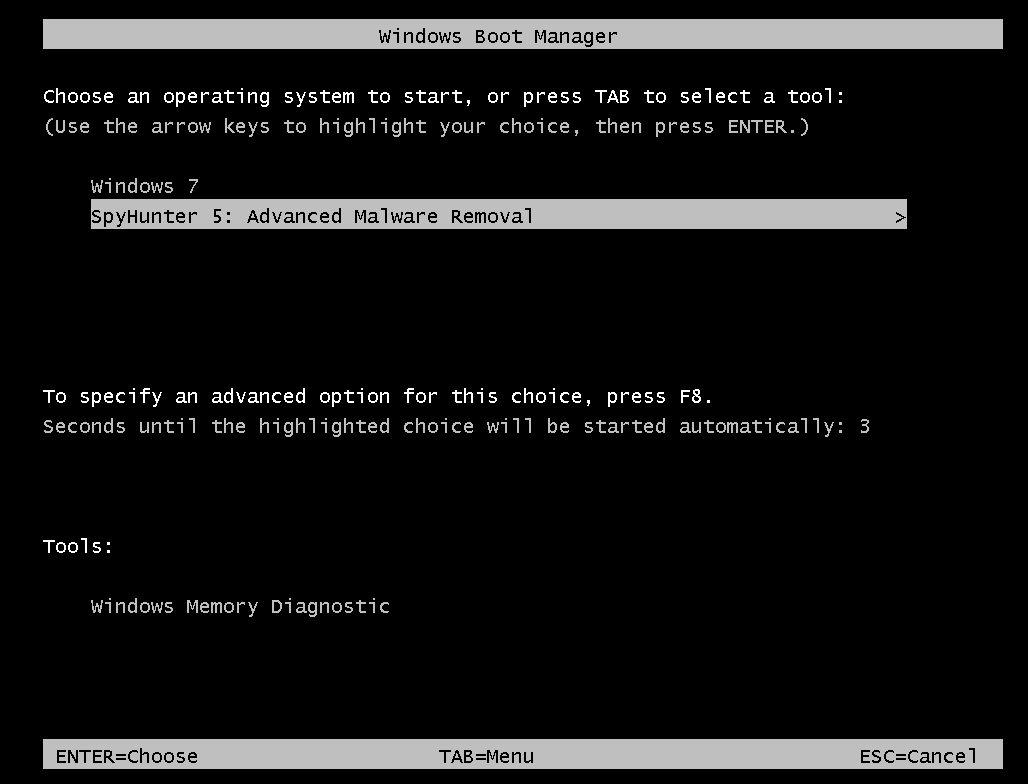
Safe System-Level Malware Removal
In many cases, malware objects may be inadvertently locked by the Windows operating
system and can be difficult to remove or quarantine when users want to remove them. SpyHunter
employs a specialized process to boot the system into a customized environment that runs beneath
Windows and allows SpyHunter to remediate malware at the lower levels of the system.
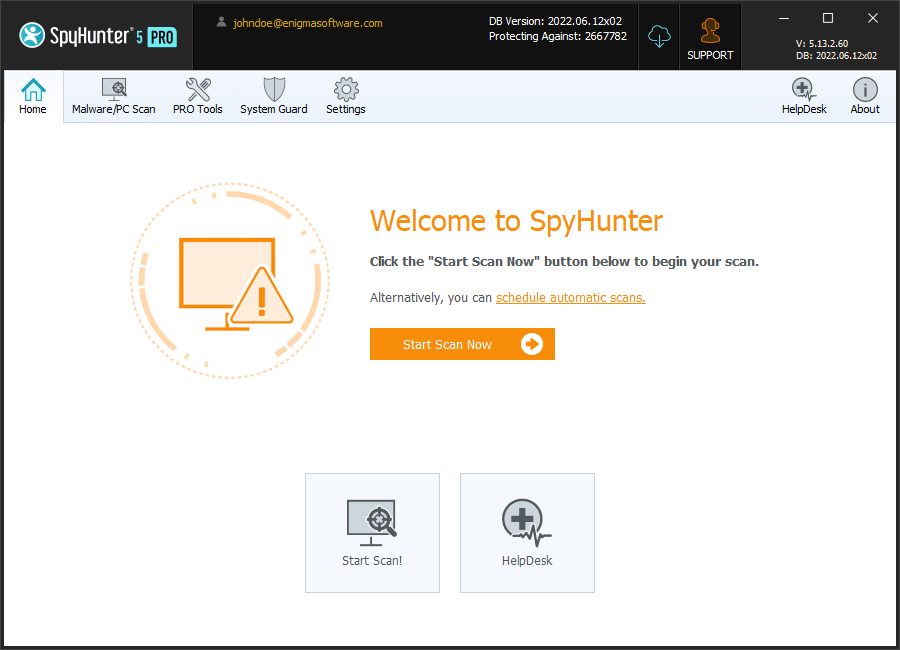
User-Friendly Interface
SpyHunter has been developed and engineered with precision programming to provide
sophisticated online protection and security, while still offering an intuitive, user-friendly
interface to bring added simplicity to your digital life.
Improve Your Online Safety with SpyHunter Web Security (It’s FREE!)
SpyHunter Web Security integrates with your browser and is designed to block potentially harmful
websites and help identify websites reported to be safe.
Protect your privacy and personal security while browsing. SpyHunter Web Security
integrates with popular search engines, such as Google and Bing, and prominently displays
categories next to search results that identify them as "safe", "potentially unsafe" or
"uncategorized".
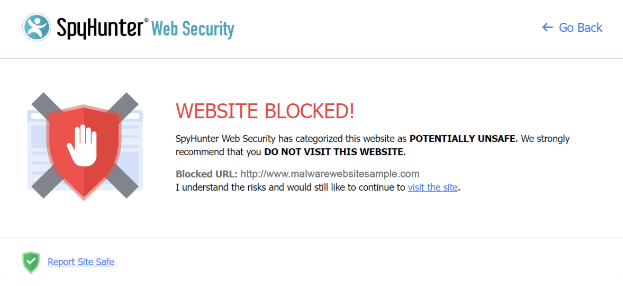
SpyHunter Web Security identifies and blocks malware, phishing scams, and other
threats. SpyHunter Web Security analyzes search results and links on web pages. If a user
attempts to visit a website that has been categorized as POTENTIALLY UNSAFE, SpyHunter Web
Security will block access to the website and display a prompt, as shown.
SpyHunter’s HelpDesk: One-on-One Technical Assistance to Solve the Toughest Malware Issues
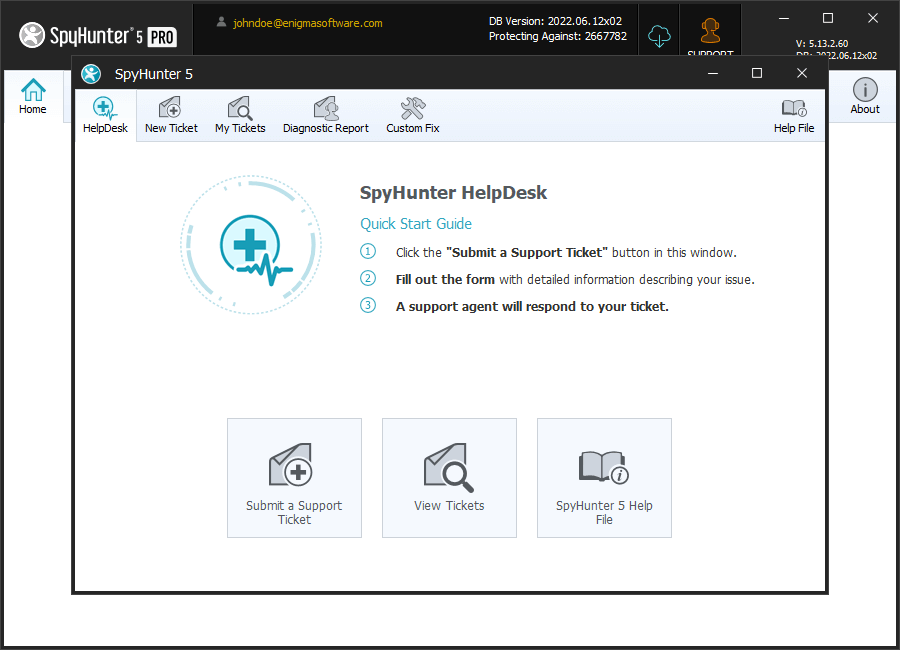
SpyHunter includes the SpyHunter HelpDesk, which offers interactive one-on-one
access to our customer support team for users of paid versions of SpyHunter or when included
in a promotion. If SpyHunter 5 is not able to automatically remove a malware object, our
one-on-one customer technical support team, included FREE with SpyHunter, can help you with unique
issues.
Learn more about how SpyHunter HelpDesk works
SpyHunter’s HelpDesk offers one-on-one direct access to our technical support
team to help with malware-related issues as needed as well as deliver custom fixes for
specific malware issues. You can access SpyHunter’s HelpDesk as many times as you like
for help with all of your malware-related issues.
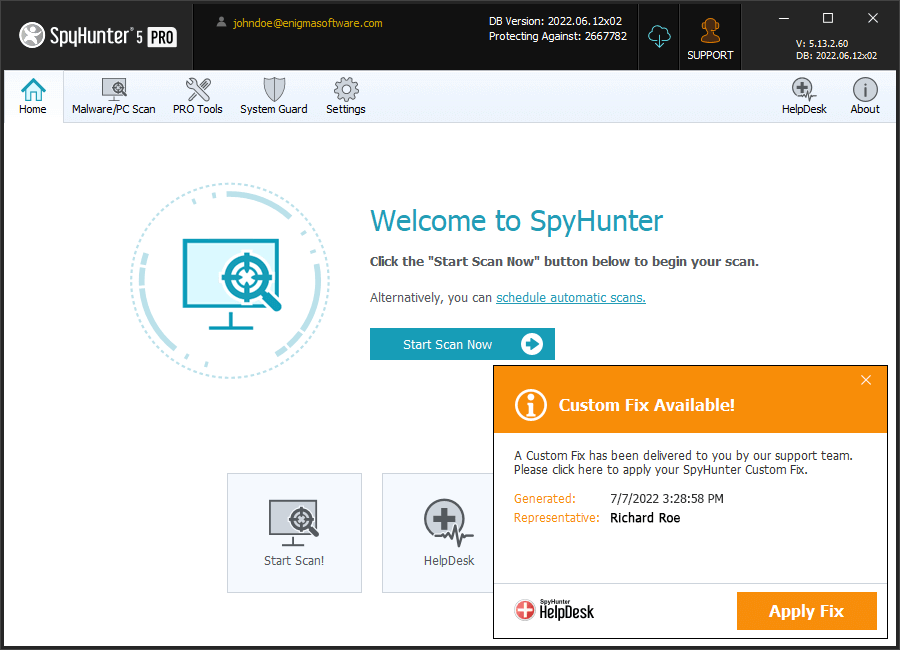
If a persistent malware threat cannot be readily resolved, our technical support
team can create and deliver a personalized custom fix specific to the issues infecting
your system. The custom fix will be automatically sent to SpyHunter’s HelpDesk and can be
quickly and easily applied in a matter of clicks to remedy your problem. Our technical
support team will always continue to work with users one-on-one until their malware issues
are resolved.
SpyHunter had been independently tested and received the certifications and/or test results set
forth below. (Click logos to view details)
SpyHunter Earned AV-TEST Certification for Windows
SpyHunter exceeded AV-TEST's rigorous certification requirements and has
achieved AV-TEST Certification for Windows by excelling in multiple test
categories evaluating Protection, Performance, and Usability.
Certified Deceptor Fighter by AppEsteem
SpyHunter 5 receives a Deceptor Fighter certification from
AppEsteem, with a perfect score of 100% Blocked Deceptors – PUPs (potentially unwanted programs) &
UwS (unwanted software).
OPSWAT Certified Partner and Platinum Certification for Anti-Malware
SpyHunter 5 for Windows has been granted OPSWAT
Platinum Certification for Anti-Malware. OPSWAT provides reliable and consistent metrics for
validating the effectiveness of anti-malware products and establishing device trust.
1 GHz CPU or faster
1 GB of RAM or more
200 MB of available hard disk space or more
Albanian
Bulgarian
Chinese (Simplified)
Chinese (Traditional)
Croatian
Czech
Danish
Dutch
English
Finnish
French
German
Greek
Hungarian
Indonesian
Italian
Japanese
Korean
Lithuanian
Norwegian
Polish
Portuguese (Brazil)
Portuguese (Portugal)
Romanian
Russian
Serbian
Slovene
Spanish
Swedish
Turkish
Ukrainian
Version
5.21.13
File Size
142.2 MB
Try SpyHunter Risk-Free
Advanced Malware Protection & Removal
SpyHunter leverages in-depth research and sophisticated technologies to help protect you
against malware, viruses and other threats.
30-Day 100% Money-Back Guarantee!
Get a full refund at anytime within 30 days of your purchase date. No questions asked. No
hassle. No stress.
One-on-One Premium Technical Support
Trouble with unique malware issues? Get personalized and customized one-on-one technical
support service when needed with malware issues.
Frequently Asked Questions
I've tried other anti-virus/anti-malware programs, why should I try SpyHunter?
Today’s malware landscape changes at an ever-increasing pace and it is unlikely that it
will slow down any time soon. To stop malware and other security threats, users need a powerful yet
easy-to-use anti-malware solution. SpyHunter has been designed with that goal in mind - its adaptive
malware detection engine is supported by backend cloud-based threat analysis systems offering robust
real-time defense against malware infiltrations. The integrated Compact OS operates at a lower
level than Windows and is an integral tool for the removal of rootkits and other stubborn malware
infections. SpyHunter also includes an active "System Guard" functionality designed to block
malware and other harmful objects before they can infiltrate the subscribers' computer.
To ensure complete malware removal and customer satisfaction, SpyHunter comes with an
integrated personalized one-on-one technical support service, the SpyHunter HelpDesk. Subscribers
can report any issues they encounter, generate and transmit diagnostic reports, and receive
specialized custom fixes directly in SpyHunter.
How does SpyHunter HelpDesk enhance your ability to fight persistent malware?
The SpyHunter HelpDesk gives you the ability to generate and transmit a diagnostic report,
which can be analyzed by our technical support team. Our technical specialists can then generate
a custom fix, specifically tailored to address the exact issues encountered by your computer.
The fix is delivered to SpyHunter, which can apply it using its powerful and advanced removal
engine to help rid your system of stubborn and persistent malware infections.
How can SpyHunter help with non-malware issues?
Removing malware is often not enough to ensure optimal system performance. Legitimate
programs may have vulnerabilities that cybercriminals can exploit to access your system. Moreover,
old and potentially unneeded residual program files and duplicate files may be using up valuable
disk space. SpyHunter can address these issues with its built-in tools and features. SpyHunter
can detect potential program vulnerabilities and help you address them. SpyHunter offers
comprehensive computer security, privacy protection, and optimization features that can help
ensure a safe and robust daily computing experience.
What are SpyHunter's minimum system requirements?
Operating Systems Supported
Microsoft® Windows® 7 (32-bit and 64-bit) Starter/Home Basic/Home Premium/Professional/Ultimate
Microsoft® Windows® 8, Windows 8.1 and Windows 8 Pro (32-bit and 64-bit)
Microsoft® Windows® 10 Home/Professional/Enterprise/Education (32-bit and 64-bit)
1 GHz CPU or faster
1 GB of RAM or more
200 MB of available hard disk space or more
What's your refund policy?
If you have purchased a subscription to SpyHunter and are not satisfied, in any
way, we offer a 100% money-back guarantee within the first 30 days of your purchase date.
SpyHunter can be used free-of-charge to detect and remove malware and other objects. We also offer
free users the ability to remove detected cookies from their computers at no charge.
Read more about our refund policy.
Protect your system against the latest malware, viruses, ransomware and other threats.
Optimize your system – enhance your privacy protection and free up disk space.
SpyHunter for Mac Helps Keep Your Computer Secure Against Malware & Hackers
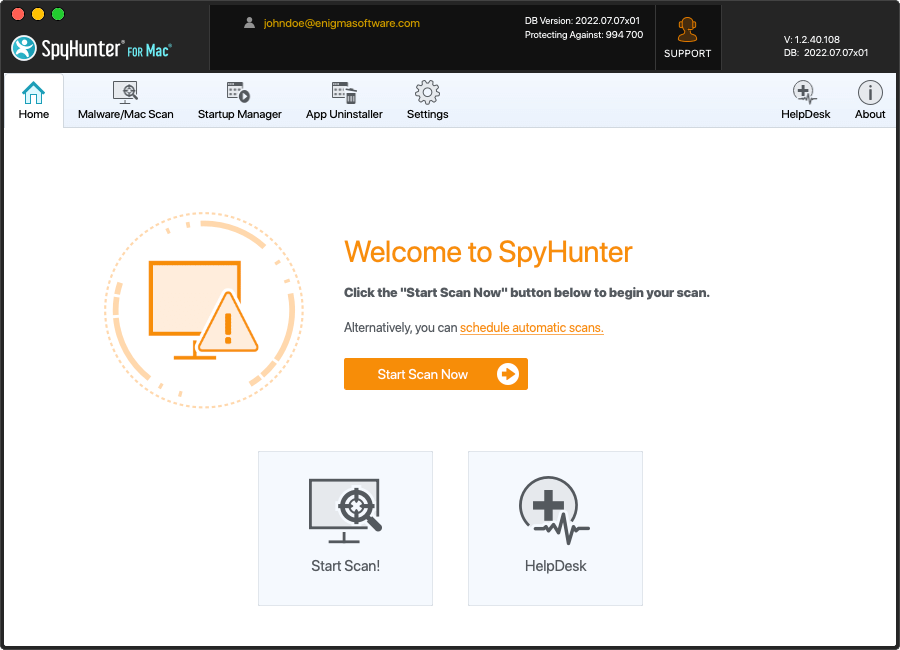
SpyHunter for Mac is designed to seamlessly integrate powerful protection against highly-sophisticated
malware threats. It comes with an intuitive UI, and advanced customization options to help enhance your
online security and malware protection. Check out our interactive SpyHunter for Mac demo to see its features in
action.
Rapid malware scan for quick and easy detection of threats.
Multi-layer privacy protection and optimization features.
Built-in App Uninstaller and Startup Manager to free up space by removing unneeded
programs.
One-on-one premium technical support via SpyHunter for Mac’s HelpDesk to help with malware
issues.
SpyHunter for Mac delivers powerful malware removal functionality, one-on-one technical support
when needed, and other security features.
Explore all features
Malware Detection & Removal
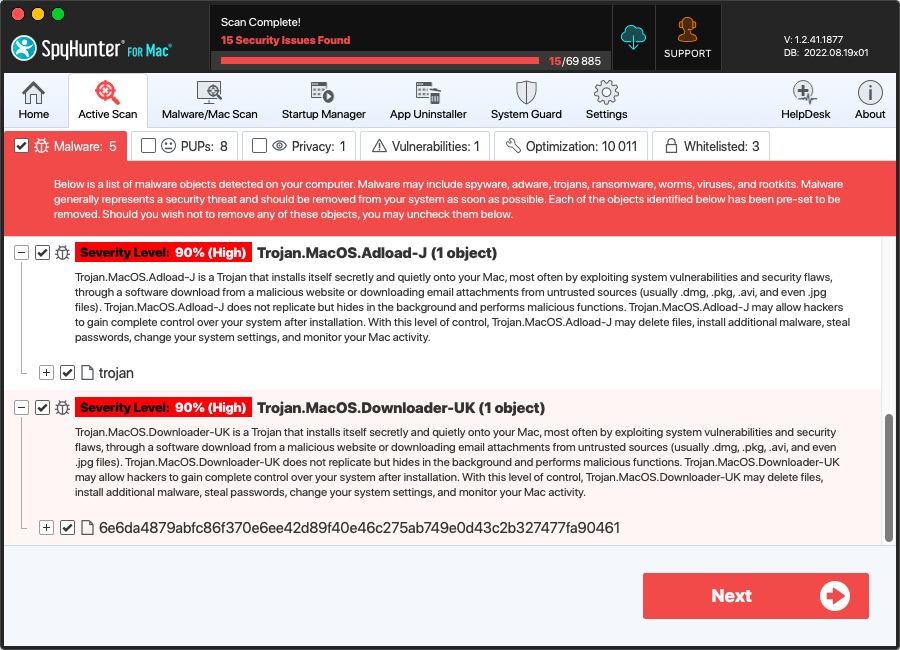
SpyHunter for Mac is designed to scan for, identify and remove malware, trojans,
ransomware, worms, viruses, keyloggers, rootkits, browser hijackers, adware, potentially unwanted
programs (PUPs), vulnerabilities and other objects. Historically, it was commonly perceived that
Mac computers were more secure and not as susceptible to malware attacks as Windows systems. This
common perception has eroded and changed dramatically in recent years as Mac malware prevalence and
complexity has expanded exponentially across the globe according to many reports. SpyHunter for Mac
is designed to identify and mitigate ever-increasing Mac malware threats as they become more
complex and find new ways to evade detection mechanisms.
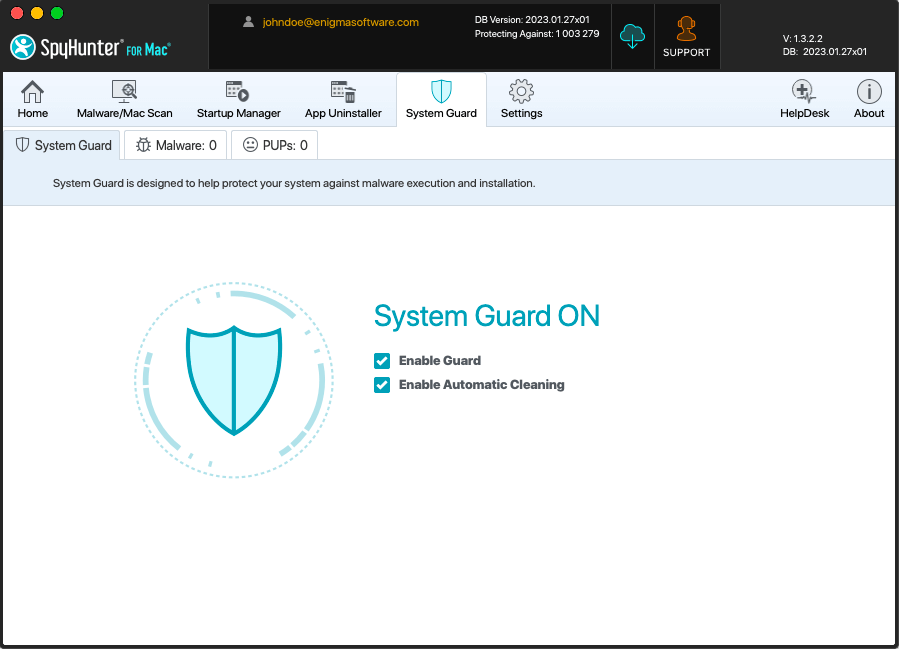
Advanced System Guards Automatically Block Malware
SpyHunter for Mac’s highly optimized system guards, included with SpyHunter for Mac’s paid
subscription and certain free trial versions, are designed to keep your computer safe by preventing
the download and execution of malware and other threats before they can harm your system and
compromise your privacy and personal data. SpyHunter for Mac’s System Guards are specifically
engineered to function in the background to provide optimal security protection while not
unnecessarily impeding system performance.
Detection & Removal of Potentially Unwanted Programs & Privacy Issues
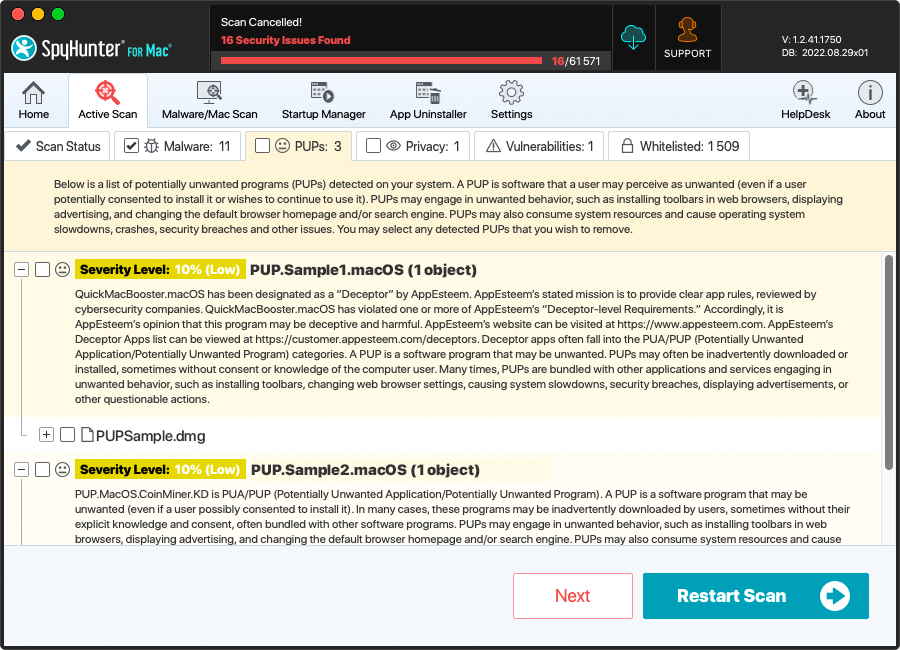
SpyHunter for Mac can detect and remove potentially unwanted programs (“PUPs”). PUPs are
programs a user may perceive as unwanted, such as advertising software, unwanted software, grayware,
and other nuisances. Users have the option to exclude these objects from being detected on a
program-by-program basis, if they wish.
Popular web browsers and websites may often use cookies to customize the user experience.
In some cases, these cookies may be deployed by websites to extensively track a user’s online
activity. Cookies may present privacy issues for users since they may store personal information
about web browsing habits and history. SpyHunter for Mac can detect and remove cookies identified
by EnigmaSoft as presenting potential privacy issues.
Multiple Scan Options to Focus on Specific Areas
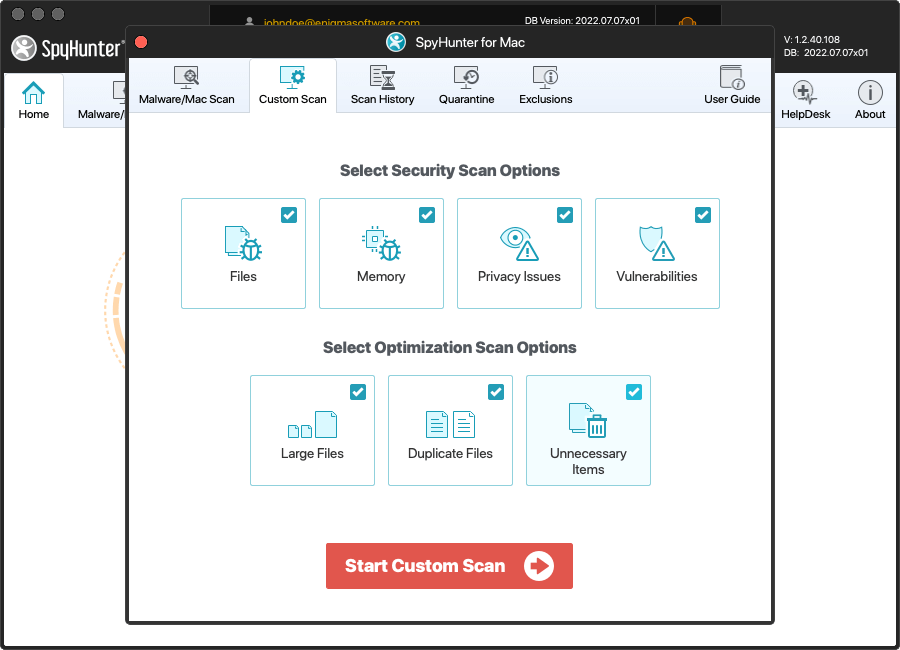
SpyHunter for Mac provides its users with options to customize their scans. Users can scan
files, memory, browser cookies, privacy issues and vulnerabilities.
Advanced Optimization Scan to Improve Your System’s Efficiency
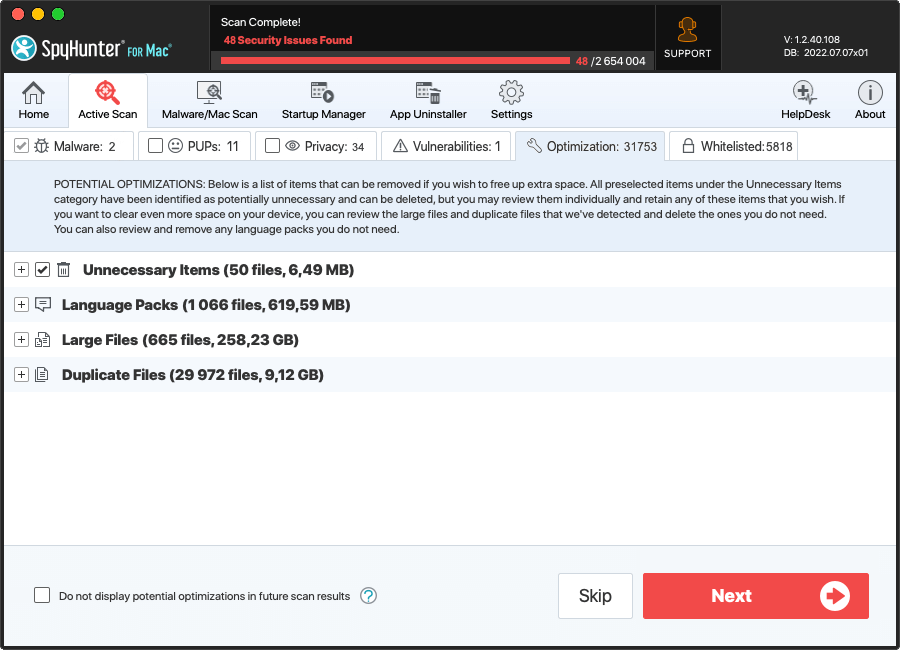
SpyHunter for Mac’s Optimization scan helps users easily locate and identify large files
and duplicate files that may be selectively deleted by users to free up valuable space. SpyHunter
for Mac can also help identify potentially unnecessary files such as caches, app leftovers, and
other junk files users may wish to remove to free up additional disk space.
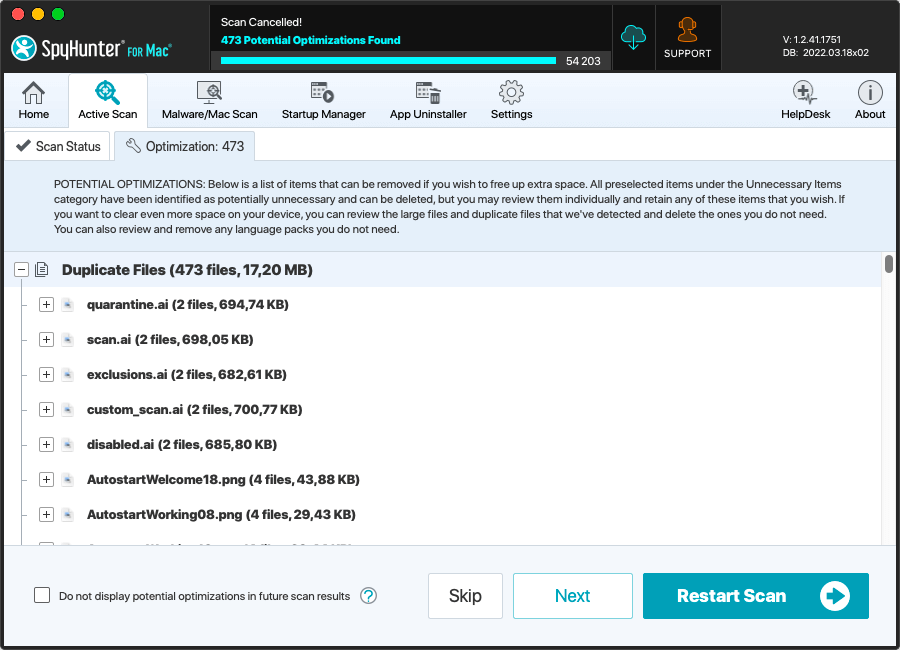
Duplicate File Scan
SpyHunter for Mac’s Duplicate File Scan is designed to efficiently scan your system for
duplicate content. The Duplicate File Scan analyzes the actual file content when scanning for
duplicates, so it can easily locate duplicated data even if the files have completely different
names. Many users can reclaim significant disk space by removing unneeded duplicate files.
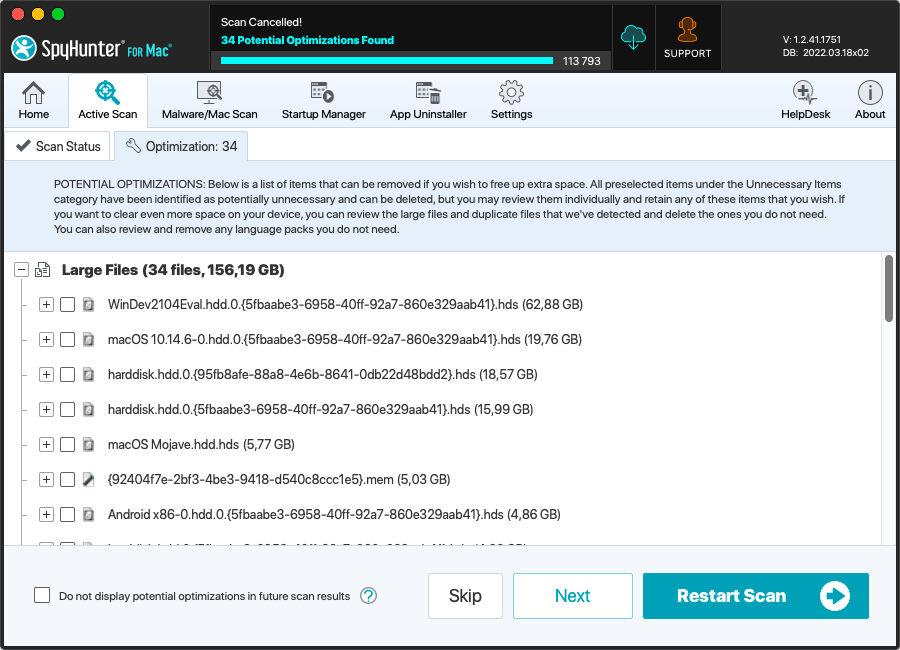
Large File Scan
SpyHunter for Mac’s Large File Scan is designed to efficiently scan your system for
large files that may be unnecessarily consuming disk space. The Large File Scan identifies files
in common user-content locations that are larger than 256 MB. The Large File Scan is a very useful
tool to identify large media files and other content that you may wish to delete or archive to free
up valuable disk space.
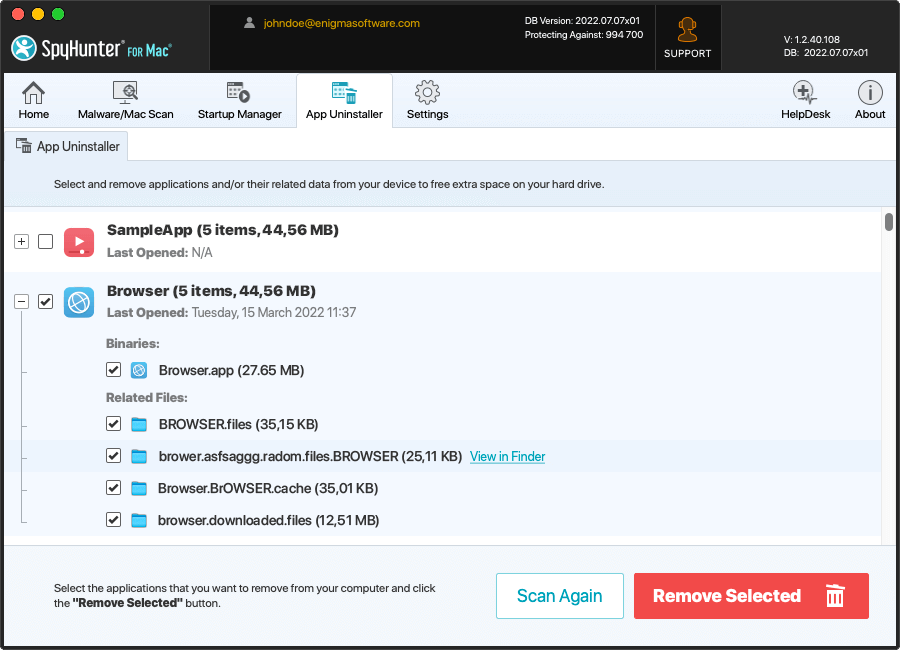
App Uninstaller to Completely Remove Unneeded Apps
SpyHunter for Mac includes a convenient interface that allows users to view and control
their installed applications. The App Uninstaller offers powerful removal tools designed to allow
users to remove all traces of installed applications, including potentially hard-to-remove residual
files.
Startup Manager to Optimize Your System
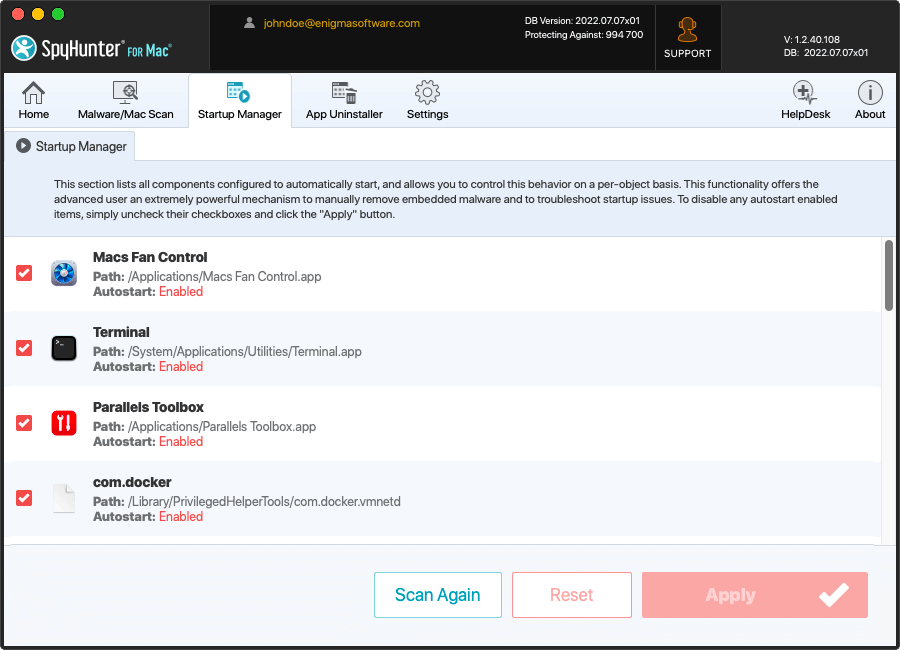
SpyHunter for Mac’s Startup Manager allows users full control over applications that are
configured to automatically start. Users can selectively configure applications’ startup behaviors
to optimize their system’s startup process.
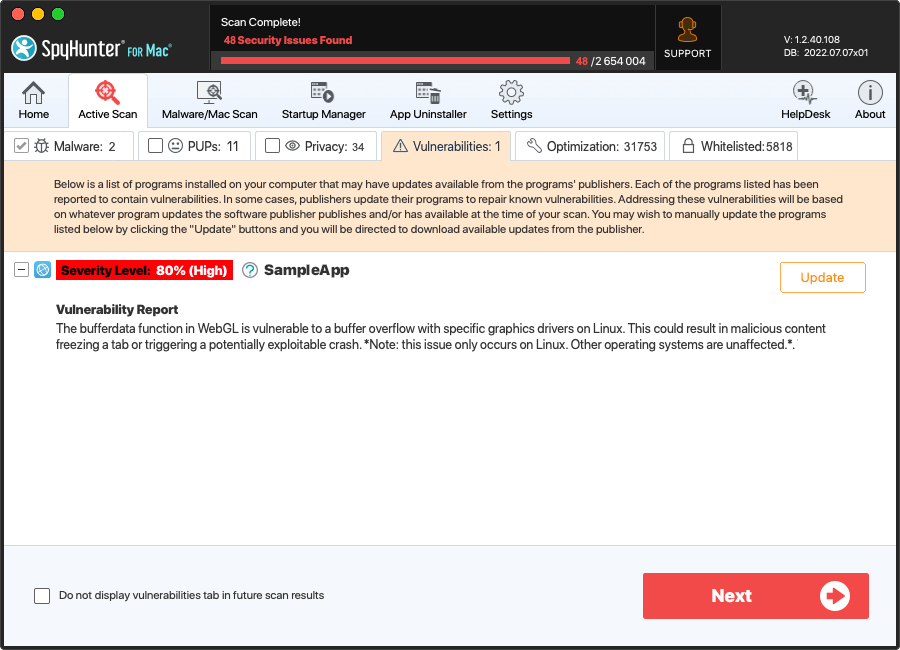
Powerful Vulnerability Scan to Thwart Hacker Attacks
Hackers often exploit vulnerabilities that are hidden in commonly used software to install
malware and steal your personal data. SpyHunter for Mac includes a vulnerability scan designed to help
identify legitimate programs on your system that may contain reported vulnerabilities. Users can
use this information to repair or update vulnerabilities to increase their security.
User-Friendly Interface
SpyHunter for Mac has been developed and engineered with precision programming to provide
sophisticated online protection and security, while still offering an intuitive, user-friendly
interface to bring added simplicity to your digital life.
Improve Your Online Safety with SpyHunter Web Security (It’s FREE!)
SpyHunter Web Security integrates with your browser and is designed to block potentially harmful
websites and help identify websites reported to be safe.
Protect your privacy and personal security while browsing. SpyHunter Web Security
integrates with popular search engines, such as Google and Bing, and prominently displays
categories next to search results that identify them as "safe", "potentially unsafe" or
"uncategorized".
SpyHunter Web Security identifies and blocks malware, phishing scams, and other
threats. SpyHunter Web Security analyzes search results and links on web pages. If a user
attempts to visit a website that has been categorized as POTENTIALLY UNSAFE, SpyHunter Web
Security will block access to the website and display a prompt, as shown.
SpyHunter’s HelpDesk: One-on-One Technical Assistance to Solve the Toughest Malware Issues
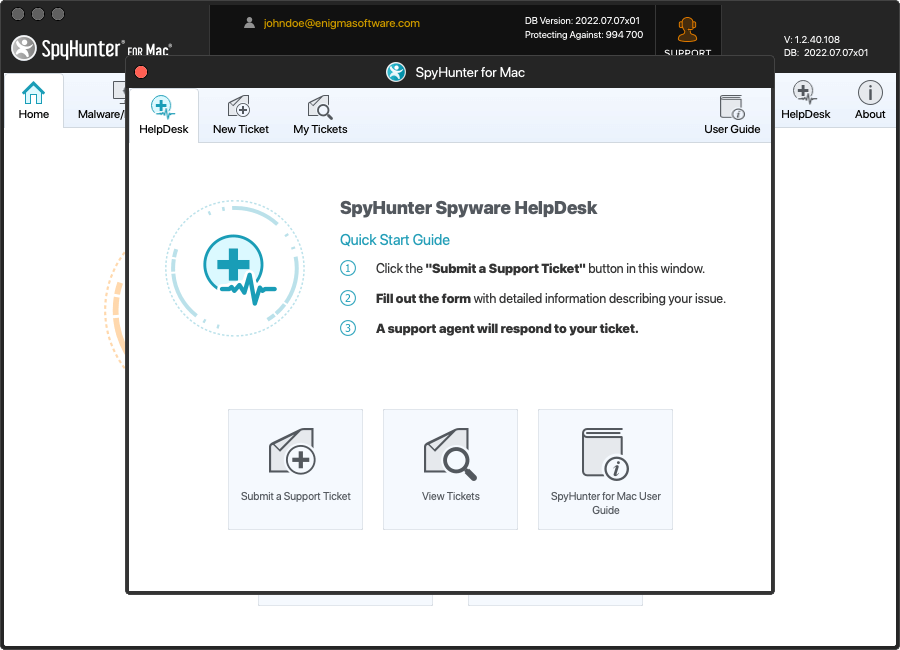
SpyHunter for Mac includes the SpyHunter HelpDesk, which offers interactive
one-on-one access to our customer support team for users of paid versions of SpyHunter for Mac or
when included in a promotion. If SpyHunter for Mac is not able to automatically remove a malware
object, our one-on-one customer technical support team, included FREE with SpyHunter for Mac, can
help you with unique issues when needed.
Learn more about how SpyHunter HelpDesk for Mac works
One-on-One Direct Access to Customer Support
SpyHunter’s HelpDesk for Mac offers one-on-one direct access to our technical support
team to help with malware-related issues. You can access SpyHunter’s HelpDesk for Mac as many times
as you like for help with all of your malware-related issues.
Albanian
Bulgarian
Chinese (Simplified)
Chinese (Traditional)
Croatian
Czech
Danish
Dutch
English
Finnish
French
German
Greek
Hungarian
Indonesian
Italian
Japanese
Korean
Lithuanian
Norwegian
Polish
Portuguese (Brazil)
Portuguese (Portugal)
Romanian
Russian
Serbian
Slovene
Spanish
Swedish
Turkish
Ukrainian
Version
1.10.0
File Size
26.7 MB
Try SpyHunter for Mac Risk-Free
Advanced Malware Protection & Removal
SpyHunter for Mac leverages in-depth research and sophisticated technologies to help protect
you against malware, viruses and other threats.
30-Day 100% Money-Back Guarantee!
Get a full refund at anytime within 30 days of your purchase date. No questions asked. No
hassle. No stress.
One-on-One Premium Technical Support
Trouble with unique malware issues? Get personalized and customized one-on-one technical
support service when needed with malware issues.
Frequently Asked Questions
I've tried other anti-virus/anti-malware programs, why should I try SpyHunter for Mac?
Today’s malware landscape changes at an ever-increasing pace and it is unlikely that it
will slow down any time soon. To stop malware and other security threats, users need a powerful yet
easy-to-use anti-malware solution. SpyHunter for Mac has been designed with that goal in mind - its
adaptive malware detection engine is supported by backend cloud-based threat analysis systems
offering robust real-time defense against malware infiltrations.
To ensure complete malware removal and customer satisfaction, SpyHunter for Mac comes
with an integrated personalized one-on-one technical support service, the SpyHunter HelpDesk for
Mac.
How can SpyHunter for Mac help with non-malware issues?
Removing malware is often not enough to ensure optimal system performance. Legitimate
programs may have vulnerabilities that cybercriminals can exploit to access your system. Moreover,
old and potentially unneeded residual program files and duplicate files may be using up valuable
disk space. SpyHunter can address these issues with its built-in tools and features. SpyHunter
can detect potential program vulnerabilities and help you address them. SpyHunter offers
comprehensive computer security, privacy protection, and optimization features that can help
ensure a safe and robust daily computing experience.
What are SpyHunter for Mac's minimum system requirements?
Operating Systems Supported
macOS 10.13 and higher
Minimum Hardware Requirements
250 MB of available hard disk space or more
What's your refund policy?
If you have purchased a subscription to SpyHunter for Mac and are not satisfied,
in any way, we offer a 100% money-back guarantee within the first 30 days of your purchase date.
SpyHunter for Mac can be used free-of-charge to detect and remove malware and other objects. We
also offer free users the ability to remove detected cookies from their computers at no charge.
Read more about our refund policy.
Enigmasoftware.com uses cookies to provide you with a better browsing experience and analyze how users navigate and utilize the Site. By using this Site or clicking on "OK", you consent to the use of cookies. Learn more.


 Rapid malware scan for quick and easy detection of threats.
  Enhanced multi-layer scanning to detect hidden vulnerabilities.
  Advanced and effective real-time system guards designed to block malware before it
infects your computer.
Advanced and effective real-time system guards designed to block malware before it
infects your computer.  One-on-one tech support and customized malware fixes for unique issues.
















 Multi-layer privacy protection and optimization features.
  Built-in App Uninstaller and Startup Manager to free up space by removing unneeded
programs.
Built-in App Uninstaller and Startup Manager to free up space by removing unneeded
programs.