How RegHunter Can Benefit You

Scan and repair your Windows registry easily
RegHunter gives users an interactive and easy-to-use interface to scan, repair errors and optimize the Windows registry for optimal performance.
Completely clean your PC
RegHunter includes several helpful integrated tools to cleanup your computer. These include a startup cleaner, disk defragmenter, junk/temp file cleaner, and a wide variety of system optimizers.
Improve the performance of your PC
Get a complete PC tune-up! RegHunter's tools and optimizations improve hard drive, Internet connection and general PC performance.
Reduce system start-up times and automatically clean up start-up items
The built-in start-up manager can be used to boost system and application performance while speeding up PC start-up time.
Automatically backup or restore the Windows Registry
RegHunter allows you to simply and seamlessly create backups of your Windows registry. If, at any time, you experience any issues and need to restore your registry to an earlier, pristine, state, you can do so with just one click.
Customized FREE technical support and updates for unresolved registry issues
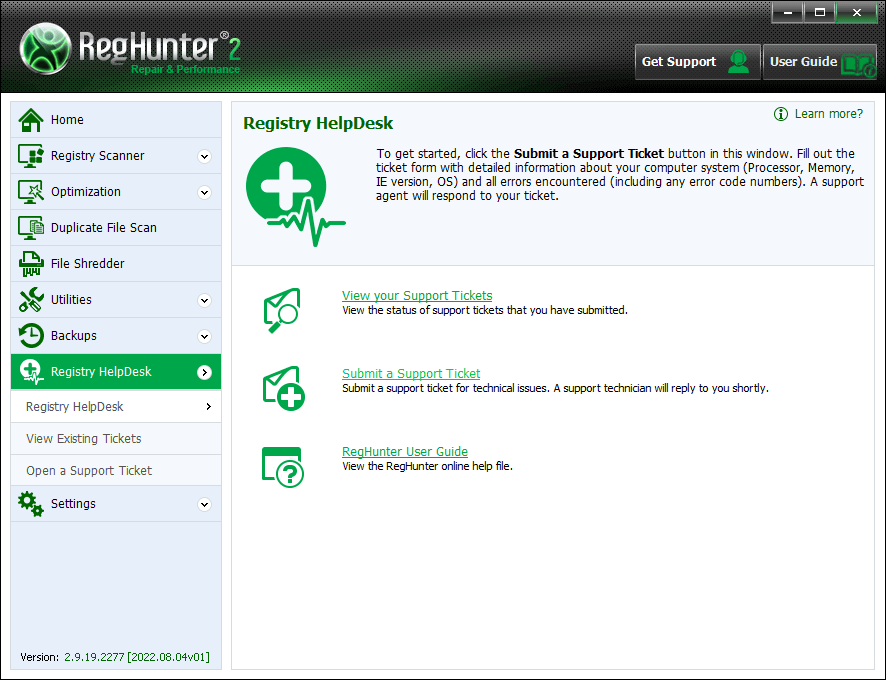
Setting RegHunter apart from other registry cleaners is its exclusive Registry HelpDesk. Through RegHunter's Registry HelpDesk, you will be able to utilize an interactive support tool to communicate directly with expert PC technicians. Custom support tickets can be created to assist you with persistent registry issues specific to your computer. Support tickets will be viewed and sent back to you in a timely manner through RegHunter. If RegHunter is unable to detect and remove a registry problem, you will have the option to create a support ticket and send it to one of our highly trained PC technicians within seconds.
Satisfaction Guaranteed
Run FREE PC Diagnosis
Compatible with Microsoft

Click Here for RegHunter Screenshots


View the 'What is RegHunter and How Does It Work?' video and see first-hand how RegHunter can improve your computer's performance. If your PC is sluggish and slow, you can dramatically speed it up by detecting and fixing PC errors with RegHunter. RegHunter will clean and maintain your registry and keep your PC running in tip-top shape.

Don’t let your computer slow down over time!

Start your FREE PC Diagnosis with RegHunter today!

Company Press Mentions

Click logos to read full articles or click here to read other press mentions.
Forbes PCWorld InfoSecurity
ZDNet USA Today The Wall Street Journal

What is RegHunter and How Does It Work?

RegHunter is a real-time registry scanner and repair application designed to assist the average computer user in seeking out and repairing registry problems. RegHunter provides computer users with the most comprehensive registry detection and registry repair functions available, wrapped in an interface simple enough for novice PC users to master. RegHunter will not only detect existing registry errors; it will also prevent future issues that may occur down the road due to current registry structure problems.

The Windows registry is a complex structure involving a hierarchical database that stores an abundance of configuration settings related to the internal operations of Windows itself, as well as most other installed software application components. As you use your computer, and as additional software is installed and removed, invalid registry entries are created. These invalid entries and registry errors cause Windows to take longer to perform many basic tasks, such as booting up and shutting down your PC, opening documents, playing media files, and launching common programs. Additionally, invalid registry entries can cause Windows to display cryptic error messages, and to even crash unexpectedly.

Just like the routine maintenance of a car, every computer requires frequent tune-ups to the registry to ensure the preservation of a healthy system. RegHunter keeps your PC running fast and stable by applying its advanced registry scanning algorithms to detect and then repair invalid registry entries and registry errors.

In addition to its primary registry scanning functionality, RegHunter also improves PC performance through a set of comprehensive and automated optimizations engineered to alleviate performance hindering issues. RegHunter also includes disk defragmenting functionality to keep your hard disks running fast and error free, and a registry monitoring feature to allow you (or our support technicians) to diagnose and remove malicious programs that attempt to insert themselves in Windows registry auto-start locations.

RegHunter can't automatically fix your registry issue? Try our Registry HelpDesk! If at any time, RegHunter is unable to directly resolve a specific issue, the RegHunter HelpDesk is able to provide personalized one-on-one technical support. The RegHunter HelpDesk is an interactive feature integrated into the RegHunter. The HelpDesk function will allow our technicians to diagnose and fix registry problems that may be unique to your machine.

Main RegHunter Features

Let RegHunter do all the work while you sit back and relax! RegHunter's main features are listed below.
  • Registry Repair

    Scan, repair and eliminate registry problems to improve PC stability and overall performance.

  • Optimize Your System

    Automatically restore optimal PC performance through built-in RegHunter tools that seek-out performance hindering registry issues.

  • Hard drive Defragmentation

    Speed up hard drive and application performance by accessing the disk defragmentation tool through RegHunter.

  • Defragment Registry System

    Automatically defragment the registry to significantly improve system performance through RegHunter's integrated registry repair tools.

  • System Monitor

    Easily view all active processes running on your system through RegHunter's easy-to-use interface.

  • Registry Technical Support

    RegHunter's interactive HelpDesk gives you access to one-on-one customer support through a user-friendly ticketing system that connects you to expert PC technicians.

  • Free RegHunter Updates

    Receive the latest registry error detection updates to ensure RegHunter's ability to detect and fix the most recently discovered registry issues.

  • User-friendly Interface

    RegHunter utilizes a user-friendly menu and interface designed for both novice and advanced computer users.

RegHunter Key Features

  • RegHunter Registry Scanner


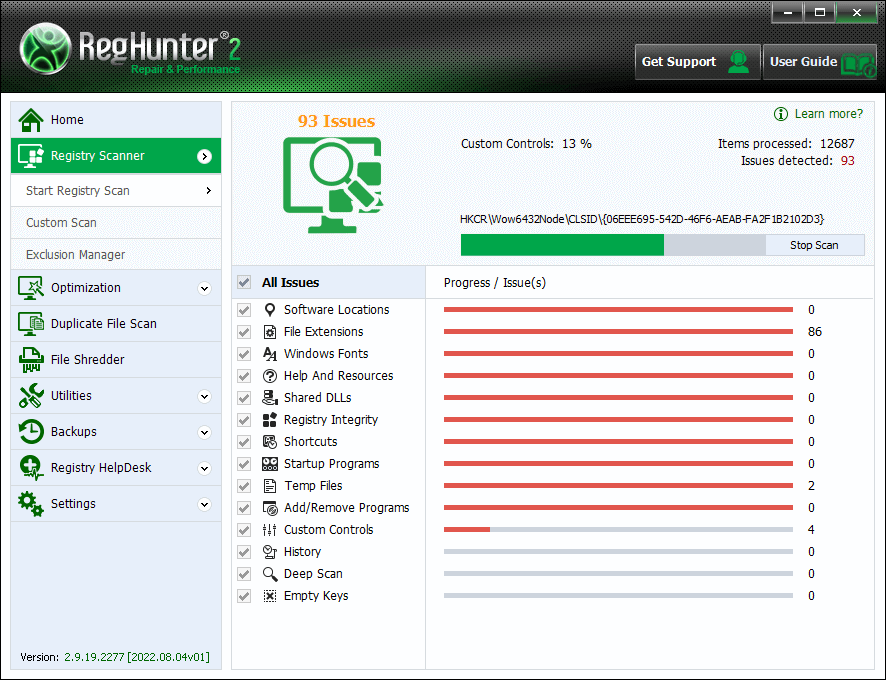
    RegHunter has been fine-tuned and tailored to provide the tools capable of handling the most demanding tasks, yet remain simple enough for a first-time computer user. The RegHunter Registry Scanner can be easily accessed and executed with the simple press of a button. RegHunter will perform a thorough scan of your Windows Registry and quickly identify invalid and obsolete entries.

    To find out more details about a specific registry problem, RegHunter automatically lists each individual error detected with its key, name, problem and solution. RegHunter's Registry Scanner is as easy as it gets.

  • Custom Scan


    RegHunter offers a custom scan feature that easily configures to scan specific registry files. With a simple click, RegHunter's Custom Scan feature will scan registry software locations, file extensions, Windows fonts, History, Startup Programs, Temp Files and more. Any of the Custom Scan items can be effortlessly combined with other selections to perform your own customized registry scan.

  • Startup


    The Startup menu function is an integral part of RegHunter's advanced Registry analyzing mechanism to remove embedded malware within the Registry manually. RegHunter's Start function allow components that are configured to start automatically on system startup to be removed, enabled or disabled. The Startup menu also makes available an Active Processes list and Registry Monitor function for viewing the status of running processes and monitor registry modifications.

  • Active Processes


    RegHunter conveniently provides an Active Process list that lists all currently active processes running on your computer. Through the Active Processes list, you\re able to easily kill an unwanted process by right-clicking the process name and selecting "Terminate".

  • Registry Monitor


    The Registry Monitor is a handy function within RegHunter that detects when any application attempts to modify autostart registry settings. All changes to these settings are listed in the Registry Monitor section of RegHunter.

    RegHunter also contains advanced functionality designed to prevent malware from hijacking your desired Internet Explorer homepage. Lastly, RegHunter can be configured to monitor your DNS servers and notify you if an unsolicited modification takes place. This function prevents tricky Trojan and malware threats from redirecting you to a phishing or malware site.

  • RegHunter Rollback


    RegHunter's System Backups feature has an integrated Rollback function that allows you to undo specific changes made by RegHunter. To give you added confidence, RegHunter automatically creates a backup prior to performing any repair operations and allows any unwanted changes to be undone using the Rollback feature.

  • Performance


    RegHunter's Performance feature allows you to monitor CPU and memory performance in real-time. It also displays real-time memory availability and usages.

  • Optimization


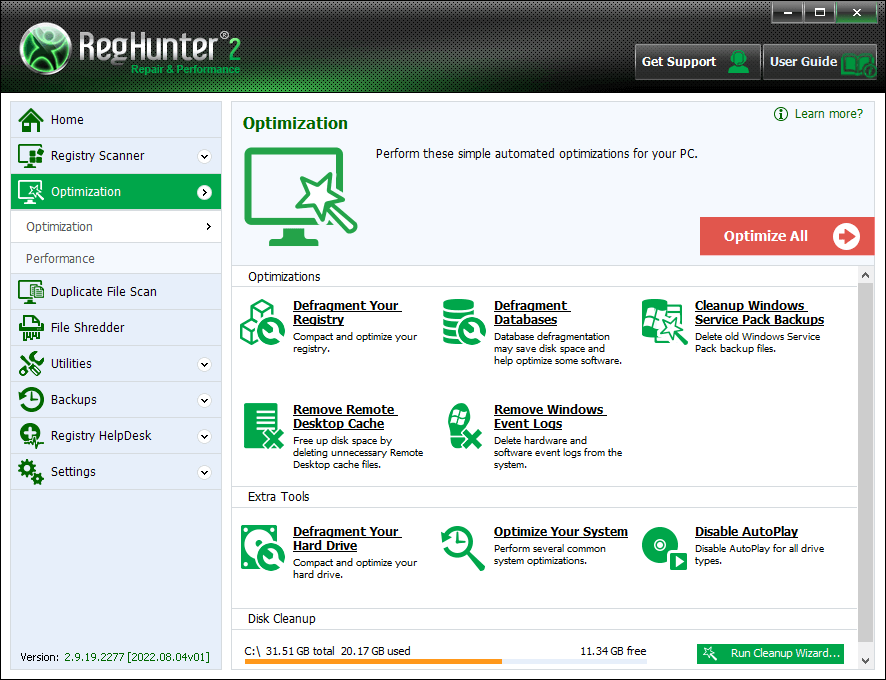
    Every computer user wants a system that performs efficiently, which is why RegHunter comes with a built-in registry optimization tool with the ability to tweak the system for optimum performance. With RegHunter's Optimization feature, you can defragment your registry, defragment your hard drive and disable AutoPlay.

  • System Information


    The System Information section provides an updated snapshot of Windows system information.

  • System Backup


    The Windows Registry is a sensitive database that if damaged or destroyed it could cause a computer to no longer function properly. RegHunter was designed with this in mind, which is why users can easily utilize RegHunter's built-in backup feature to create a backup of their Windows Registry. RegHunter's System Backup feature allows you to manage, create and restore full registry backups and Windows System Restore Points.

  • Exclusions


    The Exclusions Manager provides you with the ability to remove specific registry problems detected by RegHunter's Registry Scanner. With just a simple click, RegHunter's Exclusions Manager will allow you to select registry problems to exclude from future RegHunter scans.

    When you are ready to add an item to the Exclusions list, simply right-click on a detected item in the RegHunter Registry Scanner results and select “Add to Exclusions”. To remove an item from the Exclusions list is just as easy, simply select the checkbox next to the item that you wish to remove and then click the “Remove” button.

  • Registry HelpDesk


    The RegHunter Registry HelpDesk is a unique and highly effective interface through which you can contact our technical support team to fix any registry issues. If you experience any registry issues, or you have any questions, comments or suggestions related to RegHunter, we encourage you to utilize the RegHunter HelpDesk to open a support ticket.

    If RegHunter is unable to directly resolve a specific issue, the Registry HelpDesk provides a convenient and personalized technical support. Our technical support team is able to provide assistance with any registy issue that RegHunter may not be able to resolve directly. Using RegHunter's Registry HelpDesk is a quick and simple way to open a support ticket or view the status of an existing support ticket.

  • General Settings


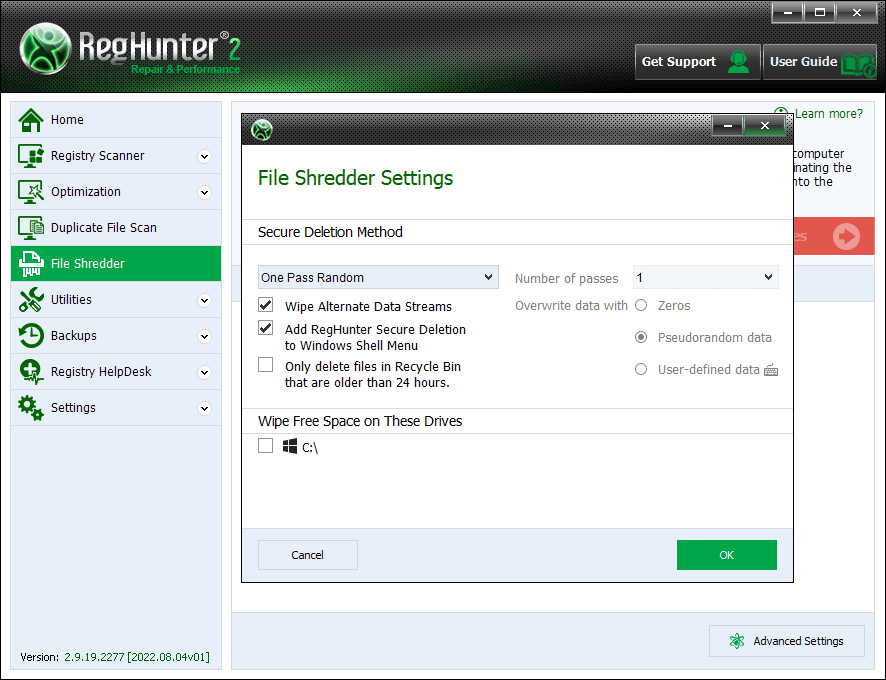
    RegHunter was designed to give you a personalized user experience without sacrificing functionality. RegHunter has a user-friendly settings menu for you to configure the RegHunter application to your liking. Many of the settings available within RegHunter's Settings menu allow you to automate startup features. The following General settings can be configured through the Settings panel:

    Language - Select your specific language.

    Hide splash screen - Selecting this will hide the introduction splash screen when RegHunter loads.

    Automatically check for updates - RegHunter will automatically contact our servers to check for the availability of a new program updates each time it starts.

    Start RegHunter scan on system startup - Through the settings menu, RegHunter can be configured to start on system startup.

    Start RegHunter scan on program startup - Once selected to start on system startup, RegHunter can easily be set to run a scan automatically on program startup.

    Minimize RegHunter on program startup - RegHunter can be set to be minimized or collapsed into a single taskbar button if originally set to start on program startup.

    Show Drivers tab in Startup section (advanced users only) - Advanced computer users may choose to show the drivers tab in the startup section. This will allow you to view specific Windows driver file processes and select to terminate them individually.

RegHunter Full Version Information

Operating Systems Supported

Microsoft® Windows® XP (32-bit) Home/Professional/Tablet PC/Media Center (32-bit) with Service Pack 2 or later
Microsoft Windows Vista® (32-bit and 64-bit) Starter/Home Basic/Home Premium/Business/Ultimate
Microsoft Windows 7 (32-bit and 64-bit) Starter/Home Basic/Home Premium/Professional/Ultimate


Minimum Hardware Requirements

300 MHz or higher for Microsoft Windows XP, 1 GHz or higher for Microsoft Windows Vista/Microsoft Windows 7
256 MB of RAM
75 MB of available hard disk space


Web Browser Requirements:

Microsoft Internet Explorer 6.0 or later

Home | Sitemap | RSS Feed | Privacy Policy | End User License Agreement | Additional Terms and Conditions Copyright 2003-2012. Enigma Software Group USA, LLC. All Rights Reserved.