ThinkPoint
Threat Scorecard
EnigmaSoft Threat Scorecard
EnigmaSoft Threat Scorecards are assessment reports for different malware threats which have been collected and analyzed by our research team. EnigmaSoft Threat Scorecards evaluate and rank threats using several metrics including real-world and potential risk factors, trends, frequency, prevalence, and persistence. EnigmaSoft Threat Scorecards are updated regularly based on our research data and metrics and are useful for a wide range of computer users, from end users seeking solutions to remove malware from their systems to security experts analyzing threats.
EnigmaSoft Threat Scorecards display a variety of useful information, including:
Ranking: The ranking of a particular threat in EnigmaSoft’s Threat Database.
Severity Level: The determined severity level of an object, represented numerically, based on our risk modeling process and research, as explained in our Threat Assessment Criteria.
Infected Computers: The number of confirmed and suspected cases of a particular threat detected on infected computers as reported by SpyHunter.
See also Threat Assessment Criteria.
| Threat Level: | 100 % (High) |
| Infected Computers: | 3,845 |
| First Seen: | October 20, 2010 |
| Last Seen: | June 4, 2021 |
| OS(es) Affected: | Windows |
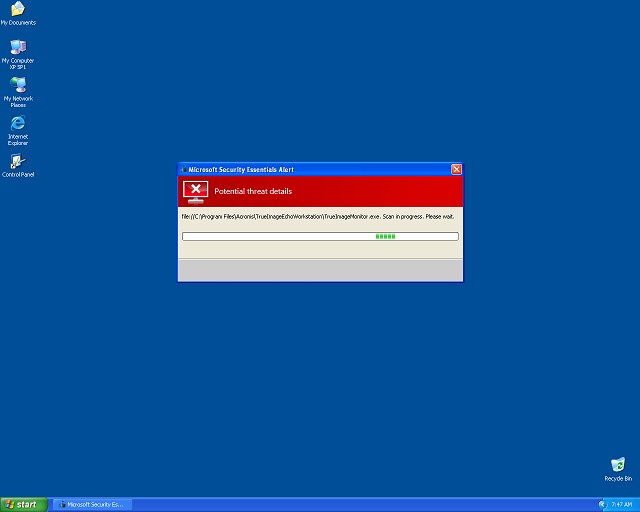
ThinkPoint Image
ThinkPoint is a fake security application promoted by the fake pop-up message 'Microsoft Security Essentials Alert'. Fake 'Microsoft Security Essentials Alert' is a misleading message that uses the "drive-by download" method to download and install a trojan file without the user's consent. The trojan associated with 'Microsoft Security Essentials Alert' disguises itself as a hotfix.exe or as an mstsc.exe file. The fake 'Microsoft Security Essentials Alert' is not associated to Microsoft Security Essentials 1.0 or MSE 2.0 in any way.
The fake 'Microsoft Security Essentials Alert' is used to trick users by imitating Microsoft Security Essentials threat reports on a user's computer. The fake 'Microsoft Security Essentials Alert' lists numerous fabricated trojan infections and prompts users to purchase rogue software such as ThinkPoint to clean them.
The fake 'Microsoft Security Essentials Alert' will display a bogus online scan done by 35 anti-malware tools and state that your computer is infected with 'Unknown Win32/Trojan'. Although 30 of the software names displayed are legitimate security applications (like Trend Micro and Symantec), the rest are false. Among the list of rogue software recommended to remove 'Unknown Win32/Trojan' threat are ThinkPoint, AntiSpy Safeguard, Peak Protection 2010, Red Cross Antivirus, Pest Detector 4.1, and Major Defense Kit.
ThinkPoint is designed to entice computer users to download and install the suggested rogue anti-malware programs which will allow the rogue makers a backdoor entry to users' systems. ThinkPoint will start scanning a user's computer alleging to have detected all sort of malware infections and in order to remove the infections the user needs to buy the full version of ThinkPoint. ThinkPoint will make a system vulnerable to other attacks by deteriorating a computer's performance and blocking a victim's access to legitimate security software or websites.
The best approach to prevent from becoming a victim to these attacks is to download a legitimate anti-malware program from a reputable website to automatically detect and remove ThinkPoint from your computer.
Can't access legitimate anti-malware software like SpyHunter to detect ThinkPoint? If ThinkPoint is blocking access to SpyHunter and security websites, do the following:
- Restart your computer and if you see the ThinkPoint interface, keep hitting Ctrl+Alt+Del to open your Task Manager.
- Once Task Manager opens, hit the 'Processes' tab, locate the main ThinkPoint process called 'hotfix.exe' and choose 'End Process'. If your Task Manager is disabled, search for the name 'hotfix' on your computer using your Windows File Search Tool, rename it to hotfix0, and then open your Task Manager to delete the process.
- After this is completed, continue using your Task Manager to go to 'File' menu, select 'New Task (Run)' and type in 'explorer.exe'
- Click the 'OK' button and wait for your Desktop to get back to normal.
- Then, go ahead and open SpyHunter to automatically detect other malicious files related to ThinkPoint and the fake 'Microsoft Security Essentials Alert' message.
If you have already purchased the rogue software ThinkPoint, you should contact your credit card company and ask for a chargeback on your purchase. Ultimately, it is advised you use a reliable, automatic detection tool to detect ThinkPoint from your computer or delete its malicious files manually.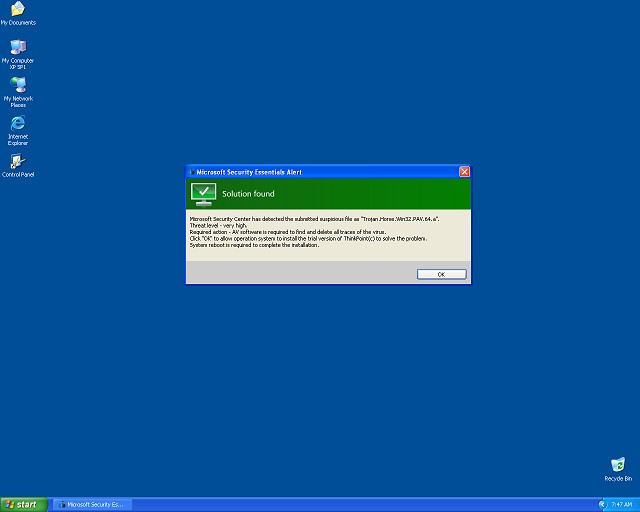
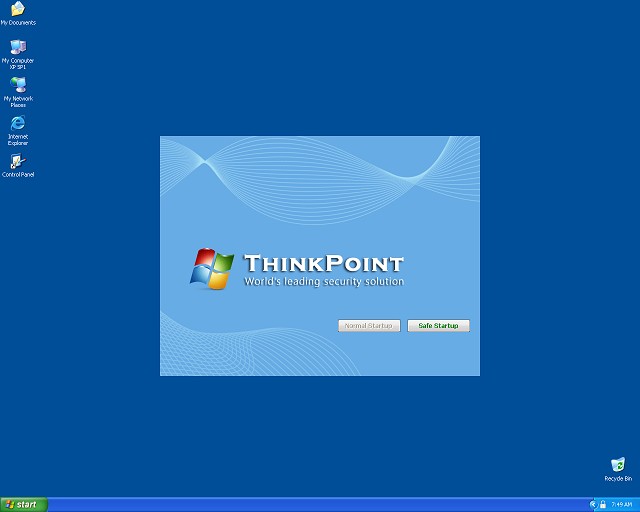
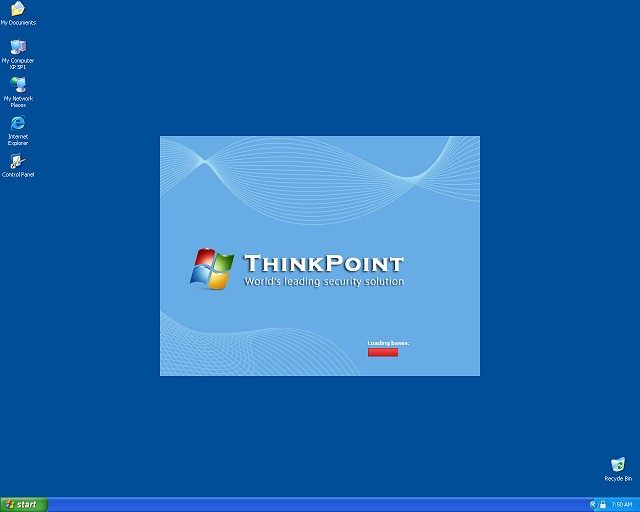

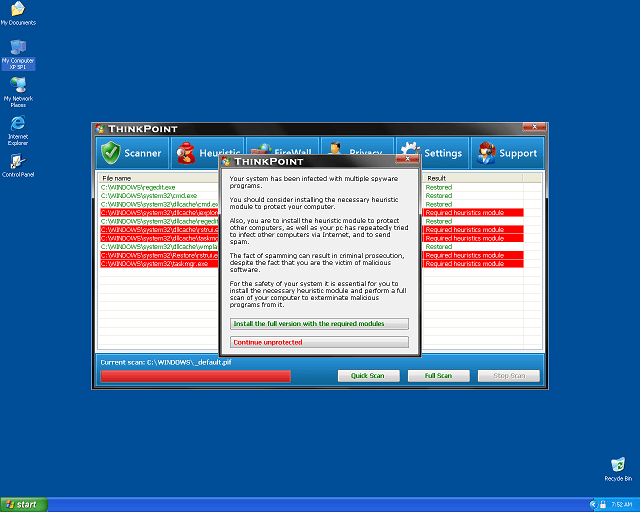
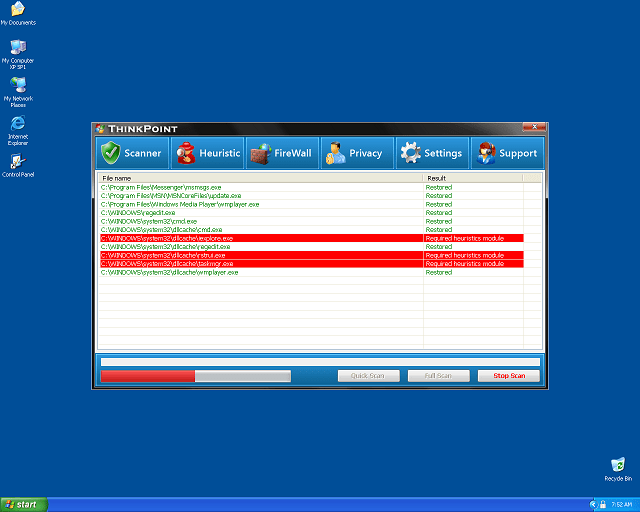
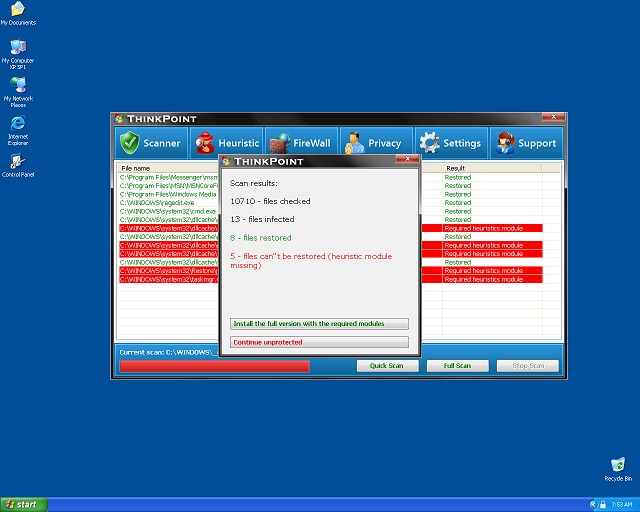
Table of Contents
Aliases
15 security vendors flagged this file as malicious.
| Anti-Virus Software | Detection |
|---|---|
| AhnLab-V3 | Malware/Win32.Suspicious |
| DrWeb | Trojan.FakeAV.2025 |
| Avast | Win32:FakeAV-AWN |
| Symantec | SecurityEssentialFraud |
| NOD32 | a variant of Win32/Adware.FakeAntiSpy.S |
| AVG | Crypt.ADBY |
| AhnLab-V3 | Backdoor/Win32.Cycbot |
| DrWeb | Trojan.DownLoader1.38321 |
| Avast | Win32:Dropper-gen |
| NOD32 | a variant of Win32/Kryptik.IHW |
| AVG | Cryptic |
| Sunbelt | Trojan.Win32.Generic.pak!cobra |
| AntiVir | TR/Ag.cfx |
| BitDefender | Gen:Variant.Kazy.2774 |
| McAfee-GW-Edition | Heuristic.BehavesLike.Win32.Suspicious.A |
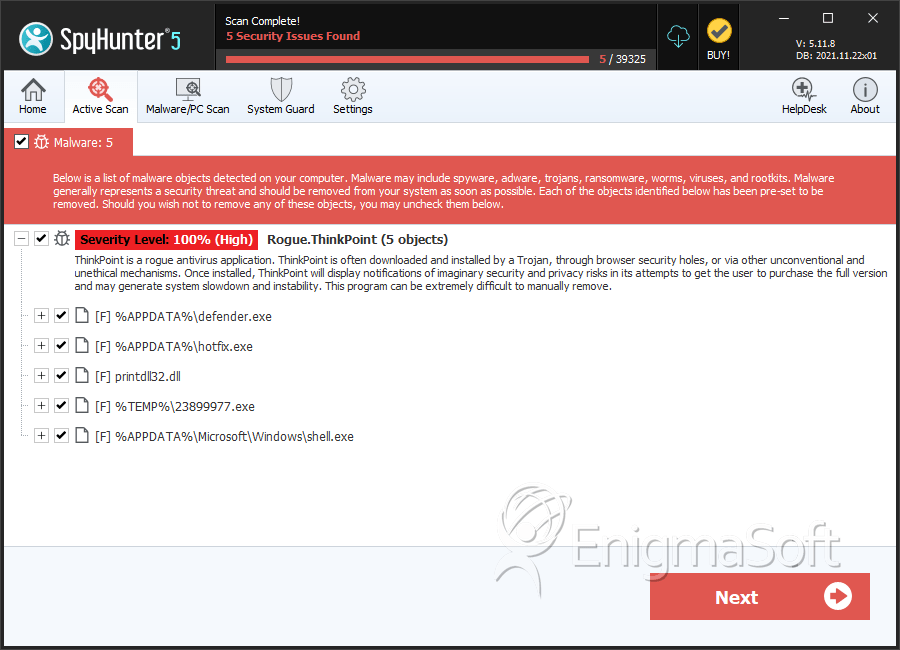
SpyHunter Detects & Remove ThinkPoint
ThinkPoint Video
Tip: Turn your sound ON and watch the video in Full Screen mode.
File System Details
| # | File Name | MD5 |
Detections
Detections: The number of confirmed and suspected cases of a particular threat detected on
infected computers as reported by SpyHunter.
|
|---|---|---|---|
| 1. | defender.exe | 2a00a9dfef3327f15e41e82c085a4c86 | 17 |
| 2. | defender.exe | ce1ddd2f2d469de0e90150ac0b974e27 | 12 |
| 3. | defender.exe | 04cc3031f23684488d557f5ea6e1f1c8 | 9 |
| 4. | hotfix.exe | 179c74c16151e6aeeddc8eb91e25f6e3 | 9 |
| 5. | defender.exe | 76177ac16bcbb0ac3ef150b89bb5058c | 5 |
| 6. | defender.exe | 8012ca5550940d8864ade4f7ce83eeb2 | 5 |
| 7. | defender.exe | 21c890abefb211b58a32b5aa9738f196 | 5 |
| 8. | defender.exe | 3c777b5c26d8dc2162c942574fe4ed39 | 4 |
| 9. | hotfix.exe | 88a88b7a7a42777bf32e0e204062440f | 3 |
| 10. | hotfix.exe | a6d104d3bc6d85c5e9b9e656a4750fdd | 3 |
| 11. | shell.exe | 661b5b1cc24479ec4677520cae64ade2 | 2 |
| 12. | defender.exe | 4f4ffeebe20e03d18a7c350b6e86dccb | 2 |
| 13. | hotfix.exe | afd10a2cf990761c79aacee513b41c50 | 2 |
| 14. | hotfix.exe | ad4727114fc97ccb4055d46dfd2ca25b | 2 |
| 15. | hotfix.exe | f8cd0b04aac42f40c039ce2143fb25ed | 2 |
| 16. | hotfix.exe | e5b90c0a604ee59f6feea5b2486b8e8f | 2 |
| 17. | hotfix.exe | 067f1aad447ad831c503a40018f7d0b3 | 1 |
| 18. | hotfix.exe | e31c1fbc5fd207d4e68929917d198b75 | 1 |
| 19. | hotfix.exe | ed0bdef1749141ac1f1df028fd866413 | 1 |
| 20. | hotfix.exe | 09747a8d9002635babfe1a538385d1fc | 1 |
| 21. | hotfix.exe | 78933ed077409b8f59d6834ccab97af9 | 1 |
| 22. | hotfix.exe | 05f87bad36b2971d24f3d13d6ac05545 | 1 |
| 23. | hotfix.exe | a6f4822788d33c1266458e254460c43a | 1 |
| 24. | hotfix.exe | 2c3b021314f26a03eadc47b96bb19827 | 1 |
| 25. | hotfix.exe | 48a09f918eb0800f6cee4be26568c4a4 | 1 |
| 26. | hotfix.exe | 30ab9f4bc0edbad859ce0f3c65650dce | 1 |
| 27. | hotfix.exe | 3beb275040328d2e32f9e10bbd431230 | 1 |



