|
|
Tweet |
PC Clean Pro Description
ESG security researchers have issued a warning against the fake defragmenter and system optimization utility PC Clean Pro. This application is advertised as a computer system optimizer, but is really a rogue defragmenter designed to take over your computer system and to steal your money. Do not become a victim of PC Clean Pro; protect your computer system with a legitimate anti-malware program and only download security software and system optimizers from trusted, reliable and well-established manufacturers.
PC Clean Pro Has a Strong Online Presence
There is a constant arms race between malware analysts and malware creators. There will always necessarily be a gap between the time it takes for PC security analysts to determine that a particular application is malicious and the time it is released. Criminals take advantage of this by creating numerous clones of dangerous software and releasing large batches of them, intended to infect as many users as possible before their program is ousted as malware and removed from legitimate software websites and search engines. As of the writing of this report, PC Clean Pro still appears on Google search results. Despite its positive reviews, ESG security researchers have determined that PC Clean Pro has no real defragmenter functions, but is merely enacting a scam designed to steal your money.
How Criminals Profit from PC Clean Pro
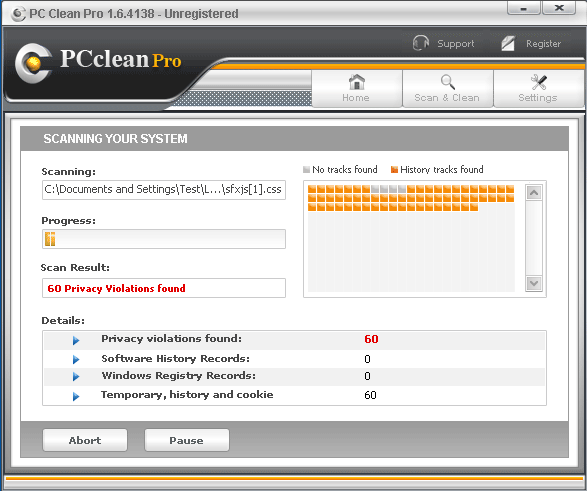
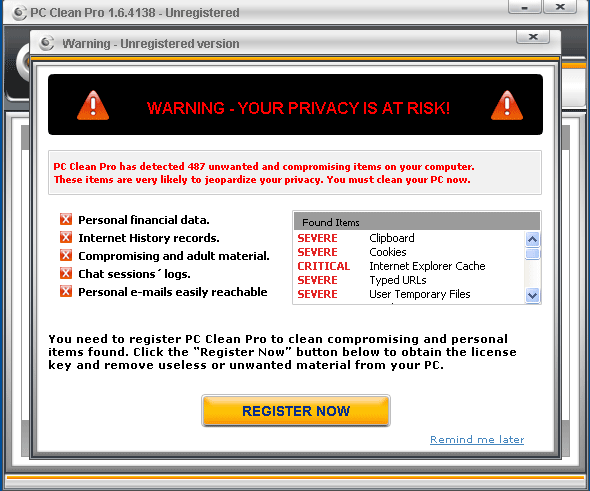
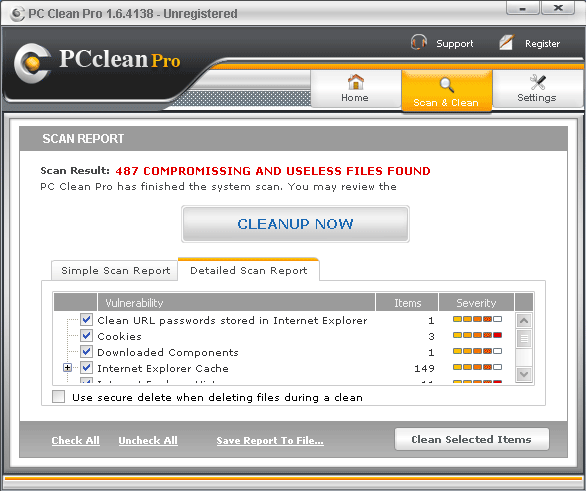
The PC Clean Pro scam is not particularly complicated. Basically, this program will offer to clean up your computer system by optimizing your registry and defragmenting your hard drives. Typically, PC Clean Pro runs a fake scan of the victim’s hard drive, finding several possible problems. Using alarming language, multiple error messages, and fake system alerts, PC Clean Pro attempts to make its victim panic by claiming that the victim’s computer has severe problems. Of course, PC Clean Pro will not remove these imaginary problems unless the victim first pays for a useless ‘full version’ of PC Clean Pro. Once the money is paid, PC Clean Pro will remain on your computer system and, since the problems PC Clean Pro detected were either imaginary or caused by PC Clean Pro in the first place, you will have become a victim of a common online scam.
Type: Rogue AntiSpyware Programs
How Can You Detect PC Clean Pro?
PC Clean Pro Technical Report
As new PC Clean Pro details are reported by our customers and findings from our Threat Research Center, we will update this section.
The following PC Clean Pro files with its MD5s were created in the system:
| File Name | File Size | MD5 |
|---|
| pcprosd.dll | 307200 | fff7c894e8381f44cce23fa3d877c049 |
| PCCleanPro_Installer_eng[1].exe | 267264 | c87f683f56af0f6cc17499899144c7c9 |
| PC Clean Pro.exe | 1482752 | 92e2470d0ceb6c817b4957726b8c4a86 |
PC Clean Pro Removal Details
PC Clean Pro has typically the following processes in memory:
- %ProgramFiles%\PCCleanPro\Uninstall.exe
- PC Clean Pro.exe
- %ProgramFiles%\PCCleanPro\com\pcsd.dll
- PCCleanPro_Installer_eng[1].exe
- %ProgramFiles%\PCCleanPro\PCCleanPro.exe
- pcprosd.dll
PC Clean Pro creates the following files in the system:
- %ProgramFiles%\PCCleanPro\program.info
- %UserProfile%\Desktop\PCCleanPro.lnk
- %UserProfile%\All Users\Start Menu\Programs\PCCleanPro\Uninstall PCCleanPro.lnk
- Register PC Clean Pro.lnk
- PC Clean Pro.lnk
- %ProgramFiles%\PCCleanPro\PCcleanPro.pkg
- %UserProfile%\Application Data\PCCleanPro\log.dat
- %UserProfile%\All Users\Start Menu\Programs\PCCleanPro\Register PCCleanPro.lnk
- PC Clean Pro
- Uninstall PC Clean Pro.lnk
- %ProgramFiles%\PCCleanPro\PCCleanPro.db
- %UserProfile%\Application Data\PCCleanPro\settings.dat
- %UserProfile%\All Users\Start Menu\Programs\PCCleanPro\Start PCCleanPro.lnk
- %UserProfile%\Local Settings\Temp\[RANDOM FILE NAME].tmp
- Start PC Clean Pro.lnk
PC Clean Pro created the following directories, files, paths:
- %ProgramFiles%\PC Clean Pro
- %AppData%\PC Clean Pro
- %AllUsersProfile%\Start Menu\Programs\PC Clean Pro
PC Clean Pro creates the following registry entries:
- HKEY_LOCAL_MACHINE\SOFTWARE\Classes\CLSID\{82297D11-31C1-40B1-960A-BDF40B3B365F}
- HKEY_CURRENT_USERS\Software\PCCleanPro
- AllFilesystemObjects\shellex\ContextMenuHandlers\pcprosd.dll
- HKEY_LOCAL_MACHINE\SOFTWARE\Microsoft\Windows\CurrentVersion\Uninstall\PCcleanPro
- HKEY_CLASSES_ROOT\AllFilesystemObjects\shellex\ContextMenuHandlers\pcsd
- PC Clean Pro
- 746950A1-9939-44C9-99AE-E46A673315FA
- HKEY_LOCAL_MACHINE\SOFTWARE\PCCleanPro
- HKEY_CLASSES_ROOT\CLSID\{82297D11-31C1-40B1-960A-BDF40B3B365F}
- SOFTWARE\Microsoft\Windows\CurrentVersion\Shell Extensions\Approved\746950A1-9939-44C9-99AE-E46A673315FA
- 645FF040-5081-101B-9F08-00AA002F954E\shellex\ContextMenuHandlers\pcprosd.dll
Important Article Disclaimer


PC Clean Pro
Leave a Comment
Note: Abusive comments are not allowed. Please do not post comments regarding technical support issues. ESG customers that have issues with SpyHunter should open a customer support ticket.