Startpage Search
Keeping devices safe from intrusive and untrustworthy Potentially Unwanted Programs (PUPs) is essential for privacy, security, and stable system performance. These applications often arrive disguised as useful tools, but their true purpose may involve changing settings, displaying aggressive advertising, tracking browsing activity, or redirecting users to questionable content. A common example is Startpage Search, a dubious address linked to browser hijacker behavior.
Table of Contents
Startpage Search: What It Is
Startpage Search has been identified by security researchers as a browser hijacker associated with unwanted browser modifications. Once active, it alters settings such as the default search engine, homepage, startup page, or new tab behavior. These changes are usually made without clear informed consent and may be difficult to reverse.
Although it may appear to offer convenient search features, the real objective is often to reroute browser traffic through promoted pages, sponsored search results, and advertising networks. Instead of improving browsing, it interferes with normal user preferences and attempts to control web navigation.
Browsers Commonly Affected
This hijacker may target popular browsers including Google Chrome, Microsoft Edge, Mozilla Firefox, Safari, and others. A common warning sign is when users manually restore their preferred search provider, such as Google, Bing, or DuckDuckGo, only to see Startpage Search return after restarting the browser or rebooting the device.
That behavior often suggests a hidden component is enforcing the changes. It may be a suspicious extension, an installed desktop application, a scheduled task, browser policy abuse, or another background process designed to maintain persistence.
Intrusive Behavior and Security Risks
Once established, Startpage Search may interfere with normal browsing in several ways. It could redirect searches through unknown engines, replace selected providers, inject advertisements into pages, or open sponsored websites automatically. Some variants may mark browser settings as 'managed,' preventing standard changes through the settings menu.
The greater danger comes from the destinations promoted through these redirects. Users may be exposed to scam pages, fake virus alerts, phishing forms, fraudulent giveaways, adult content, deceptive support warnings, and downloads that introduce even more unwanted software.
In addition to redirects, the hijacker may gather browsing-related information such as search queries, clicked ads, visited pages, IP address, browser version, device details, and similar usage data. That level of monitoring raises serious privacy concerns.
How PUPs Get Installed
PUPs rarely rely on transparent installation methods. Instead, they often use misleading distribution tactics that cause users to approve them unknowingly. Extra components are frequently buried inside installers where they are preselected by default or hidden behind 'Quick' or 'Recommended' setup modes.
Many users only notice the problem after browser settings suddenly change or ads begin appearing.
Common distribution channels include:
- Free software bundles downloaded from third-party websites
- Suspicious browser extensions requesting search or tab permissions
- Fake updates for browsers, drivers, media tools, or system software
- Pop-ups and redirect pages pushing misleading downloads
- Cracked software, activators, unofficial mods, and unsafe utilities
These tactics are designed to reduce scrutiny and encourage rushed installation decisions.
How to Recover Browser Control
If Startpage Search keeps reappearing, users should avoid interacting with any ads or pop-ups connected to it. Passwords and payment details should never be entered on pages opened through suspicious redirects.
A proper cleanup should include reviewing installed extensions, checking recently added programs, inspecting browser notification permissions, and examining policy settings that lock browser options. Resetting affected browsers may also help after the unwanted components are removed.
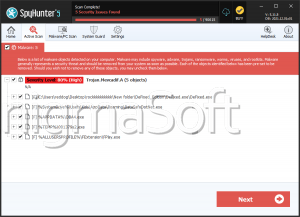
Running a reputable anti-malware scan is strongly recommended, since hidden processes or bundled PUPs may remain active in the background.
Best Practices to Prevent Future Hijackers
Reducing the risk of browser hijackers requires cautious browsing habits and careful software management. Download programs only from official vendor sources, read installation screens closely, and always choose custom setup options when available. This helps reveal bundled extras that might otherwise be installed silently.
Keep browsers and operating systems updated, remove unused extensions, and deny permissions that seem unnecessary. Security software with real-time protection may also help detect unwanted changes before they take hold.
Final Assessment
Startpage Search is not a trustworthy browser tool. It is associated with hijacker activity that may alter browser settings, force redirects, expose users to scams, and collect browsing data. Because these threats often arrive through deceptive software bundles or misleading extensions, prevention depends on careful downloading habits and regular security checks. Prompt removal is the safest response when such behavior appears.