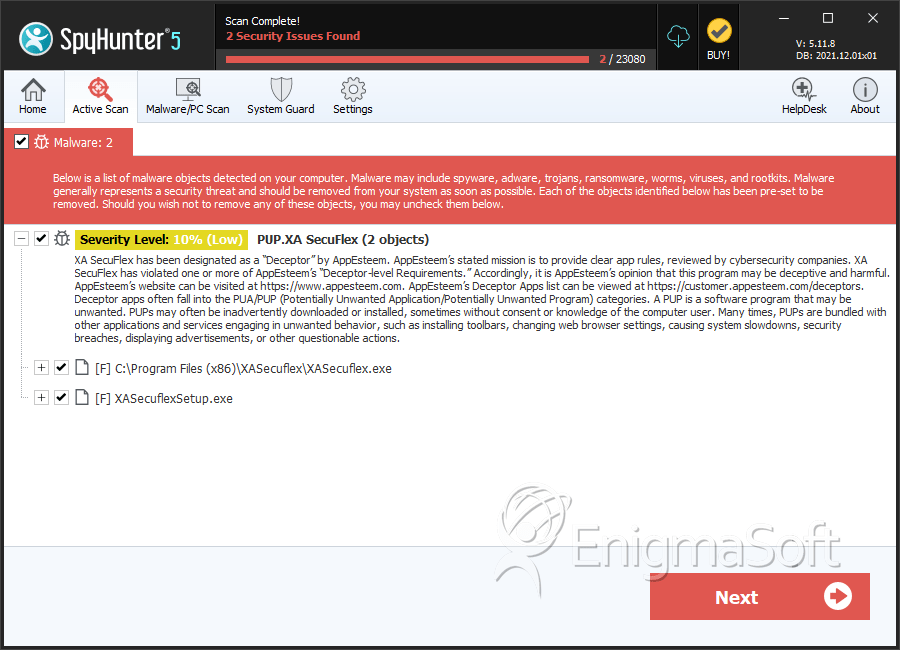
PUP.XA SecuFlex
The detection of PUP.XA SecuFlex on your system indicates the presence of a potentially unwanted program (PUP) that may be causing issues with your computer's performance and security. It's essential to understand the nature of this threat and take immediate action to remove it and prevent further damage.
Table of Contents
What Is PUP.XA SecuFlex?
PUP.XA SecuFlex is a type of malware that is classified as a potentially unwanted program. This category of threats includes software that may not be malicious in the classical sense but can still cause problems for users. PUPs often find their way onto systems through bundled installations, where they are included with other software downloads. They can also be installed through deceptive advertising or by exploiting vulnerabilities in software.
How PUP.XA SecuFlex Operates
Once installed, PUP.XA SecuFlex can operate in various ways, depending on its design and purpose. Some common behaviors of PUPs include displaying unwanted advertisements, collecting user data without consent, and modifying system settings to facilitate further malware installations. They can also consume system resources, leading to decreased performance and increased risk of system crashes.
It's worth noting that while PUPs are not as overtly malicious as other types of malware, such as viruses or Trojans, they can still pose significant risks to user privacy and system security. Their ability to collect data and modify system settings can create vulnerabilities that more dangerous malware can exploit.
Symptoms of Infection
Identifying a PUP.XA SecuFlex infection can be challenging, as these programs often do not exhibit the same level of overt malicious behavior as other types of malware. However, some common symptoms that may indicate the presence of a PUP include increased pop-up advertisements, unexpected changes to browser settings or homepage, and overall system slowdown. Users may also notice unfamiliar programs installed on their system or find that their web browsing is being redirected to unwanted sites.
How to Remove PUP.XA SecuFlex
- Boot your computer in Safe Mode with Networking to prevent the malware from loading and to gain better control over the removal process.
- Perform a full scan of your system using a reputable anti-malware tool, such as SpyHunter, to detect and remove all components of the PUP.XA SecuFlex malware.
- Manually uninstall any suspicious programs that were installed around the time the PUP was detected. Be cautious and only uninstall programs that you are certain are not needed or are known to be malicious.
- Reset your web browsers (Chrome, Firefox, Edge, etc.) to their default settings to remove any changes made by the PUP, such as altered homepages or search engines.
- After completing the above steps, reboot your computer and perform another full scan with your anti-malware tool to ensure that all remnants of the malware have been removed.
Conclusion
Removing PUP.XA SecuFlex requires a combination of technical knowledge and the right tools. By following the steps outlined above and maintaining vigilance in your online activities, you can protect your system from potentially unwanted programs and other types of malware. Regularly updating your software, being cautious with downloads, and using reputable security software are key practices in preventing future infections. Remember, the security of your digital environment depends on your ability to identify and mitigate threats promptly and effectively.
SpyHunter Detects & Remove PUP.XA SecuFlex