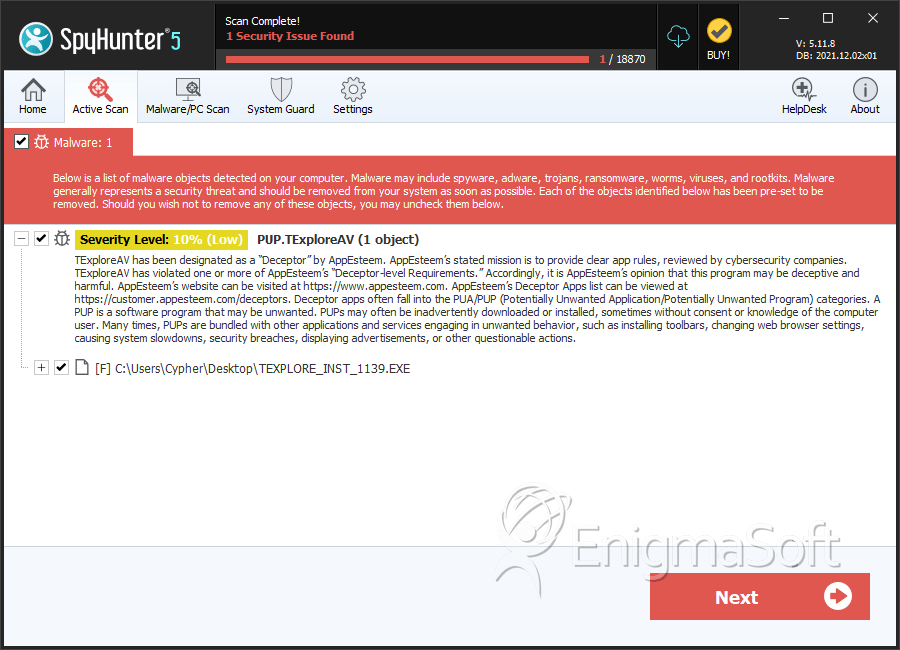
PUP.TExploreAV
The detection of PUP.TExploreAV on your system indicates the presence of a potentially unwanted program (PUP) that may be compromising your computer's security and performance. It is essential to understand the nature of this threat and take immediate action to remove it to prevent further damage.
Table of Contents
What Is PUP.TExploreAV?
PUP.TExploreAV is a type of malware that is classified as a potentially unwanted program. This category of threats includes software that may not be malicious in nature but can still cause significant disruptions to your system's operation and pose risks to your privacy and security. PUPs often find their way onto computers through bundled software downloads, deceptive installation prompts, or exploits in software vulnerabilities.
How PUP.TExploreAV Operates
PUP.TExploreAV, like other PUPs, can operate in various ways to achieve its goals, which may include displaying unwanted advertisements, collecting user data without consent, or modifying system settings to facilitate other malicious activities. These programs can also consume system resources, leading to slowdowns and decreased overall performance. The presence of a PUP can also indicate a vulnerability in your system's defenses, which could be exploited by more severe threats.
Symptoms of Infection
Identifying a PUP infection can be challenging, as these programs often masquerade as legitimate software. However, common symptoms include an increase in unwanted pop-ups or advertisements, unfamiliar programs or toolbars in your web browser, unexpected changes in your browser's homepage or search engine, and a general decrease in system performance. If you have noticed any of these symptoms, it is crucial to investigate further to determine the cause and take appropriate action.
How to Remove PUP.TExploreAV
- Boot your computer in Safe Mode with Networking to prevent PUP.TExploreAV from loading and to gain better control over your system during the removal process.
- Perform a full scan of your system using a reputable anti-malware tool, such as SpyHunter, to detect and remove all components of the PUP. Ensure your chosen tool is updated with the latest definitions to enhance its detection capabilities.
- Manually uninstall any suspicious programs or applications that you do not recognize or no longer need. Be cautious during this process, as some legitimate programs might be mistakenly removed.
- Reset your web browsers (Google Chrome, Mozilla Firefox, Microsoft Edge, etc.) to their default settings to remove any unwanted extensions, toolbars, or changes made by PUP.TExploreAV.
- After completing the above steps, reboot your computer and perform another full scan with your anti-malware tool to ensure that all traces of the PUP have been removed.
Conclusion
Removing PUP.TExploreAV from your system is crucial to restoring your computer's security and performance. By following the steps outlined above and maintaining vigilance in your online activities, you can significantly reduce the risk of future infections. Regularly updating your operating system, browsers, and security software, along with being cautious when downloading and installing software, are key practices in preventing PUPs and other malware from infecting your computer. Stay informed and proactive in protecting your digital environment to ensure a safe and secure computing experience.
SpyHunter Detects & Remove PUP.TExploreAV