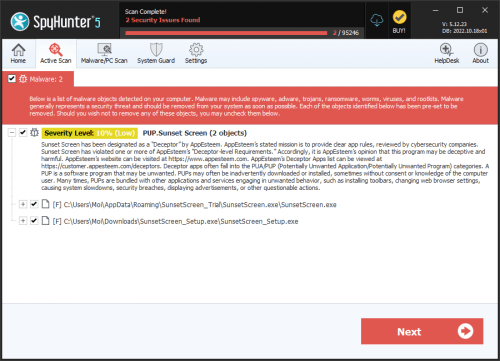
PUP.Screen Shooter
The detection of PUP.Screen Shooter on your system indicates the presence of a potentially unwanted program (PUP) that may be causing issues with your computer's performance and security. It is essential to understand the nature of this threat and take appropriate steps to remove it and prevent future infections.
Table of Contents
What Is PUP.Screen Shooter?
PUP.Screen Shooter is a type of potentially unwanted program that may have been installed on your system without your knowledge or consent. PUPs are software applications that may not be malicious in the classical sense but can still cause problems, such as displaying unwanted advertisements, collecting user data, or modifying system settings. The name "Screen Shooter" suggests that this PUP may be related to screen capture or screenshot functionality, but its actual purpose and behavior may be more complex.
How PUP.Screen Shooter Operates
Like other PUPs, PUP.Screen Shooter may operate by installing itself on your system through various means, such as bundled software, infected downloads, or exploit kits. Once installed, it may start running in the background, consuming system resources, and potentially interacting with other applications or services. The exact mechanisms used by PUP.Screen Shooter to propagate and persist on a system are not known, but it is likely that it uses common PUP tactics, such as registry modifications, scheduled tasks, or startup folder entries.
Symptoms of Infection
Systems infected with PUP.Screen Shooter may exhibit a range of symptoms, including slower performance, increased memory usage, or unexpected behavior. You may notice unwanted pop-ups, ads, or browser redirects, or experience issues with your system's stability or responsiveness. In some cases, PUP.Screen Shooter may also collect user data, such as browsing history or search queries, which can be used for targeted advertising or other malicious purposes.
- Unwanted advertisements or pop-ups
- Slow system performance or crashes
- Modified browser settings or search results
- Unexplained data usage or network activity
How to Remove PUP.Screen Shooter
- Boot your system in Safe Mode with Networking to prevent PUP.Screen Shooter from running and interfering with the removal process.
- Perform a full scan of your system using a reputable anti-malware tool, such as SpyHunter, to detect and remove all instances of PUP.Screen Shooter.
- Uninstall any suspicious programs or applications that may be related to PUP.Screen Shooter, using the Windows Control Panel or equivalent.
- Reset your web browsers, including Chrome, Firefox, and Edge, to their default settings to remove any modified settings or extensions.
- Reboot your system and perform a follow-up scan to ensure that PUP.Screen Shooter has been completely removed.
Conclusion
Removing PUP.Screen Shooter from your system requires a combination of technical expertise and caution. By following the steps outlined above and using reputable anti-malware tools, you can help ensure that your system is free from this potentially unwanted program and prevent future infections. Remember to always be vigilant when downloading software or clicking on links, and keep your operating system and applications up to date to minimize the risk of PUP infections.
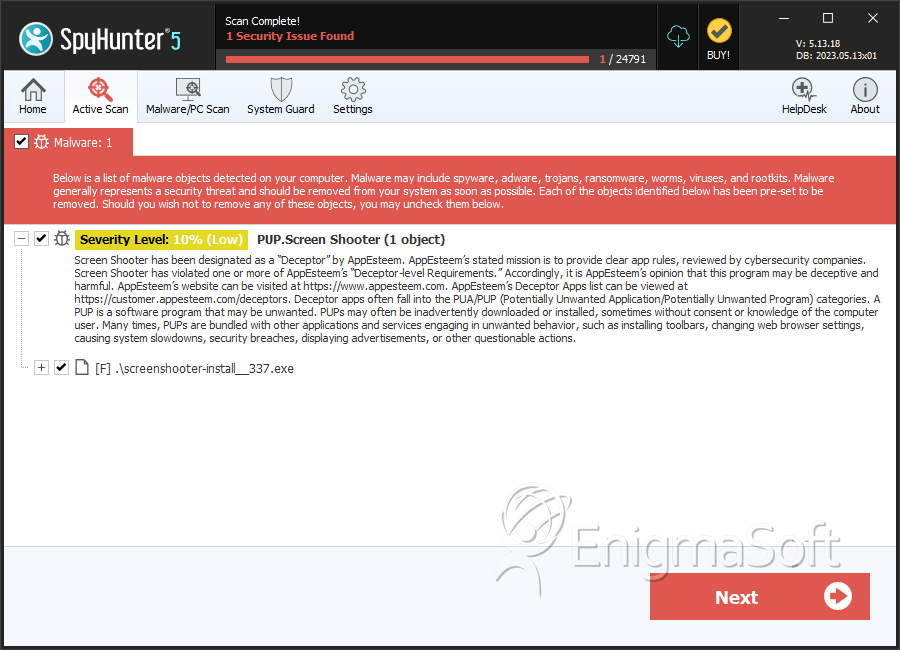
SpyHunter Detects & Remove PUP.Screen Shooter