PUP.Registry First Aid
The detection of PUP.Registry First Aid on your system indicates the presence of a potentially unwanted program (PUP) that may be causing issues with your computer's performance and security. It is essential to understand the nature of this threat and take appropriate steps to remove it to prevent any potential harm.
Table of Contents
What Is PUP.Registry First Aid?
PUP.Registry First Aid is a type of potentially unwanted program that is designed to modify system settings and registry entries, potentially causing problems with system stability and security. PUPs are often bundled with other software or downloaded from the internet, and they can be difficult to remove without proper tools and techniques. While PUPs are not typically considered malware, they can still cause significant issues with system performance and can potentially lead to more severe security problems if left unchecked.
How PUP.Registry First Aid Operates
PUP.Registry First Aid operates by modifying system settings and registry entries to achieve its goals, which may include displaying unwanted advertisements, collecting user data, or redirecting users to unwanted websites. It may also attempt to disable security software or other system protections to avoid detection and removal. In some cases, PUPs like PUP.Registry First Aid may also install additional software or components that can further compromise system security.
Symptoms of Infection
Systems infected with PUP.Registry First Aid may exhibit a range of symptoms, including slowed system performance, unwanted pop-ups or advertisements, and unexpected changes to system settings or browser configurations. Users may also notice that their system is running more slowly or that their browser is being redirected to unwanted websites. In some cases, users may not notice any symptoms at all, which is why regular system scans and monitoring are essential for detecting and removing PUPs like PUP.Registry First Aid.
How to Remove PUP.Registry First Aid
- Boot your system in Safe Mode with Networking to prevent PUP.Registry First Aid from loading and to allow for more effective removal.
- Perform a full scan of your system using a reputable anti-malware tool, such as SpyHunter, to detect and remove all components of PUP.Registry First Aid.
- Uninstall any suspicious programs or software that may be related to PUP.Registry First Aid, taking care to follow proper uninstallation procedures to avoid causing further system problems.
- Reset your web browsers, including Chrome, Firefox, and Edge, to their default settings to remove any unwanted extensions or configurations that may have been installed by PUP.Registry First Aid.
- Reboot your system and perform a follow-up scan to ensure that all components of PUP.Registry First Aid have been successfully removed.
Conclusion
Removing PUP.Registry First Aid from your system is essential to prevent potential security problems and performance issues. By following the steps outlined above and using reputable anti-malware tools, you can effectively remove PUP.Registry First Aid and help protect your system from similar threats in the future. It is also essential to practice good system hygiene, including regularly scanning your system for malware and keeping your operating system and software up to date, to prevent PUPs and other types of malware from infecting your system.
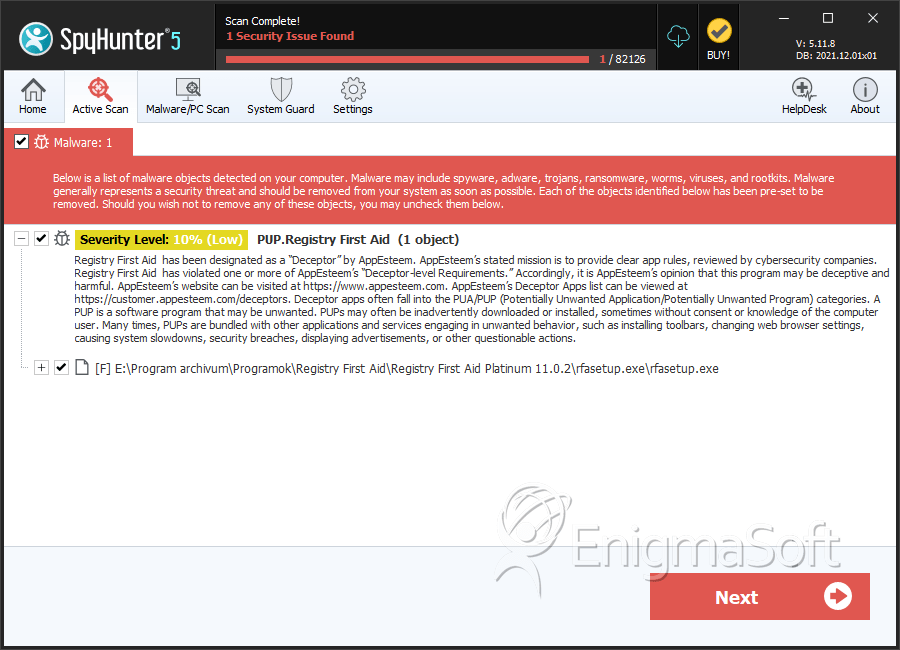
SpyHunter Detects & Remove PUP.Registry First Aid