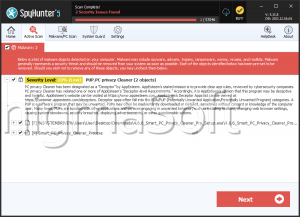
PUP.Privacy Controls
The detection of PUP.Privacy Controls on your system indicates the presence of a potentially unwanted program (PUP) that may be compromising your privacy and security. This type of threat is designed to operate discreetly, often without the user's knowledge or consent, making it essential to understand its nature and take appropriate removal steps.
Table of Contents
What Is PUP.Privacy Controls?
PUP.Privacy Controls is categorized as a potentially unwanted program, which means it is not necessarily malicious in the traditional sense but can still cause significant issues for the user. These programs often find their way onto systems through bundled software downloads, where they are included alongside legitimate applications. Once installed, PUPs can lead to a variety of problems, including privacy concerns, as they may collect and transmit user data without explicit permission.
How PUP.Privacy Controls Operates
Understanding how PUP.Privacy Controls operates is crucial for effective removal and prevention of future infections. Typically, PUPs like this one are designed to integrate themselves into the system, making them harder to detect and remove. They may alter system settings, install additional unwanted software, or display unwanted advertisements. The primary goal of such programs is often to generate revenue for their developers through these invasive means, without providing any significant benefits to the user.
Symptoms of Infection
Symptoms of a PUP.Privacy Controls infection can vary but commonly include an increase in unwanted pop-ups, changes in browser settings, the appearance of new, unfamiliar programs, or a general slowdown in system performance. Users may also notice that their personal data is being collected or that their browsing activities are being tracked without their consent. Recognizing these symptoms is the first step towards taking corrective action and securing your system.
How to Remove PUP.Privacy Controls
- Enter Safe Mode with Networking to prevent the PUP from interfering with the removal process. This mode allows you to use the internet to download necessary tools while limiting the PUP's ability to operate.
- Perform a full scan of your system using a reputable anti-malware tool, such as SpyHunter. These tools are designed to detect and remove PUPs and other types of malware, ensuring a thorough cleaning of your system.
- Uninstall suspicious programs that you do not recognize or no longer need. Be cautious during this process, as some legitimate programs might be mistakenly removed. Ensure you have the installation media or access to a safe download source for any programs you might need to reinstall.
- Reset your web browsers, including Chrome, Firefox, and Edge, to their default settings. This step helps remove any unwanted extensions or settings changes made by the PUP. After resetting, ensure you have the latest updates installed for your browsers and any installed extensions.
- Finally, reboot your system and perform another scan to ensure that all components of the PUP have been removed. This final scan is crucial, as some remnants might still be present after the initial removal process.
Conclusion
The removal of PUP.Privacy Controls requires a systematic approach to ensure that all its components are eliminated from your system. By following the steps outlined above and maintaining vigilance during software installations, you can protect your system from similar threats in the future. Regularly updating your operating system, browsers, and security software, along with using strong, unique passwords and enabling two-factor authentication where possible, are also key practices in safeguarding your digital environment.
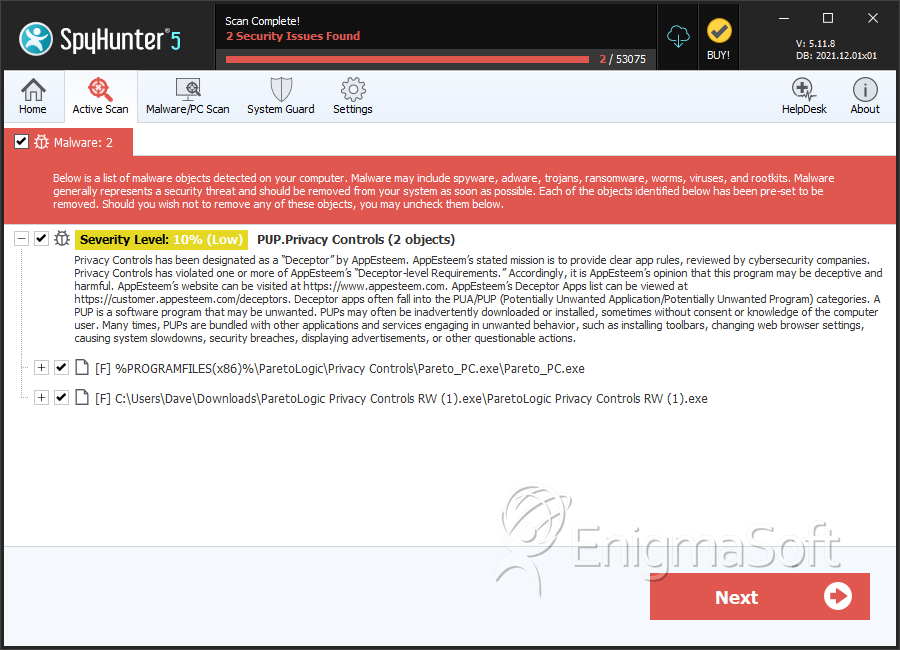
SpyHunter Detects & Remove PUP.Privacy Controls