PUP.PC PrivacyCleaner
The detection of PUP.PC PrivacyCleaner on your system indicates the presence of a potentially unwanted program (PUP) that may compromise your privacy and system security. This type of software is designed to appear useful but often exhibits malicious behavior, making it essential to understand its nature and take appropriate removal steps.
Table of Contents
What Is PUP.PC PrivacyCleaner?
PUP.PC PrivacyCleaner is classified as a potentially unwanted program, which means it is not necessarily malicious in the traditional sense but can still pose risks to your system and personal data. These programs often promise to perform tasks such as cleaning temporary files, optimizing system performance, or protecting privacy but may actually collect user data, display unwanted advertisements, or install additional unwanted software.
How PUP.PC PrivacyCleaner Operates
PUPs like PUP.PC PrivacyCleaner typically operate by installing themselves on a system through bundled software downloads, deceptive advertisements, or exploit kits. Once installed, they may run in the background, consuming system resources and potentially collecting user data without consent. They might also modify system settings, alter browser configurations, or install additional components that are not easily removable.
Symptoms of Infection
Systems infected with PUP.PC PrivacyCleaner may exhibit a variety of symptoms, including but not limited to, an increase in unwanted advertisements, changes in browser settings such as homepage or default search engine, appearance of toolbars or extensions that were not installed by the user, and overall system slowdown. Users may also notice that their personal data, such as browsing history or search queries, is being collected or sold to third parties without their consent.
How to Remove PUP.PC PrivacyCleaner
- Enter Safe Mode with Networking to prevent the malware from loading and to gain better control over your system during the removal process.
- Perform a full scan of your system using a reputable anti-malware tool such as SpyHunter. This will help identify and remove all components of the PUP.
- Uninstall suspicious programs that were installed around the time the PUP was detected. Be cautious and only remove programs that you are certain are not necessary for your system's operation.
- Reset your browsers (Chrome, Firefox, Edge, etc.) to their default settings to remove any changes made by the PUP, such!!!!!!!!!!!!!!!!!!!!!!!!!!!!!!!!!!!!!!!!!!!!!!!!!!!!!!!!!!!!!!!!!!!!!!!!!!!!!!!!!!!!!!!!!!!!!!!!!!!!!!!!!!!!!!!!!!!!!!!!!!!!!!!!!!!!!!!!!!!!!!!!!!!!!!!!!!!!!!!!!!!!!!!!!!!!!!!!!!!!!!!!!!!!!!!!!!!!!!!!!!!!!!!!!!!!!!!!!!!!!!!!!!!!!!!!!!!!!!!!!!!!!!!!!!!!!!!!!!!!!!!!!!!!!!!!!!!!!!!!!!!!!!!!!!!!!!!!!!!!!!!!!!!!!!!!!!!!!!!!!!!!!!!!!!!!!!!!!!!!!!!!!!!!!!!!!!!!!!!!!!!!!!!!!!!!!!!!!!!!!!!!!!!!!!! as unwanted extensions or toolbars.
- Reboot your system and perform another scan with your anti-malware tool to ensure all components of the PUP have been removed.
Conclusion
Removing PUP.PC PrivacyCleaner from your system is crucial to protecting your privacy and ensuring your system operates securely and efficiently. By following the steps outlined above and maintaining vigilance when installing software or clicking on advertisements, you can significantly reduce the risk of PUP infections in the future. Regular system scans with reputable anti-malware tools and keeping your operating system and software up to date are also essential practices for preventing such infections.
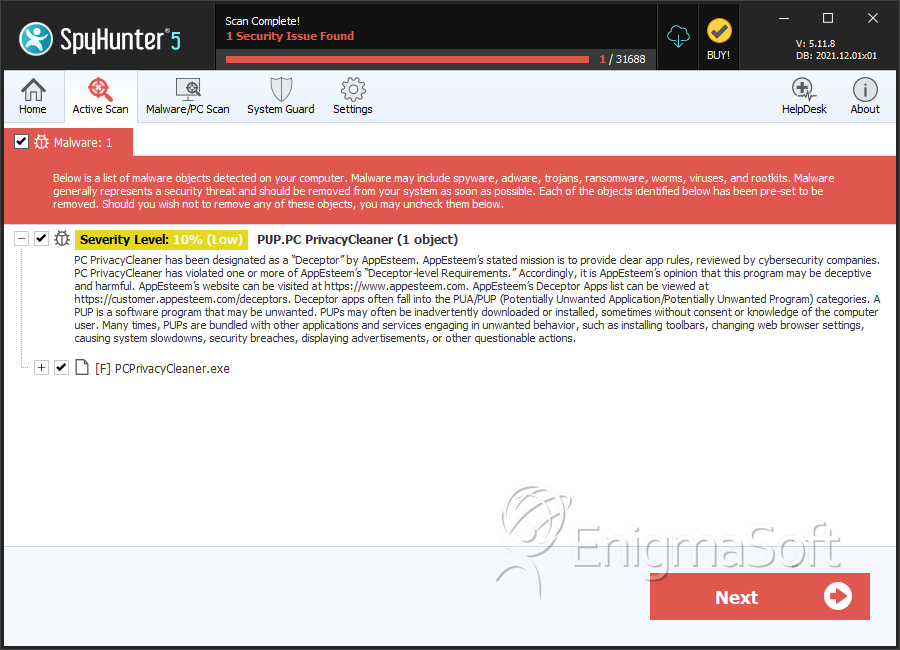
SpyHunter Detects & Remove PUP.PC PrivacyCleaner