PUP.MyPC Utilities
The detection of PUP.MyPC Utilities on your system indicates the presence of a potentially unwanted program (PUP) that may be compromising your computer's performance and security. It's essential to understand the nature of this threat and take appropriate steps to remove it and prevent future infections.
Table of Contents
What Is PUP.MyPC Utilities?
PUP.MyPC Utilities is a type of malware that is classified as a potentially unwanted program. This category of threats includes software that may not be malicious in the classical sense but can still cause significant disruptions to your system's functionality and pose risks to your personal data. PUPs often find their way onto computers through bundled software installations, where they are included alongside legitimate programs without the user's full awareness or consent.
How PUP.MyPC Utilities Operates
Once installed, PUP.MyPC Utilities may operate in various ways to achieve its goals, which could range from displaying unwanted advertisements to collecting user data without permission. It may also modify system settings or browser configurations to facilitate its activities, potentially leading to a degradation in system performance and an increase in security vulnerabilities. Understanding how PUPs like PUP.MyPC Utilities operate is crucial for developing effective strategies for their removal and prevention.
Symptoms of Infection
The symptoms of a PUP.MyPC Utilities infection can vary but may include an unusual increase in pop-up advertisements, unexpected changes to your browser's homepage or search engine, slowdowns in computer performance, and the appearance of unfamiliar programs or toolbars. If you've noticed any of these symptoms, it's a good indication that your system may be infected, and you should take immediate action to address the issue.
- Increased appearance of pop-ups or unwanted advertisements
- Changes to browser settings without user intervention
- Slowing down of computer performance
- Apearance of unfamiliar programs or toolbars
How to Remove PUP.MyPC Utilities
Removing PUP.MyPC Utilities requires a systematic approach to ensure that all components of the malware are eliminated from your system. Here's a step-by-step guide to help you through the process:
- Boot your computer in Safe Mode with Networking to prevent the malware from loading and to give you an internet connection for downloading removal tools.
- Download and install a reputable anti-malware tool, such as SpyHunter, and perform a full scan of your system to detect and remove all traces of PUP.MyPC Utilities.
- Manually uninstall any suspicious programs that you believe may be associated with the PUP. Be cautious and only remove programs that you are certain are not essential to your system's operation.
- Reset your web browsers (Chrome, Firefox, Edge, etc.) to their default settings to remove any changes made by the malware. This includes removing unwanted extensions and resetting the homepage and search engine.
- Reboot your computer and perform another scan with your anti-malware tool to ensure that all remnants of the malware have been removed.
Conclusion
The removal of PUP.MyPC Utilities is a critical step in protecting your computer and personal data from potential harm. By following the steps outlined above and maintaining vigilance in your online activities, you can significantly reduce the risk of future infections. Regularly updating your operating system, browsers, and security software, as well as being cautious with downloads and email attachments, are key practices in preventing malware infections. Stay informed and proactive in your digital security to ensure a safe and secure computing environment.
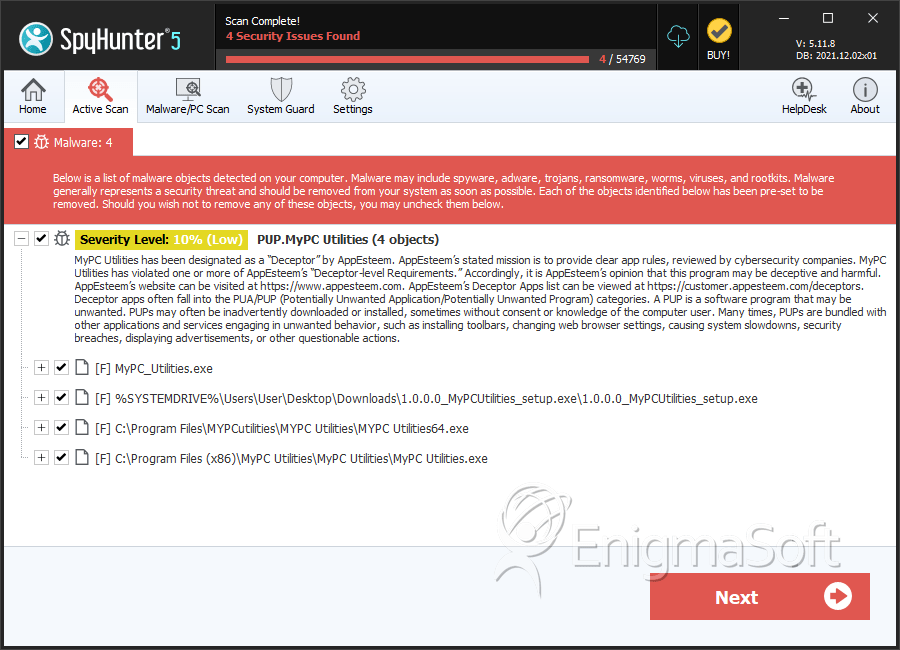
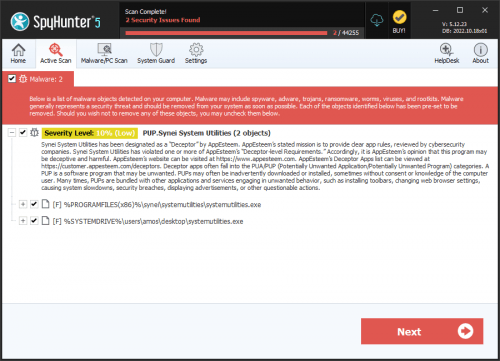
SpyHunter Detects & Remove PUP.MyPC Utilities