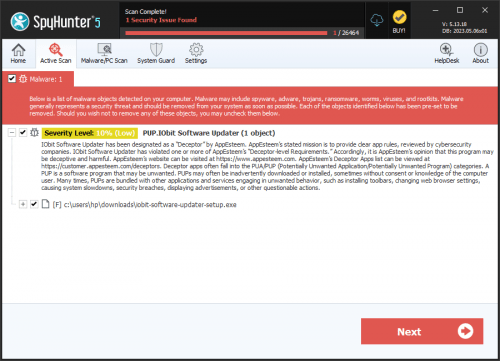
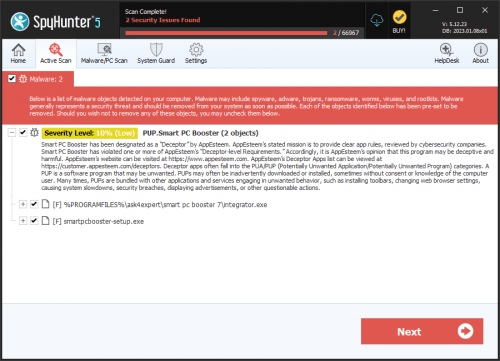
PUP.Iobit Smart Defrag
The detection of PUP.Iobit Smart Defrag on your system indicates the presence of a potentially unwanted program (PUP) that may be causing issues with your computer's performance and security. It is essential to understand the nature of this threat and take appropriate steps to remove it to prevent any potential harm.
Table of Contents
What Is PUP.Iobit Smart Defrag?
PUP.Iobit Smart Defrag is a type of potentially unwanted program that may have been installed on your system without your knowledge or consent. It is often bundled with other software or downloaded from untrusted sources. This program may claim to offer disk defragmentation services, but its primary purpose is to compromise your system's security and potentially install additional malware.
How PUP.Iobit Smart Defrag Operates
PUP.Iobit Smart Defrag operates by exploiting vulnerabilities in your system's security to gain unauthorized access. Once installed, it may start running in the background, consuming system resources, and potentially installing additional malware or unwanted programs. This can lead to a range of issues, including slowed system performance, unwanted pop-ups, and compromised personal data.
It is crucial to note that PUP.Iobit Smart Defrag may not exhibit any obvious symptoms, making it challenging to detect without the use of antivirus software. However, by understanding how it operates, you can take proactive steps to prevent its installation and remove it if it has already been installed.
Symptoms of Infection
While PUP.Iobit Smart Defrag may not always exhibit obvious symptoms, there are some signs that may indicate its presence on your system. These include slowed system performance, unwanted pop-ups, and unfamiliar programs or icons on your desktop. If you notice any of these symptoms, it is essential to take immediate action to remove the threat.
- Unwanted changes to your system settings or configuration
- Unfamiliar programs or icons on your desktop
- Slowed system performance or frequent crashes
- Unwanted pop-ups or advertisements
How to Remove PUP.Iobit Smart Defrag
- Boot your system in Safe Mode with Networking to prevent the malware from running
- Perform a full scan of your system using a reputable antivirus tool, such as SpyHunter, to detect and remove any malware
- Uninstall any suspicious programs or applications that may be related to the PUP
- Reset your web browsers, including Chrome, Firefox, and Edge, to their default settings to remove any unwanted extensions or add-ons
- Reboot your system and perform another scan to ensure that the threat has been completely removed
Conclusion
Removing PUP.Iobit Smart Defrag from your system is crucial to preventing any potential harm. By following the steps outlined above, you can ensure that your system is secure and free from this potentially unwanted program. It is also essential to practice safe computing habits, such as avoiding untrusted sources and keeping your antivirus software up-to-date, to prevent similar threats in the future.
Remember, the detection of PUP.Iobit Smart Defrag is a warning sign that your system's security has been compromised. Take immediate action to remove the threat, and take proactive steps to prevent similar threats from infecting your system in the future.