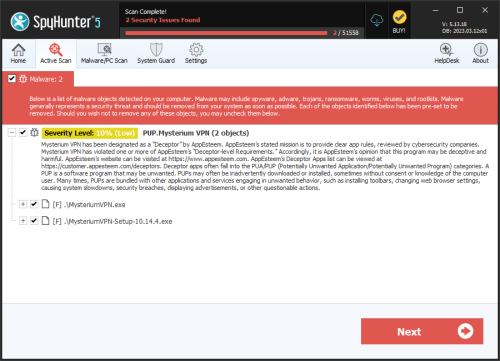
PUP.Hola VPN
The detection of PUP.Hola VPN on your system indicates the presence of a potentially unwanted program (PUP) that may compromise your computer's security and privacy. It is essential to understand the nature of this threat and take immediate action to remove it. PUPs are software applications that may not be malicious in the classical sense but can still cause significant disruptions and risks to your system.
Table of Contents
What Is PUP.Hola VPN?
PUP.Hola VPN is categorized as a potentially unwanted program due to its potential to invade user privacy, display unwanted advertisements, and possibly redirect browsing activities. While it may offer functionalities such as VPN services, its primary purpose seems to be centered around collecting user data and generating revenue through advertisements. The term "PUP" signifies that while the program is not inherently malicious like viruses or Trojans, its behavior and impact on the system can be detrimental.
How PUP.Hola VPN Operates
PUP.Hola VPN, like many other PUPs, typically operates by installing itself on a computer without the user's full knowledge or consent. It may piggyback on other software installations, be downloaded from questionable sources, or be installed through deceptive means. Once installed, it can start collecting user data, such as browsing history, search queries, and other personal information, which can then be sold to third parties or used for targeted advertising. Its operation can lead to a slowdown in system performance, increased risk of malware infections, and exposure of personal data to unauthorized parties.
Symptoms of Infection
Symptoms of a PUP.Hola VPN infection can vary but often include an increase in unwanted advertisements, pop-ups, and banners appearing on web pages. Users may also experience redirects to unwanted websites, changes in their default search engine or homepage, and a general degradation in browsing performance. Additionally, the presence of unfamiliar programs or toolbars in the browser or system that the user does not recall installing can be a sign of infection. These symptoms indicate that the system's security and privacy are at risk, necessitating prompt action to remove the PUP.
How to Remove PUP.Hola VPN
- Boot your computer in Safe Mode with Networking to prevent the PUP from loading and to gain better control over the removal process.
- Perform a full scan of your system using a reputable anti-malware tool, such as SpyHunter, to detect and remove all components of PUP.Hola VPN.
- Manually uninstall any suspicious programs or applications that were installed around the time the PUP was detected. This can be done through the Control Panel or Settings app, depending on your operating system.
- Reset your web browsers (Chrome, Firefox, Edge, etc.) to their default settings to remove any changes made by the PUP, such as altered homepages, search engines, or installed extensions.
- Reboot your computer and perform another full scan with your anti-malware tool to ensure that all remnants of PUP.Hola VPN have been removed.
Conclusion
Removing PUP.Hola VPN from your system is crucial to restore your privacy and security. By following the steps outlined above and maintaining vigilance in downloading and installing software, you can significantly reduce the risk of PUP infections. Regularly updating your operating system, browsers, and security software, along with being cautious of free downloads and using strong, unique passwords, are also key practices in protecting your digital environment. Remember, prevention and prompt action are the best defenses against potentially unwanted programs and other cyber threats.