PUP.Fast Browser Cleaner
The detection of PUP.Fast Browser Cleaner on your system indicates the presence of a potentially unwanted program (PUP) that may be causing issues with your browser and overall system performance. PUPs are software applications that are installed on a user's device without their full consent or knowledge, often through bundled installations or deceptive download practices. In this report, we will provide an overview of PUP.Fast Browser Cleaner, its operating methods, symptoms of infection, and steps to remove it from your system.
Table of Contents
What Is PUP.Fast Browser Cleaner?
PUP.Fast Browser Cleaner is a type of potentially unwanted program that is designed to purportedly clean and optimize browser performance. However, its true intentions and behaviors may be malicious, causing more harm than good to your system. PUPs like PUP.Fast Browser Cleaner often collect user data, display unwanted advertisements, and modify browser settings without user consent.
How PUP.Fast Browser Cleaner Operates
PUP.Fast Browser Cleaner operates by installing itself on a user's device, often through bundled software installations or deceptive download practices. Once installed, it may begin to collect user data, such as browsing history and search queries, and transmit this information to its developers or third-party advertisers. It may also display unwanted advertisements, such as pop-ups, banners, and sponsored search results, which can be annoying and potentially malicious. Additionally, PUP.Fast Browser Cleaner may modify browser settings, such as changing the default search engine or homepage, without user consent.
Symptoms of Infection
Symptoms of PUP.Fast Browser Cleaner infection may include unwanted advertisements, modified browser settings, and slowed system performance. You may notice that your browser is displaying unusual or suspicious behavior, such as redirecting to unwanted websites or displaying pop-up advertisements. Your system may also become slower or more unstable, causing freezes, crashes, or errors. If you suspect that your system is infected with PUP.Fast Browser Cleaner, it is essential to take immediate action to remove it and prevent further damage.
How to Remove PUP.Fast Browser Cleaner
- Boot your system in Safe Mode with Networking to prevent PUP.Fast Browser Cleaner from loading and interfering with the removal process.
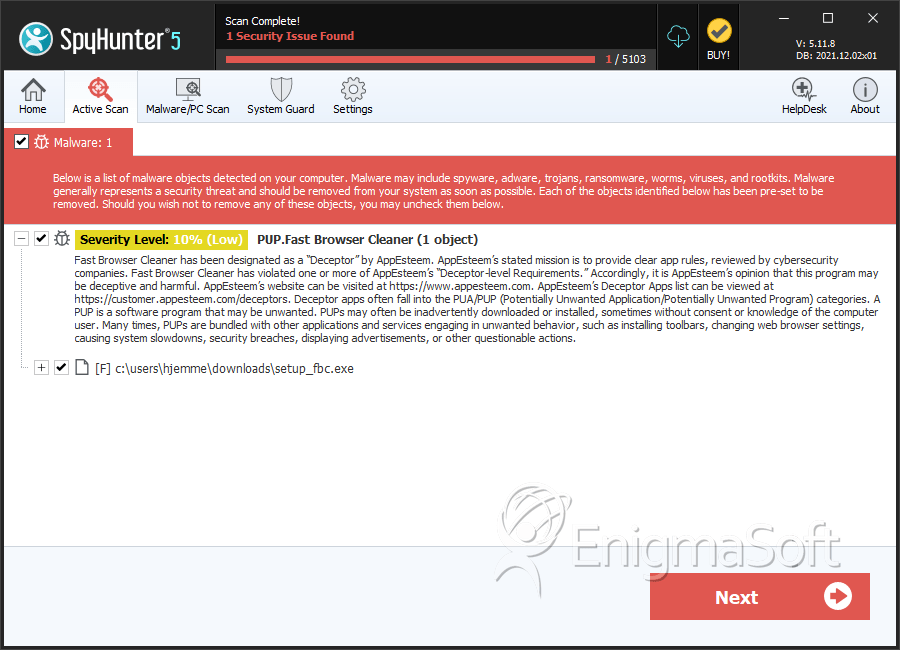
- Perform a full scan of your system using a reputable anti-malware tool, such as SpyHunter, to detect and remove all instances of PUP.Fast Browser Cleaner.
- Uninstall any suspicious programs or applications that may be related to PUP.Fast Browser Cleaner, taking care to read all uninstallation prompts carefully.
- Reset your browser settings to their default values, including Chrome, Firefox, and Edge, to remove any modifications made by PUP.Fast Browser Cleaner.
- Reboot your system and perform a follow-up scan to ensure that all instances of PUP.Fast Browser Cleaner have been removed and that your system is clean.
Conclusion
Removing PUP.Fast Browser Cleaner from your system requires careful attention to detail and a thorough understanding of its operating methods and symptoms of infection. By following the steps outlined in this report, you can effectively remove PUP.Fast Browser Cleaner and prevent further damage to your system. It is essential to remain vigilant and proactive in protecting your system from potentially unwanted programs and other types of malware, using reputable anti-malware tools and best practices to ensure your system remains clean and secure.
SpyHunter Detects & Remove PUP.Fast Browser Cleaner