PUP.Driver Hub
The detection of PUP.Driver Hub on your system indicates the presence of a potentially unwanted program (PUP) that may be causing issues with your computer's performance and security. It is essential to understand the nature of this threat and take appropriate steps to remove it to prevent any potential harm. In this report, we will provide you with information on what PUP.Driver Hub is, how it operates, its symptoms, and most importantly, how to remove it from your system.
Table of Contents
What Is PUP.Driver Hub?
PUP.Driver Hub is classified as a potentially unwanted program (PUP), which means it is not necessarily malicious but can still cause problems for your computer. PUPs are often installed unintentionally by users, usually as part of a software bundle or through deceptive download buttons on websites. Once installed, PUP.Driver Hub may exhibit behaviors that are undesirable, such as displaying unwanted advertisements, collecting user data without consent, or modifying system settings.
How PUP.Driver Hub Operates
The operation of PUP.Driver Hub can vary, but common behaviors among PUPs include altering browser settings to redirect users to specific websites, displaying pop-up ads, and collecting user data such as browsing history and search queries. Some PUPs may also have the capability to download and install additional software without user consent, potentially leading to further system compromise. Understanding how PUP.Driver Hub operates is crucial for effectively removing it and preventing similar infections in the future.
Symptoms of Infection
Symptoms of a PUP.Driver Hub infection can include, but are not limited to, an increase in unwanted advertisements, unexpected changes to browser settings, sluggish system performance, and the presence of unfamiliar programs or toolbars. Users may also notice that their search engine or homepage has been changed without their consent. If you are experiencing any of these symptoms, it is likely that your system is infected with PUP.Driver Hub or a similar PUP.
How to Remove PUP.Driver Hub
Removing PUP.Driver Hub requires careful steps to ensure that all components of the PUP are eliminated from your system. Here is a step-by-step guide to help you remove PUP.Driver Hub:
- Boot your computer in Safe Mode with Networking to prevent PUP.Driver Hub from loading and interfering with the removal process.
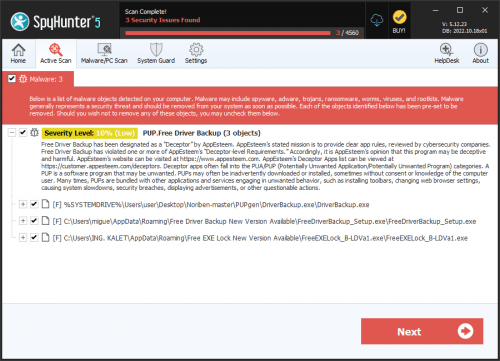
- Perform a full scan of your system using a reputable anti-malware tool, such as SpyHunter, to detect and remove all traces of PUP.Driver Hub.
- Uninstall any suspicious programs that were installed around the time the symptoms appeared. Be cautious and only uninstall programs that you are certain are not needed.
- Reset your web browsers (Google Chrome, Mozilla Firefox, Microsoft Edge, etc.) to their default settings to remove any alterations made by PUP.Driver Hub.
- Reboot your computer and perform another scan with your anti-malware tool to ensure that PUP.Driver Hub has been completely removed.
Conclusion
The removal of PUP.Driver Hub is crucial to maintaining the security and performance of your computer. By following the steps outlined in this report, you should be able to successfully remove PUP.Driver Hub and prevent future infections. It is also important to practice safe computing habits, such as avoiding suspicious downloads and regularly scanning your system for malware, to protect your system from similar threats. Remember, vigilance and proactive measures are key to keeping your computer safe and secure.