PUP.Driver Booster
The detection of PUP.Driver Booster on your system indicates the presence of a potentially unwanted program (PUP) that may be causing issues with your computer's performance and security. It is essential to understand the nature of this threat and take appropriate steps to remove it to prevent further problems.
Table of Contents
What Is PUP.Driver Booster?
PUP.Driver Booster is a type of potentially unwanted program that is designed to appear as a useful tool, but in reality, it can cause more harm than good. PUPs are often bundled with other software or downloaded from the internet, and they can be challenging to remove once installed. The term "PUP" refers to the fact that these programs are not necessarily malicious, but they can still cause problems and compromise the security of your system.
How PUP.Driver Booster Operates
PUP.Driver Booster, like other PUPs, operates by installing itself on your system and then attempting to modify your computer's settings and configuration. It may claim to offer benefits such as improved performance or enhanced functionality, but in reality, it can slow down your system, display unwanted advertisements, and even collect your personal data. PUPs can also install additional software or toolbars, which can further compromise your system's security and performance.
Symptoms of Infection
If your system is infected with PUP.Driver Booster, you may experience a range of symptoms, including slow system performance, unwanted advertisements and pop-ups, and changes to your browser settings and configuration. You may also notice that your system is crashing or freezing more frequently, or that your personal data is being collected and transmitted to unknown parties. In some cases, PUPs can also install additional malware or viruses, which can cause even more severe problems.
- Slow system performance and responsiveness
- Unwanted advertisements and pop-ups
- Changes to browser settings and configuration
- System crashes and freezes
- Collection and transmission of personal data
How to Remove PUP.Driver Booster
- Boot your system in Safe Mode with Networking to prevent the PUP from loading and to allow you to download and install removal tools.
- Download and install a reputable anti-malware tool, such as SpyHunter, and perform a full scan of your system to detect and remove the PUP and any associated malware.
- Uninstall any suspicious programs or software that may be associated with the PUP.
- Reset your browser settings to their default values, including Chrome, Firefox, and Edge, to remove any changes made by the PUP.
- Reboot your system and perform a follow-up scan to ensure that the PUP and any associated malware have been completely removed.
Conclusion
Removing PUP.Driver Booster from your system requires careful attention to detail and a thorough understanding of the steps involved. By following the guidance outlined above, you can help to ensure that your system is completely clean and free from the effects of this potentially unwanted program. Remember to always be cautious when downloading software from the internet, and to carefully read the terms and conditions of any installation process to avoid inadvertently installing PUPs or other malware. Regularly scanning your system with a reputable anti-malware tool can also help to detect and remove any potential threats before they cause problems.
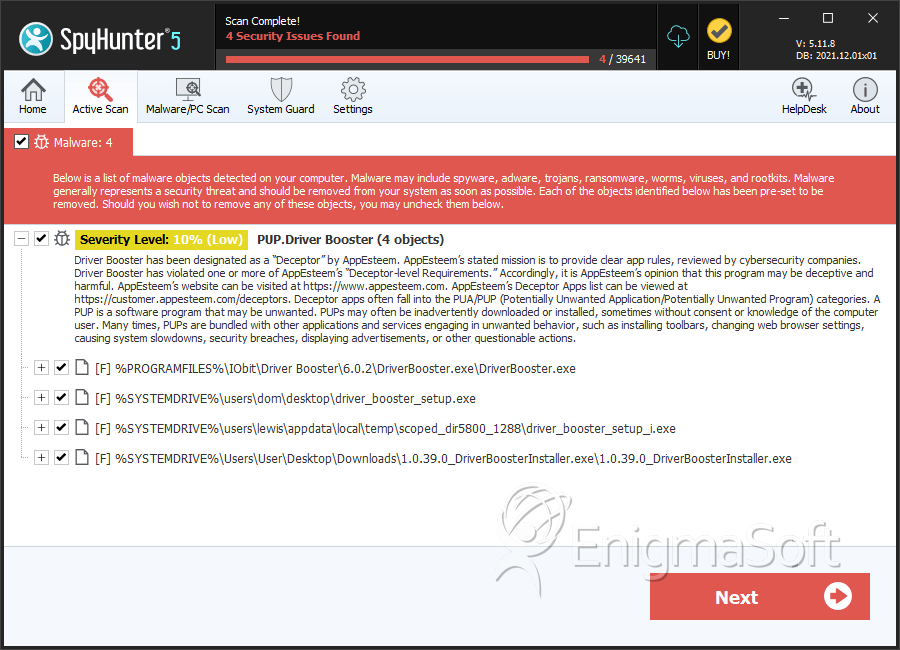
SpyHunter Detects & Remove PUP.Driver Booster