PUP.Auslogics BoostSpeed 12
The detection of PUP.Auslogics BoostSpeed 12 on your system indicates the presence of a potentially unwanted program (PUP) that may be causing issues with your computer's performance and security. It is essential to understand the nature of this detection and take appropriate steps to remove it and prevent future infections.
Table of Contents
What Is PUP.Auslogics BoostSpeed 12?
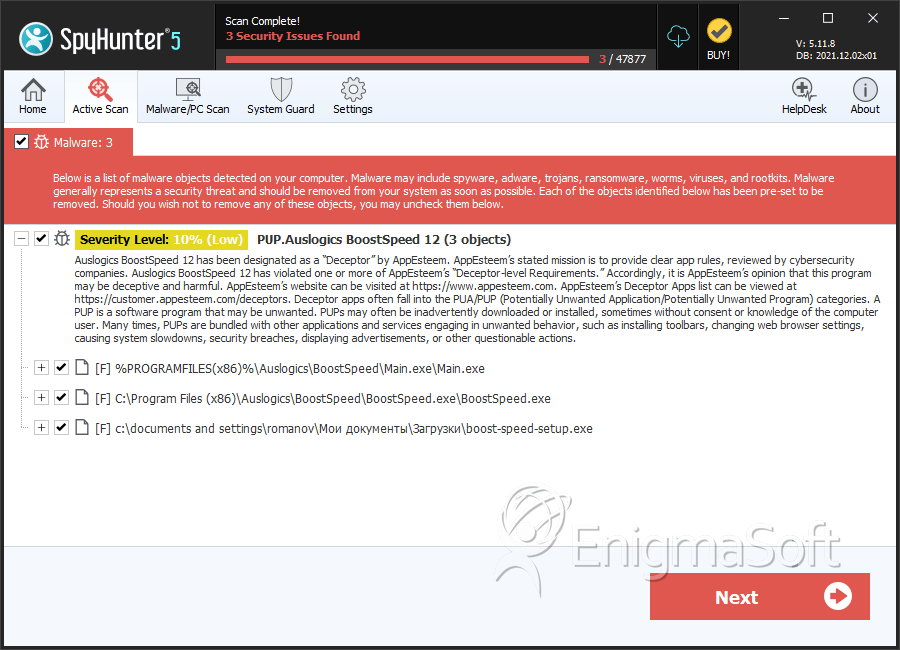
PUP.Auslogics BoostSpeed 12 refers to a specific detection related to the Auslogics BoostSpeed software, which is designed to optimize computer performance. However, the "PUP" designation indicates that this software may be installed without user consent or may exhibit behaviors that are not entirely transparent or desirable. Potentially unwanted programs can range from annoying adware to more sinister malware, and it's crucial to assess the impact of PUP.Auslogics BoostSpeed 12 on your system.
How PUP.Auslogics BoostSpeed 12 Operates
While the exact operation of PUP.Auslogics BoostSpeed 12 can vary, potentially unwanted programs often install themselves through bundled software downloads, where they are included alongside a desired program. Once installed, PUPs can modify system settings, display unwanted advertisements, collect user data without consent, or even install additional malicious software. Understanding how PUP.Auslogics BoostSpeed 12 operates on your system is key to removing it effectively and preventing re-infection.
Symptoms of Infection
Symptoms of a PUP infection can be subtle but may include slowed system performance, unwanted pop-ups or advertisements, unexpected changes to browser settings or homepage, and increased risk of other malware infections due to system vulnerabilities exploited by the PUP. If you've noticed any of these symptoms, it's likely that PUP.Auslogics BoostSpeed 12 or another malicious program is affecting your computer.
- Unwanted changes to your browser or system settings
- Appearance of pop-ups, ads, or other unwanted content
- Slowdown in system performance or frequent crashes
- Unexplained data usage or strange network activity
How to Remove PUP.Auslogics BoostSpeed 12
- Boot your computer in Safe Mode with Networking to prevent the PUP from loading and to gain better control over your system during the removal process.
- Perform a full scan of your system using a reputable anti-malware tool, such as SpyHunter, to detect and remove all components of PUP.Auslogics BoostSpeed 12 and any other malware that may be present.
- Manually uninstall any suspicious programs that were installed around the time the PUP was detected, as these may be related to the infection.
- Reset your web browsers (Chrome, Firefox, Edge, etc.) to their default settings to remove any unwanted changes made by the PUP, such as altered homepages or search engines.
- Reboot your computer and perform another scan with your anti-malware tool to ensure that all traces of the PUP have been removed and that your system is clean.
Conclusion
Removing PUP.Auslogics BoostSpeed 12 requires careful attention to detail and a thorough approach to ensure that all components of the potentially unwanted program are eliminated from your system. By following the steps outlined above and maintaining vigilance in your computing practices, you can protect your system from future infections and keep your personal data and computer performance safe. Regularly updating your operating system, browsers, and security software, as well as being cautious when downloading and installing new programs, are key preventive measures against PUPs and other forms of malware.
SpyHunter Detects & Remove PUP.Auslogics BoostSpeed 12