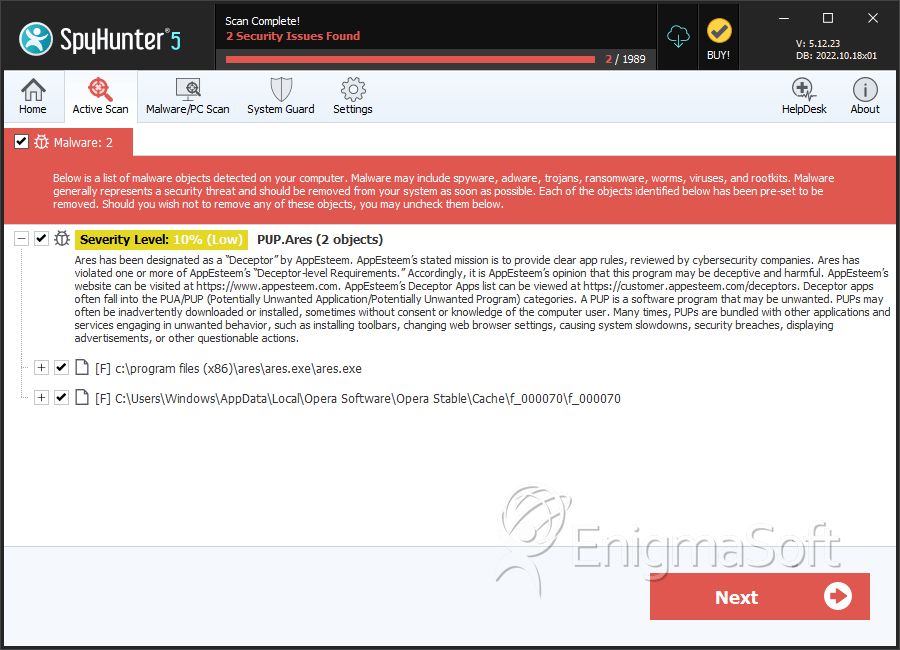
PUP.Ares
The detection of PUP.Ares indicates that your system has been compromised by a potentially unwanted program. This type of malware is designed to be stealthy and may not exhibit obvious symptoms, making it challenging to identify and remove without the assistance of security software. It's essential to understand the nature of PUP.Ares and take immediate action to mitigate its effects and prevent further damage.
Table of Contents
What Is PUP.Ares?
PUP.Ares is classified as a potentially unwanted program, which means it is not necessarily malicious but can still cause significant disruptions to your system's performance and security. PUPs often sneak onto your computer through bundled software downloads, infected websites, or misleading advertisements. Once installed, they can collect user data, display unwanted ads, or even install additional malware. The primary concern with PUP.Ares is its potential to compromise your privacy and open doors for more severe threats.
How PUP.Ares Operates
Understanding how PUP.Ares operates is crucial for effective removal and prevention. Typically, PUPs like PUP.Ares are designed to run in the background, often disguising themselves as legitimate system processes or applications. They may communicate with remote servers to receive updates, send collected data, or download additional components. This communication can lead to further system vulnerabilities, making your computer more susceptible to other types of malware. Moreover, PUP.Ares might alter system settings, manipulate browser configurations, or install unwanted toolbars and extensions to achieve its goals.
Symptoms of Infection
Identifying the symptoms of a PUP.Ares infection can be tricky, as they often mimic common system issues. However, some indicators may include an increase in unwanted advertisements, unexpected changes in browser settings, the appearance of unfamiliar programs or toolbars, and a general decline in system performance. Additionally, you might notice unfamiliar processes running in the background, which could be consuming system resources. It's vital to monitor your system's behavior closely and investigate any suspicious activity promptly.
How to Remove PUP.Ares
- Boot your computer in Safe Mode with Networking to limit the malware's ability to interfere with the removal process.
- Perform a full scan of your system using a reputable anti-malware tool, such as SpyHunter, to detect and remove all components of PUP.Ares.
- Uninstall any recently installed or suspicious programs that could be related to the PUP.Ares infection.
- Reset your web browsers (Chrome, Firefox, Edge) to their default settings to remove any unwanted changes made by the malware.
- Reboot your computer and run another full scan with your anti-malware tool to ensure that all remnants of PUP.Ares have been removed.
Following these steps carefully should help in the successful removal of PUP.Ares. However, it's also important to adopt preventive measures, such as being cautious with downloads, avoiding suspicious links, and regularly updating your security software.
Conclusion
The removal of PUP.Ares requires a combination of the right tools and careful system monitoring. By understanding the nature of potentially unwanted programs and taking proactive steps, you can protect your system from similar threats in the future. Regularly updating your operating system, browsers, and security software, along with practicing safe computing habits, are key to maintaining a secure and healthy computer environment. Remember, vigilance and the use of reputable security tools are your best defenses against malware like PUP.Ares.
SpyHunter Detects & Remove PUP.Ares