PUP.Registry Repair
The detection of PUP.Registry Repair on your system indicates the presence of a potentially unwanted program (PUP) that may be causing issues with your computer's performance and security. It is essential to understand the nature of this threat and take appropriate steps to remove it and prevent future infections.
Table of Contents
What Is PUP.Registry Repair?
PUP.Registry Repair is a type of potentially unwanted program that is designed to deceive users into thinking their system has problems that need to be fixed. These programs often claim to offer benefits such as registry cleaning or system optimization but can actually cause more harm than good. They may be installed intentionally by users who are misled by false advertising or unintentionally through software bundles or other means.
How PUP.Registry Repair Operates
PUPs like PUP.Registry Repair typically operate by scanning the system for supposed errors or issues and then prompting the user to purchase a full version of the software to fix these problems. In reality, the scans may be fake, and the issues reported may not exist or may be minor and not affecting system performance. These programs can also collect user data, display unwanted advertisements, or install additional unwanted software.
They often use aggressive marketing tactics to convince users of the need for their services, which can lead to a range of negative consequences, including decreased system performance, increased risk of other malware infections, and potential data breaches.
Symptoms of Infection
Symptoms of a PUP.Registry Repair infection can vary but may include an increase in unwanted pop-ups or advertisements, unexpected changes to browser settings or homepage, slow system performance, and the appearance of suspicious programs or tools that you do not remember installing. If you notice any of these symptoms, it is crucial to take action to remove the PUP and protect your system.
- Unwanted advertisements or pop-ups
- Changes to browser settings or homepage
- Slow system performance
- Suspicious programs or tools
How to Remove PUP.Registry Repair
- Boot your computer in Safe Mode with Networking to prevent the PUP from loading and to give you better control over the removal process.
- Perform a full scan of your system using a reputable anti-malware tool, such as SpyHunter, to detect and remove all components of the PUP.
- Uninstall any suspicious programs that you do not recognize or that were installed around the time the symptoms started.
- Reset your web browsers (Chrome, Firefox, Edge) to their default settings to remove any changes made by the PUP.
- Reboot your computer and perform another scan with your anti-malware tool to ensure that all traces of the PUP have been removed.
Conclusion
Removing PUP.Registry Repair from your system is crucial to maintaining your computer's security and performance. By following the steps outlined above and being cautious about the software you install, you can protect your system from potentially unwanted programs and other types of malware. Remember, prevention is key, so always be wary of free software downloads, read user agreements carefully, and keep your anti-malware tools up to date.
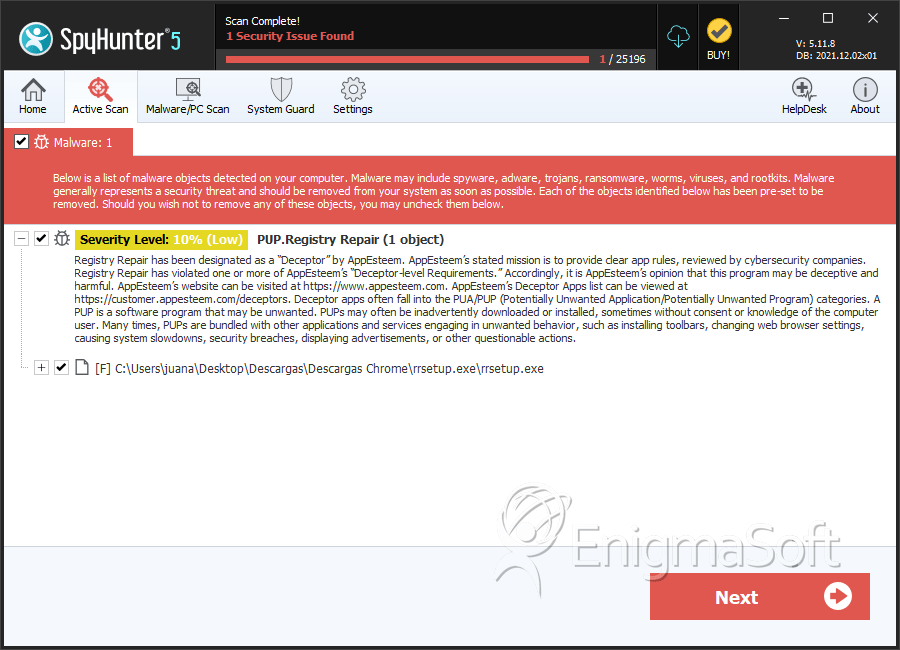
SpyHunter Detects & Remove PUP.Registry Repair