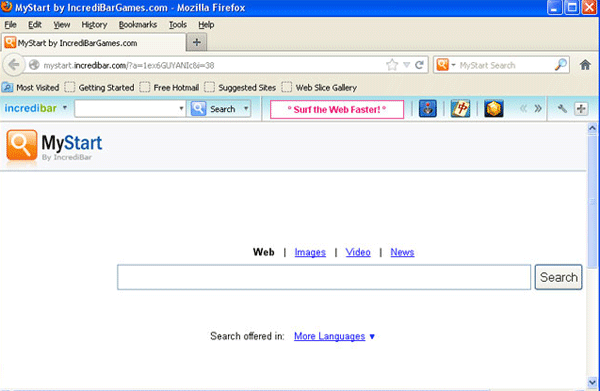
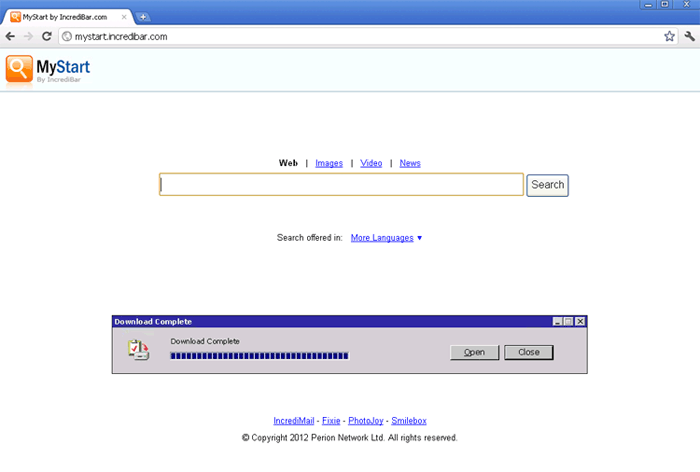
MyStart IncrediBar
Threat Scorecard
EnigmaSoft Threat Scorecard
EnigmaSoft Threat Scorecards are assessment reports for different malware threats which have been collected and analyzed by our research team. EnigmaSoft Threat Scorecards evaluate and rank threats using several metrics including real-world and potential risk factors, trends, frequency, prevalence, and persistence. EnigmaSoft Threat Scorecards are updated regularly based on our research data and metrics and are useful for a wide range of computer users, from end users seeking solutions to remove malware from their systems to security experts analyzing threats.
EnigmaSoft Threat Scorecards display a variety of useful information, including:
Popularity Rank: The ranking of a particular threat in EnigmaSoft’s Threat Database.
Severity Level: The determined severity level of an object, represented numerically, based on our risk modeling process and research, as explained in our Threat Assessment Criteria.
Infected Computers: The number of confirmed and suspected cases of a particular threat detected on infected computers as reported by SpyHunter.
See also Threat Assessment Criteria.
| Popularity Rank: | 2,347 |
| Threat Level: | 50 % (Medium) |
| Infected Computers: | 346,517 |
| First Seen: | February 28, 2012 |
| Last Seen: | October 4, 2026 |
| OS(es) Affected: | Windows |
The detection of MyStart IncrediBar on your system indicates a potential threat to your computer's security and privacy. This report aims to provide you with general guidance on understanding and removing this threat.
Table of Contents
What Is MyStart IncrediBar?
MyStart IncrediBar is a type of malicious software that can compromise your computer's security and potentially lead to unwanted consequences. While the specifics of this threat are not detailed here, it is essential to approach its removal with caution and follow best practices to minimize risks.
How MyStart IncrediBar Operates
Malicious software like MyStart IncrediBar typically operates by exploiting vulnerabilities in software or manipulating user behavior to gain unauthorized access to computer systems. Once installed, it may collect sensitive information, display unwanted advertisements, or disrupt system performance. Understanding how such threats operate is crucial for taking appropriate measures to protect your computer and personal data.
Symptoms of Infection
Computers infected with MyStart IncrediBar or similar threats may exhibit a range of symptoms. These can include, but are not limited to, unexpected changes in browser settings, the appearance of unwanted toolbars or extensions, increased pop-up advertisements, or general system slowdowns. Recognizing these symptoms early can help in initiating the removal process promptly.
- Unwanted changes in browser home pages or search engines
- Appearance of unfamiliar toolbars or browser extensions
- Increased frequency of pop-up ads or unexpected redirects
- System performance issues, such as slowdowns or frequent crashes
How to Remove MyStart IncrediBar
Removing MyStart IncrediBar requires a systematic approach to ensure all components of the threat are eliminated from your system. Follow these steps carefully:
- Boot your computer in Safe Mode with Networking to limit the threat's ability to interfere with the removal process.
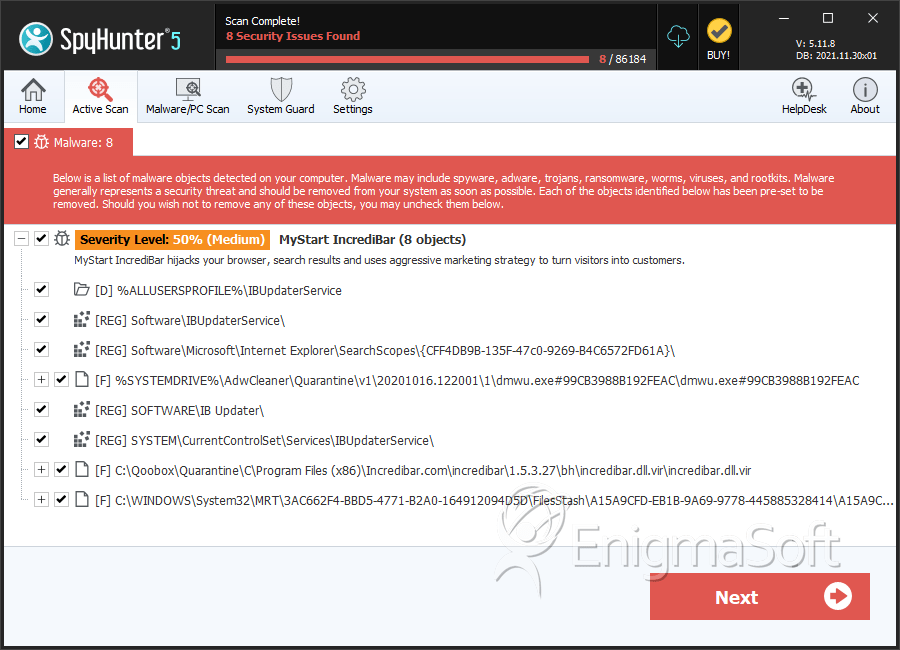
- Perform a full scan of your system using a reputable anti-malware tool, such as SpyHunter, to detect and remove all traces of the threat.
- Uninstall any recently installed or suspicious programs that could be related to MyStart IncrediBar.
- Reset your web browsers (Chrome, Firefox, Edge, etc.) to their default settings to remove any unwanted changes made by the malware.
- Reboot your computer and perform another scan to ensure that all components of the threat have been successfully removed.
Conclusion
The removal of MyStart IncrediBar from your computer is crucial for restoring your system's security and performance. By following the steps outlined in this report and maintaining vigilance against future threats, you can protect your computer and personal data from potential harm. Regularly updating your software, using reputable security tools, and practicing safe browsing habits are key to preventing similar infections in the future.
Aliases
6 security vendors flagged this file as malicious.
| Antivirus Vendor | Detection |
|---|---|
| McAfee | Artemis!36C55F1CCDD6 |
| AntiVir | APPL/InstallBrain.Gen5 |
| Comodo | ApplicUnwnt.Win32.AdWare.IBrain.B |
| Avast | Win32:PUP-gen [PUP] |
| F-Prot | W32/IBrain.B.gen!Eldorado |
| K7AntiVirus | Unwanted-Program |
SpyHunter Detects & Remove MyStart IncrediBar
File System Details
| # | File Name | MD5 |
Detections
Detections: The number of confirmed and suspected cases of a particular threat detected on
infected computers as reported by SpyHunter.
|
|---|---|---|---|
| 1. | dmwu.exe#99CB3988B192FEAC | 6718d6a986ff9314d372c61c2fac0941 | 5,169 |
| 2. | incredibar.dll.vir | 8b98614e51db02ba75859ad4b827deeb | 2,601 |
| 3. | ExtensionUpdaterService.exe | 6b272502304dde4cb552c8cdd90b9cd0 | 2,021 |
| 4. | A0096661.exe | 302a025cab861cfbc06dda6d6f67e790 | 1,917 |
| 5. | A15A9CFD-EB1B-9A69-9778-445885328414 | 87fd7ae5432d5eee6f5776da866fa01c | 1,783 |
| 6. | Extension32.dll | 4a4ddd9a42046ff4ceecc3707d7b8469 | 1,625 |
| 7. | A0205795.dll | 3fc38b1f037120559fdeb6e89f75439d | 1,299 |
| 8. | PCperformer_Setup (1).exe | c73979282f0b3e3b07475771e12f4ce6 | 247 |
| 9. | file0008.chk | 9f59670d799c63208da2724ab3dd0cee | 116 |
| 10. | dmwu.exe.vir | 26fec007e1ef608c1fa67960180f541a | 100 |
| 11. | wrtc.exe | 35aed5849a6032e077108f767a9d7b5f | 68 |
| 12. | incredimail_install.exe | d785355f276fc063e879c1035c224e40 | 54 |
| 13. | wrtc.exe.vir | 43f9ce2ff049ee7c927032b44607d269 | 53 |
| 14. | STIJ.EXE | 41b93be7a41fa8fe24d4ade9ab3b0d8a | 53 |
| 15. | ddddeeee.exe | 36e30d1e00c2a691b54991a7cd7efada | 53 |
| 16. | dmwu.exe_old | 382f8e1cf75dd68050e96b5150f6fc37 | 47 |
| 17. | $REOHG4C.dll | 199d2bcb915be153f54bb58dbf16992d | 45 |
| 18. | ExTEnsion32.dll.vir | 2894b9b023ad33b7fd4e42f91eae2379 | 39 |
| 19. | stij.exe.vir | aecd7c4e1b046d0a7d443e4bdb7b9386 | 21 |
| 20. | A0196086.exe | f946a65b60f27ad97a70143e3a6656d1 | 12 |
Registry Details
Directories
MyStart IncrediBar may create the following directory or directories:
| %ALLUSERSPROFILE%\Application Data\IBUpdaterService |
| %ALLUSERSPROFILE%\Dati applicazioni\IBUpdaterService |
| %ALLUSERSPROFILE%\IBUpdaterService |
| %APPDATA%\IBUpdaterService |
| %AppData%\Incredibar |
| %PROGRAMFILES%\IB Updater |
| %PROGRAMFILES%\Incredibar-Games_EN |
| %PROGRAMFILES%\Incredibar.com |
| %PROGRAMFILES%\Incredibar.com\incredibar |
| %PROGRAMFILES(x86)%\IB Updater |
| %PROGRAMFILES(x86)%\Incredibar-Games_EN |
| %PROGRAMFILES(x86)%\Incredibar.com |
| %TEMP%\mt_ffx\Incredibar.com |
| %UserProfile%\AppData\LocalLow\Incredibar-Games_EN |
URLs
MyStart IncrediBar may call the following URLs:
| mystart.incredibar.com |
Analysis Report
General information
| Family Name: | MyStart IncrediBar |
|---|---|
| Signature status: | No Signature |
Known Samples
Known Samples
This section lists other file samples believed to be associated with this family.|
MD5:
f55266fb97637a2092d63abfa18d165e
SHA1:
0889c759df3bf9703fa6bbe45c1983ca59a4b440
SHA256:
DE56CEC40635159EF74BB8BCAB6CAA2DF2E3A08AF990E3614DE4A44C97550FD6
File Size:
1.13 MB, 1126378 bytes
|
Windows Portable Executable Attributes
- File doesn't have "Rich" header
- File doesn't have debug information
- File doesn't have exports table
- File doesn't have relocations information
- File doesn't have security information
- File has TLS information
- File is 32-bit executable
- File is either console or GUI application
- File is GUI application (IMAGE_SUBSYSTEM_WINDOWS_GUI)
- File is Native application (NOT .NET application)
Show More
- File is not packed
- IMAGE_FILE_DLL is not set inside PE header (Executable)
- IMAGE_FILE_EXECUTABLE_IMAGE is set inside PE header (Executable Image)
File Icons
File Icons
This section displays icon resources found within family samples. Malware often replicates icons commonly associated with legitimate software to mislead users into believing the malware is safe.


Windows PE Version Information
Windows PE Version Information
This section displays values and attributes that have been set in the Windows file version information data structure for samples within this family. To mislead users, malware actors often add fake version information mimicking legitimate software.| Name | Value |
|---|---|
| Comments | This installation was built with Inno Setup. |
| Company Name | IncrediBar |
| File Description | IB Updater Setup |
| Product Name | IB Updater |
| Product Version | 2.0.0.578 |