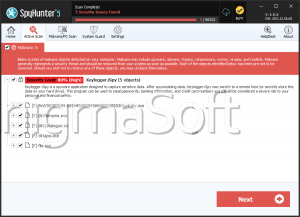
Ispy
The detection of Ispy on your system indicates a potential threat to your privacy and security. This report provides an overview of the Ispy detection, its characteristics, and steps to remove it from your system. It is essential to address this issue promptly to prevent any further damage or data breaches.
Table of Contents
What Is Ispy?
Ispy is a type of spyware that can secretly monitor and collect sensitive information from your system. Spyware like Ispy can be designed to capture keystrokes, screenshots, and other data, which can then be transmitted to a remote server or used for malicious purposes. The primary goal of spyware is to gather confidential information without the user's knowledge or consent.
How Ispy Operates
Spyware like Ispy typically operates by installing itself on a system through various means, such as exploits, infected software downloads, or phishing attacks. Once installed, it can run in the background, hidden from the user, and begin collecting data. The spyware may also communicate with its command and control servers to receive updates or transmit stolen data. In some cases, spyware can also install additional malware or create backdoors for further exploitation.
Symptoms of Infection
Systems infected with Ispy or similar spyware may exhibit various symptoms, including slow performance, unexpected pop-ups, or changes to browser settings. You may also notice unusual network activity or unfamiliar programs running in the background. However, some spyware can be designed to operate stealthily, making it challenging to detect without proper security tools.
- Unexplained system crashes or freezes
- Modified browser settings or homepage
- Appearance of unwanted toolbars or extensions
- Increased network activity or data usage
How to Remove Ispy
To remove Ispy from your system, follow these steps:
- Boot your system in Safe Mode with Networking to prevent the spyware from loading and to allow for internet access for updates and scans.
- Use a reputable anti-spyware tool, such as SpyHunter, to perform a full scan of your system. This can help identify and remove Ispy and any related malware.
- Uninstall any suspicious programs or applications that you do not recognize or that were installed without your consent.
- Reset your web browsers (Chrome, Firefox, Edge) to their default settings to remove any unwanted extensions or modifications made by the spyware.
- Reboot your system and perform another scan with your anti-spyware tool to ensure that all components of Ispy have been removed.
Conclusion
The removal of Ispy from your system is crucial to protecting your privacy and security. By following the steps outlined in this report and maintaining good security practices, such as keeping your software up-to-date and using strong antivirus tools, you can significantly reduce the risk of future infections. Remember, vigilance and proactive security measures are key to safeguarding your digital environment.