HEUR Malware.QA
Threat Scorecard
EnigmaSoft Threat Scorecard
EnigmaSoft Threat Scorecards are assessment reports for different malware threats which have been collected and analyzed by our research team. EnigmaSoft Threat Scorecards evaluate and rank threats using several metrics including real-world and potential risk factors, trends, frequency, prevalence, and persistence. EnigmaSoft Threat Scorecards are updated regularly based on our research data and metrics and are useful for a wide range of computer users, from end users seeking solutions to remove malware from their systems to security experts analyzing threats.
EnigmaSoft Threat Scorecards display a variety of useful information, including:
Popularity Rank: The ranking of a particular threat in EnigmaSoft’s Threat Database.
Severity Level: The determined severity level of an object, represented numerically, based on our risk modeling process and research, as explained in our Threat Assessment Criteria.
Infected Computers: The number of confirmed and suspected cases of a particular threat detected on infected computers as reported by SpyHunter.
See also Threat Assessment Criteria.
| Threat Level: | 100 % (High) |
| Infected Computers: | 36 |
| First Seen: | May 10, 2023 |
| Last Seen: | March 18, 2026 |
| OS(es) Affected: | Windows |
HEUR Malware.QA is a type of malware that has been detected in various systems, causing concern among users due to its potential to compromise security and disrupt normal functioning. The name HEUR Malware.QA itself does not specify a particular family of malware, but rather indicates that it has been identified through heuristic analysis, which is a method used to detect and analyze malware based on patterns and behaviors rather than specific signatures.
Table of Contents
What Is HEUR Malware.QA?
HEUR Malware.QA refers to a type of malicious software that has been identified using heuristic methods. This means that the detection of the malware is based on its behavior and characteristics rather than a specific known signature. The term "HEUR" stands for heuristic, indicating that the malware detection is based on patterns and behaviors that are typical of malicious software, rather than a specific known family of malware.
How HEUR Malware.QA Operates
HEUR Malware.QA operates by exploiting vulnerabilities in systems and software, allowing it to gain unauthorized access and cause various types of disruptions. The exact method of operation can vary, but it often involves manipulating system files, stealing sensitive information, or disrupting normal system functions. This type of malware can be particularly challenging to detect and remove, as it may not have a specific known signature and can adapt to evade detection.
Symptoms of Infection
The symptoms of a HEUR Malware.QA infection can include a range of issues, such as slow system performance, unexpected crashes, or the appearance of suspicious programs or files. Users may also notice that their system is behaving erratically or that sensitive information is being accessed without their permission. It is essential to be aware of these symptoms and take prompt action to address the issue and prevent further damage.
How to Remove HEUR Malware.QA
To remove HEUR Malware.QA, users can follow these steps:
- Enter Safe Mode with Networking to prevent the malware from spreading and to allow for more effective removal.
- Perform a full scan with a reputable anti-malware tool, such as SpyHunter, to detect and remove the malware.
- Uninstall any suspicious programs that may be associated with the malware.
- Reset browsers like Chrome, Firefox, or Edge to their default settings to remove any malware-related extensions or add-ons.
- Reboot the system and perform another scan to ensure that the malware has been completely removed.
Conclusion
In conclusion, HEUR Malware.QA is a type of malware that requires prompt attention and action to remove. By understanding its behavior and taking the necessary steps to detect and remove it, users can protect their systems and sensitive information from potential harm. It is crucial to remain vigilant and proactive in maintaining system security and to utilize reputable anti-malware tools to prevent and remove such threats.
SpyHunter Detects & Remove HEUR Malware.QA
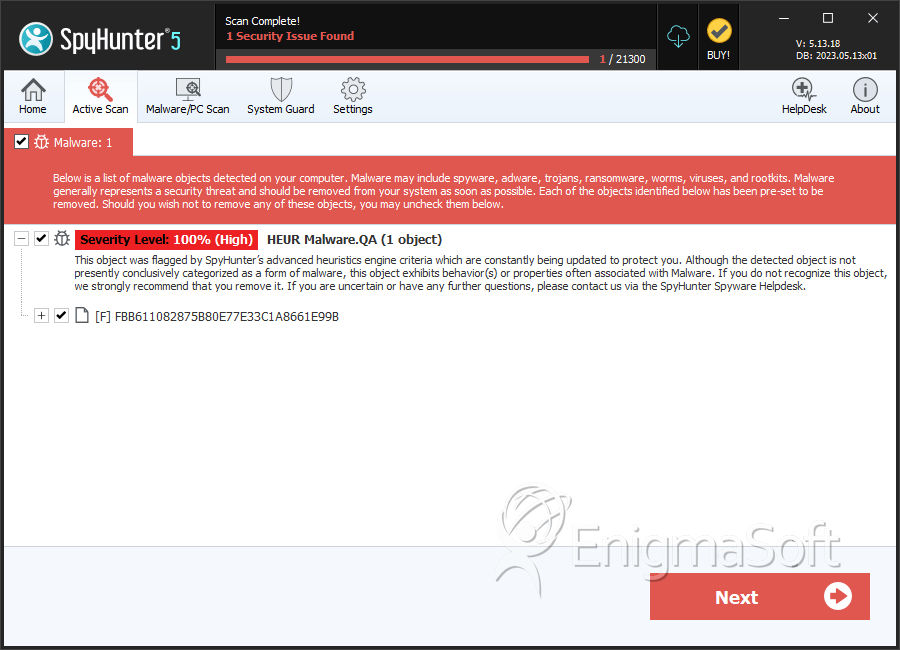
File System Details
| # | File Name | MD5 |
Detections
Detections: The number of confirmed and suspected cases of a particular threat detected on
infected computers as reported by SpyHunter.
|
|---|---|---|---|
| 1. | HEURMalware.exe | fbb611082875b80e77e33c1a8661e99b | 19 |


