Free Ride Games Player
Threat Scorecard
EnigmaSoft Threat Scorecard
EnigmaSoft Threat Scorecards are assessment reports for different malware threats which have been collected and analyzed by our research team. EnigmaSoft Threat Scorecards evaluate and rank threats using several metrics including real-world and potential risk factors, trends, frequency, prevalence, and persistence. EnigmaSoft Threat Scorecards are updated regularly based on our research data and metrics and are useful for a wide range of computer users, from end users seeking solutions to remove malware from their systems to security experts analyzing threats.
EnigmaSoft Threat Scorecards display a variety of useful information, including:
Popularity Rank: The ranking of a particular threat in EnigmaSoft’s Threat Database.
Severity Level: The determined severity level of an object, represented numerically, based on our risk modeling process and research, as explained in our Threat Assessment Criteria.
Infected Computers: The number of confirmed and suspected cases of a particular threat detected on infected computers as reported by SpyHunter.
See also Threat Assessment Criteria.
| Popularity Rank: | 4,308 |
| Threat Level: | 10 % (Normal) |
| Infected Computers: | 65,321 |
| First Seen: | August 9, 2010 |
| Last Seen: | July 24, 2026 |
| OS(es) Affected: | Windows |
The Free Ride Games Player plug-in from Exent Technologies Ltd. is associated with the gaming platform located on FreeRideGames.com that offers users to play free Adobe Flash games ranging from puzzles to first person shooters. The Free Ride Games Player plug-in functions as your shortcut to the gaming content hosted on FreeRideGames.com and may modify your browser settings regarding your homepage and new tab. The Free Ride Games Player plug-in may be installed to your Internet browser when you introduced a free program bundle to your system with the 'Express' or 'Typical' option. The Free Ride Games Player plug-in may be installed to the AppData folder and affect Google Chrome, Internet Explorer and Mozilla Firefox. The Free Ride Games Player plug-in is ad-supported software to ensure that its service remains cost -free for users. That is why Free Ride Games Player is perceived as a Potentially Unwanted Program (PUP) that may show you sponsored content via pop-up windows and banners on sites you visit most often. The Free Ride Games Player plug-in may invite you to use the search engine on SpeedFindcom and install software like System SpeedUp to earn affiliate revenue for its developers. The Free Ride Games Player plug-in may load several DLL files when you start an online session to execute its operations. The Free Ride Games Player plug-in may run at system boot-up and insert a registry key named GPlayer in Windows to run as a background service. The Free Ride Games Player plug-in may slow down your PC and perform occasional redirects that may obstruct your comfortable Internet experience. A trusted anti-malware utility can delete all files linked to the Free Ride Games Player plug-in.
Table of Contents
Aliases
3 security vendors flagged this file as malicious.
| Antivirus Vendor | Detection |
|---|---|
| Sunbelt | VIPRE.Suspicious |
| ClamAV | PUA.Packed.ASPack212 |
| ClamAV | PUA.Packed.ASPack |
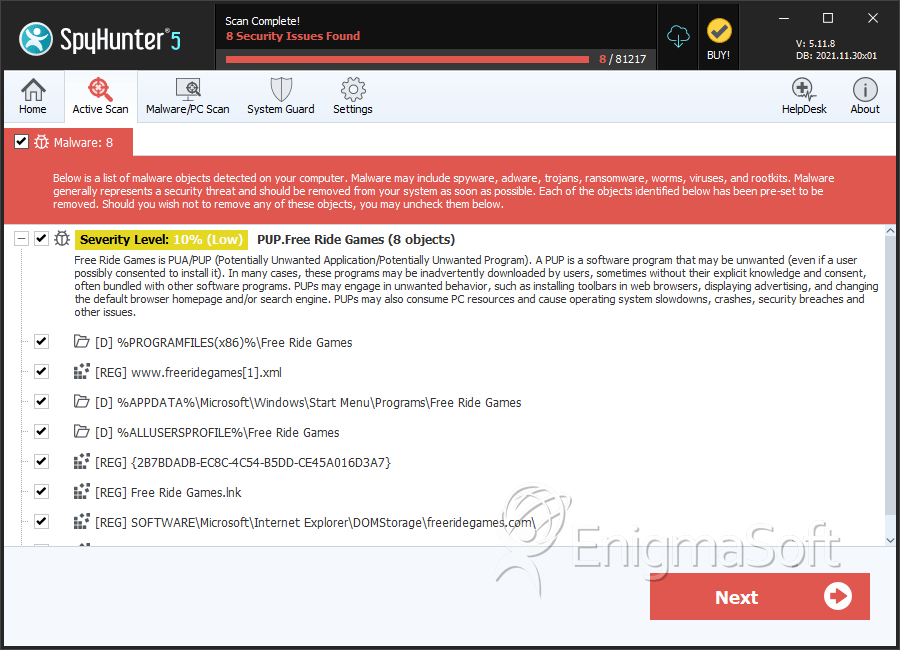
SpyHunter Detects & Remove Free Ride Games Player
File System Details
| # | File Name | MD5 |
Detections
Detections: The number of confirmed and suspected cases of a particular threat detected on
infected computers as reported by SpyHunter.
|
|---|---|---|---|
| 1. | uninstall.exe | 45884a21272bd91529130893968fdc50 | 1,812 |
| 2. | cmhelper.exe | 6f572cc37a0403927191f49aa95a6929 | 1,440 |
| 3. | X5XSEx.Sys | 2b7e07aa8770695ec4e153288843f894 | 992 |
| 4. | GTR.exe | 163648868ba26733a7fbe735dae13447 | 520 |
| 5. | X5Ex.Sys | a75bd0c6dafb242fc8234682c2aca28e | 458 |
| 6. | GPlayer.exe.vir | 94a49c57a6bf229afb3fbbabe10cb7e1 | 444 |
| 7. | GPlayer.exe | 7d429f3152a62dcf2b17bdd5f259df63 | 443 |
| 8. | Free Ride Games.exe | 57a731883efd7557063d849dce6630e1 | 434 |
| 9. | AppLoader2kEx.dll | 66e34b7ab792fe1ed73f5ade5ca1a91a | 412 |
| 10. | X5XS64Ex.Sys | 4b238d439f252fbd9cc4711a13563c62 | 289 |
| 11. | C:\Program Files\free ride games\Free_Ride_Games.exe | 9a5e999c90861ce9b7906dbf429d4238 | |
| 12. | "C:\Program Files\Free Ride Games\Uninstall.exe" | ||
| 13. | X5Ex_Pr143.sys | ||
| 14. | X5XSEx_Pr143.sys | ||
| 15. | AppLoader2KEx.dll | ||
| 16. | wh_Pr143.dll | ||
| 17. | npExentCtl.dll | ||
| 18. | GameInst.dll | ||
| 19. | GPlayer.exe | ||
| 20. | exs.dll | ||
| 21. | GameLauncher.exe | ||
| 22. | GPlrLanc.exe | ||
| 23. | GUpdater.dll | ||
| 24. | Report.exe | ||
| 25. | GUpdater.exe | ||
| 26. | npGameTreatWidget.dll | ||
| 27. | cmhelper.exe | ||
| 28. | AX32.dll |
Registry Details
Directories
Free Ride Games Player may create the following directory or directories:
| %ALLUSERSPROFILE%\Application Data\Free Ride Games |
| %ALLUSERSPROFILE%\Free Ride Games |
| %APPDATA%\Microsoft\Windows\Start Menu\Programs\Free Ride Games |
| %PROGRAMFILES%\Free Ride Games |
| %PROGRAMFILES(x86)%\Free Ride Games |
| %USERPROFILE%\Start Menu\Programs\Free Ride Games |
Analysis Report
General information
| Family Name: | PUP.Free Ride Games |
|---|---|
| Signature status: | No Signature |
Known Samples
Known Samples
This section lists other file samples believed to be associated with this family.|
MD5:
dead1285508a17b82f4a69215a40a85e
SHA1:
7d8083f70a9b6263044843256148725771dcc937
SHA256:
7B8E3E02C359F55FD737B529E6EB50FE83BEDA34B719F0365EABDE095C3A4C7E
File Size:
1.62 MB, 1619567 bytes
|
Windows Portable Executable Attributes
- File doesn't have "Rich" header
- File doesn't have debug information
- File doesn't have exports table
- File doesn't have relocations information
- File doesn't have security information
- File is 32-bit executable
- File is either console or GUI application
- File is GUI application (IMAGE_SUBSYSTEM_WINDOWS_GUI)
- File is Native application (NOT .NET application)
- File is not packed
Show More
- IMAGE_FILE_DLL is not set inside PE header (Executable)
- IMAGE_FILE_EXECUTABLE_IMAGE is set inside PE header (Executable Image)
File Icons
File Icons
This section displays icon resources found within family samples. Malware often replicates icons commonly associated with legitimate software to mislead users into believing the malware is safe.


Windows PE Version Information
Windows PE Version Information
This section displays values and attributes that have been set in the Windows file version information data structure for samples within this family. To mislead users, malware actors often add fake version information mimicking legitimate software.| Name | Value |
|---|---|
| Comments | EXEtender Player (English) - ASP |
| Company Name | Exent Technologies Ltd. |
| File Description | Free Ride Games |
| File Version | 07.03.47.00 |
| Internal Name | stub32 |
| Legal Copyright | 2011 |
| Original Filename | stub32i.exe |
| Product Name | Free Ride Games |
| Product Version | 07.03.47.00 |
File Traits
- big overlay
- InstallShield Installer
- x86
Files Modified
Files Modified
This section lists files that were created, modified, moved and/or deleted by samples in this family. File system activity can provide valuable insight into how malware functions on the operating system.| File | Attributes |
|---|---|
| c:\users\user\appdata\local\temp\extb721.tmp | Generic Read,Write Data,Write Attributes,Write extended,Append data |
| c:\users\user\appdata\local\temp\pftb7ed.tmp\pftw1.pkg | Generic Read,Write Data,Write Attributes,Write extended,Append data |
| c:\users\user\appdata\local\temp\plfb720.tmp | Generic Read,Write Data,Write Attributes,Write extended,Append data |